Technical SEO - A Complete Guide
Even the best content will not rank if search engine bots cannot crawl, render, and index it. Technical SEO is a set of activities that remove such barriers: they organize site architecture, page code, loading speed, and the way a website communicates with robots. It is the foundation of search engine optimization, because all other efforts (keyword research, content, link building) only work when the site is technically accessible and its structure makes it easy for search engine algorithms to understand the content. Without a technical foundation, high rankings are hard to achieve.
In this guide to technical SEO - search engine optimization from the technical side - we organize the key areas: crawling and indexing, robot management, URL structure, internal linking, loading speed, and the mobile version. Based on this, you can conduct a technical SEO audit, pinpoint the errors blocking your website's visibility, and determine a fix strategy - namely, which issues to address first. This makes it easier to grow organic traffic, and everything fits within broader website SEO. The guide is for site owners, SEO specialists, and developers who want their website to be accessible to bots and fast for users. Technical optimization includes, among other things, the robots.txt file and the sitemap.xml sitemap, and this overview is based on Google documentation (as of November 2026).
How to Control Website Indexing in Search Engines
The robots.txt file only blocks resource crawling, while the presence of URLs in search results is managed by noindex, HTTP headers, and canonical tags. Your site's indexing in the search engine index depends on both mechanisms.
Differences Between robots.txt, noindex, and the Canonical Tag
| Method | What it controls | Limitation |
|---|---|---|
| robots.txt file | crawler access to paths | does not remove the URL from the index |
| robots meta tag (noindex) | excluding an HTML page from the index | the URL must be accessible to the crawler |
| X-Robots-Tag header | noindex in the HTTP response, also for non-HTML files | same as above |
| rel=canonical | consolidating duplicate URLs (canonicalization) | it is a hint, Google may choose a different URL |
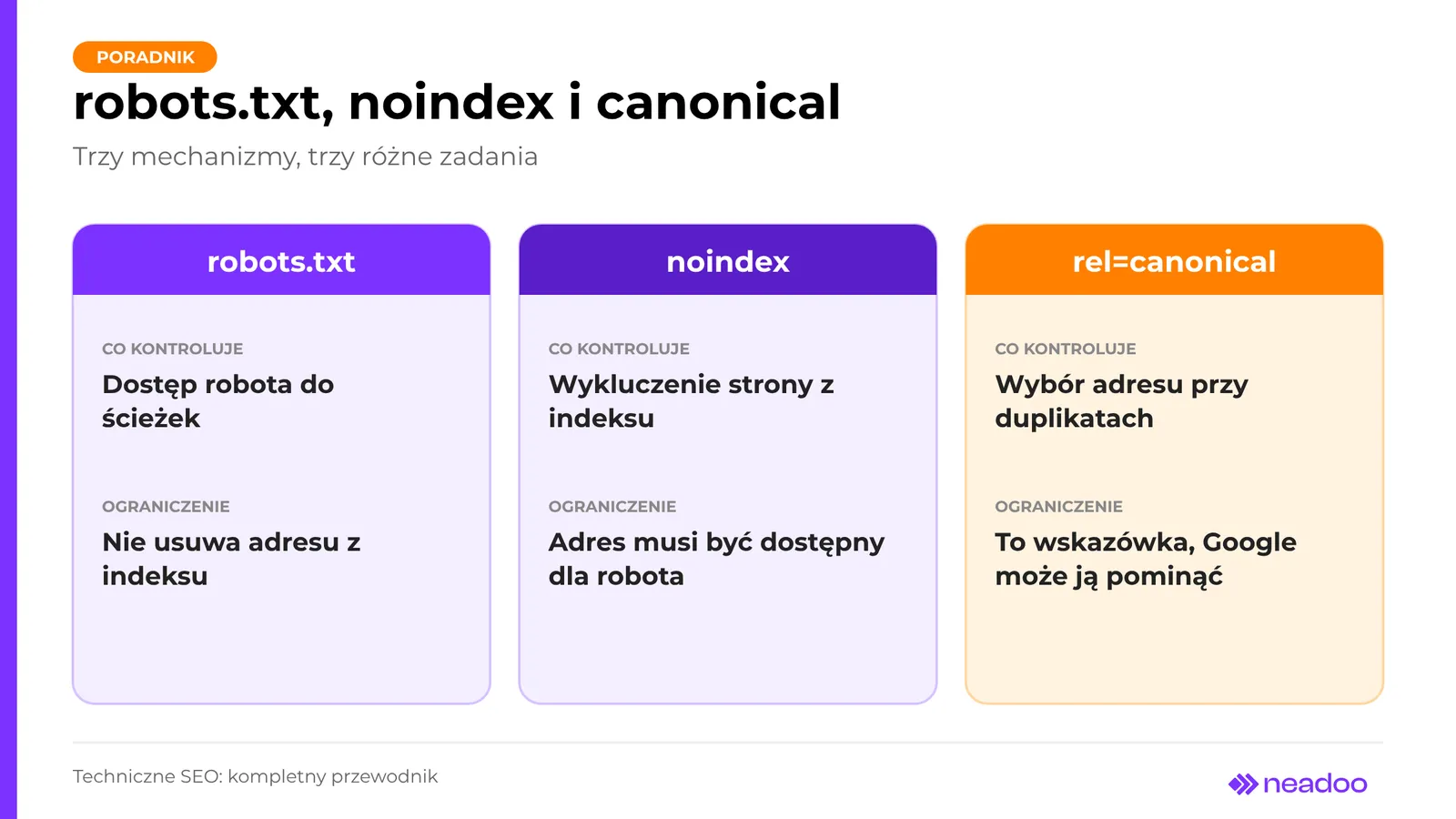
Remember that blocking a page in robots.txt prevents the bot from reading noindex, so such a URL may still remain in the index. Choosing a canonical domain (for example, the https version without www) is worth confirming additionally with redirects. Canonical helps especially when the same content appears on different pages.
Managing Crawl Budget on Large Websites
Crawl budget matters mainly on very large websites (according to Google, starting from around one million pages or 10,000 pages that change daily), so on a small site it is rarely a bottleneck. It is consumed primarily by filter parameters and duplicates, typical for online stores: bot access to such paths is restricted in robots.txt, and for non-HTML files (for example, PDFs), noindex is set via the X-Robots-Tag header.
Googlebot regulates its crawl rate automatically, and Google phased out the old rate-limiting tool in Search Console in 2024. When you urgently need to reduce server load, respond temporarily with a 500, 503, or 429 status code. Keep only canonical URLs in the XML sitemap, and remember that Google Search Console monitors indexing and accepts sitemaps, but does not guarantee the indexing of submitted URLs.
When to Choose Server-Side Rendering
The most popular rendering techniques are SSR, SSG, and CSR, and sites reliant on organic traffic and AI bots should choose SSR, static site generation (SSG), or a hybrid model. CSR delays indexing because Googlebot first downloads the HTML and executes JavaScript in a separate, later rendering phase.
Issues with Client-Side Rendering and Hydration
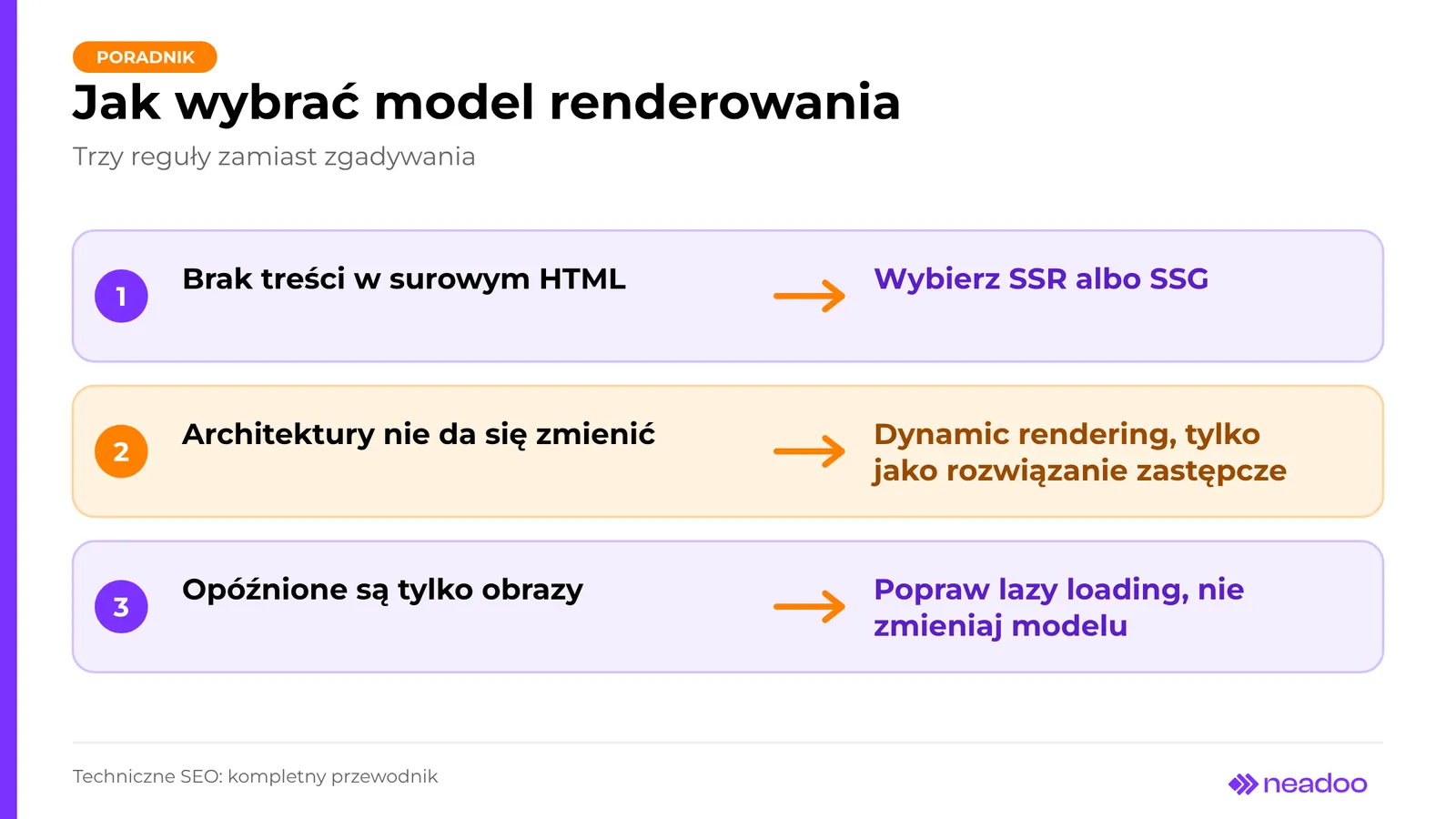
Typical defects include an empty HTML shell, titles and descriptions injected via script, render-blocking resources delaying content, and hydration, which swaps out visible content when there is a mismatch with the server HTML. Choosing a model comes down to three rules: when content or meta tags are missing from raw HTML, choose SSR or SSG; when the architecture cannot be changed, use dynamic rendering as a fallback; and when the content is in the HTML and only images are delayed, fix lazy loading instead of changing the rendering model.
Website Code Accessibility for AI Model Crawlers
Some AI model crawlers do not execute JavaScript, so key content must be present in the initial HTML code. Compare the page source with the browser view, and check rendering settings separately for each CMS platform. Make sure search bots are not blocked in robots.txt or by the server firewall.
How to Design URL Structure and Internal Linking
A clear URL structure (shallow hierarchy, for example /category/product) and internal linking make it easier for bots to distribute PageRank, and users navigate the site faster. They also prevent orphan pages - subpages with no links pointing to them. URLs should be short and descriptive, can include keywords, and technical optimization begins with getting them in order. Internal links to important subpages give them priority, descriptive link text (anchor text) helps search engines understand the topic of the destination URL, and the menu should contain the site's most important sections. External links from authoritative and diverse sources strengthen a website, but they belong to off-page activities, not technical SEO.
Correct Server Response Codes and Eliminating Redirect Chains
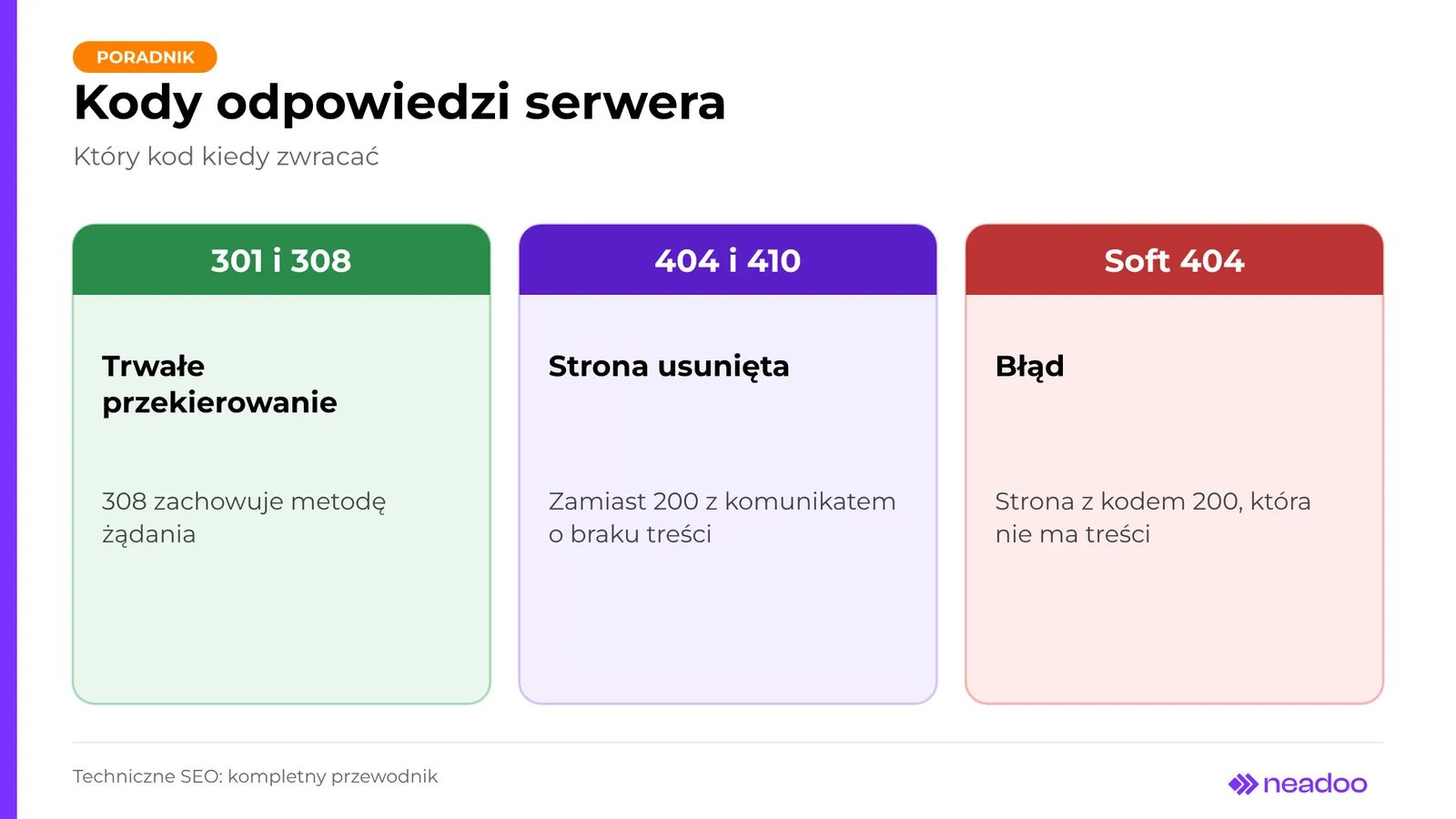
A 301 redirect is used during a migration involving URL changes, while the HTTP 308 redirect is its permanent equivalent and preserves the original request method. Link directly to the destination URL, and after a migration, check that no redirect loop has been created. Managing redirects and HTTP errors prevents crawl budget waste on large websites. A removed page should return a 404 or 410 code, not a 200 with a message stating that content is missing (soft 404).
Sitemaps and Schema.org Structured Data
A sitemap makes it easier for bots to index content. Include only canonical URLs in an XML sitemap, and a single file should not exceed 50,000 URLs or 50 MB (larger sites split sitemaps and link them with an index file). The hreflang attribute for language versions requires return links between variants.
Structured data is a standardized way of recording information about a page, and Schema.org is a shared schema library for it. The preferred format is JSON-LD, which can be implemented in the code or generated via script, provided the markup is visible in the rendered DOM. After implementation, verify that the data matches the visible content and Google's requirements for the given result type, and diagnose errors in Search Console. Markup does not guarantee that a rich snippet will appear.
Let's check your website's potential
Share your website and email - we'll get back to you with a real analysis, no strings attached.
Core Web Vitals Optimization Sequence
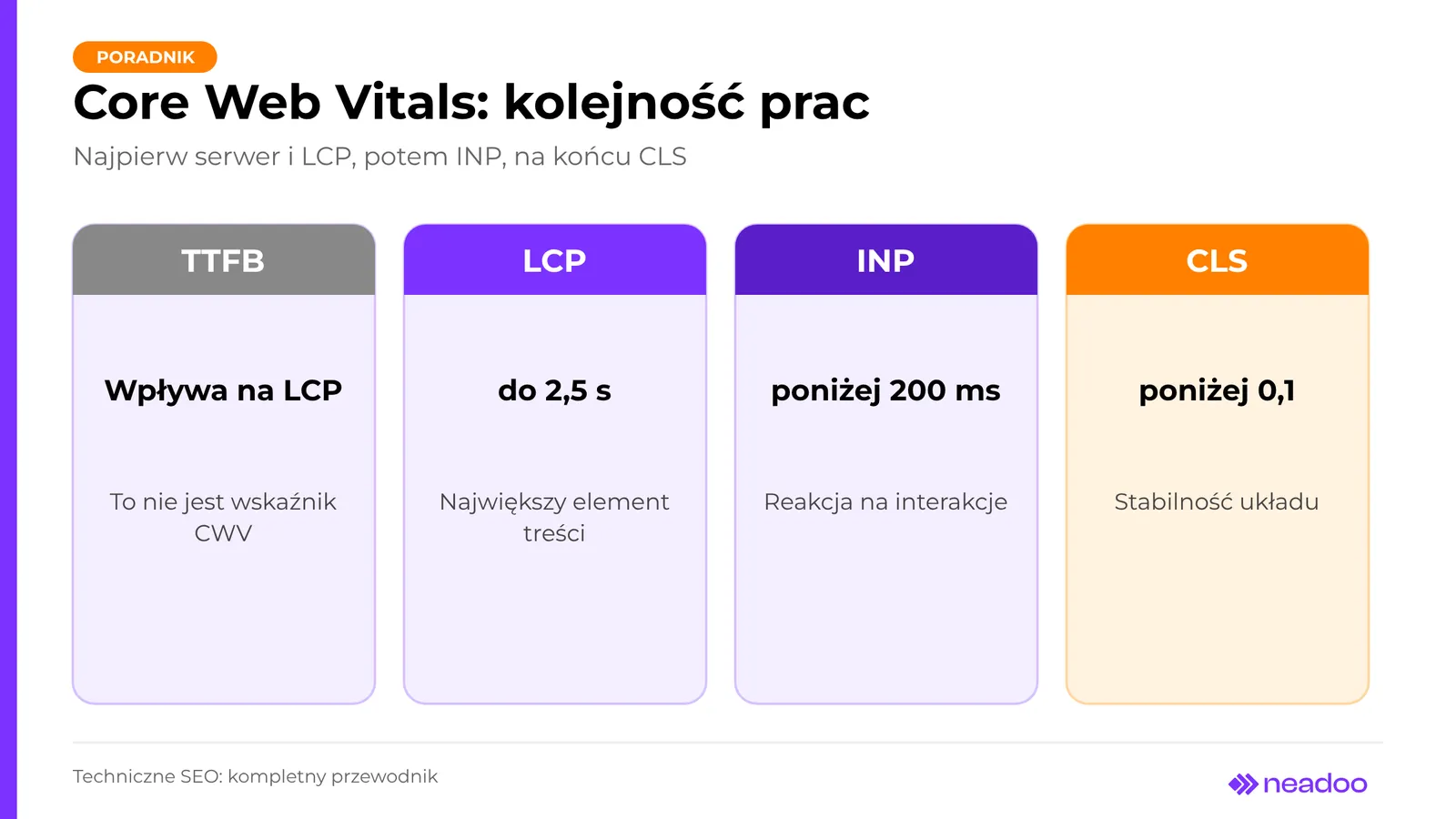
Core Web Vitals are three user experience metrics in Google (LCP, INP, and CLS) that Google's ranking systems use, but they do not guarantee improved site rankings in search results. The "good" thresholds are LCP up to 2.5 s, INP below 200 ms, and CLS below 0.1, with INP (Interaction to Next Paint) replacing FID in 2024. Start by measuring on mobile devices, because with mobile-first indexing, the mobile version is the baseline for evaluating your site.
The easiest approach is to fix the metrics one by one using proven techniques: image optimization, code compression, and effective caching. TTFB is not a Core Web Vitals metric, but it affects LCP: reduce server response time (caching, CDN), then optimize the main image and eliminate render-blocking resources from the head of the document, including unnecessary CSS files. Next, break up heavy JavaScript and defer third-party scripts (ads, chat, analytics) to improve INP, and finally reserve dimensions for images, ads, embeds, and other page elements, and load fonts so they do not cause layout shifts (CLS).
Record the results in an audit report, and rerun the analysis in Google PageSpeed Insights and Google Search Console after each stage. Loading speed is crucial for users and potential customers, so improving these metrics leads to better results rather than just helping crawlers.
HTTPS and Mobile Version of the Site
HTTPS is a standard today and a very lightweight signal affecting site rankings according to Google, and above all a prerequisite for user trust. Check whether every version of the website URL (http, https, with www and without) redirects with a single 301 redirect to the preferred version, and whether the site does not load resources over HTTP.
Since July 5, 2024, Google crawls and indexes websites with the Googlebot Smartphone crawler, so practically all sites are indexed in mobile-first mode, and the mobile version must contain the same content, headings, structured data, and meta description as the desktop version. The simplest approach is a responsive website with a configured viewport tag.
Technical SEO Audit Step by Step
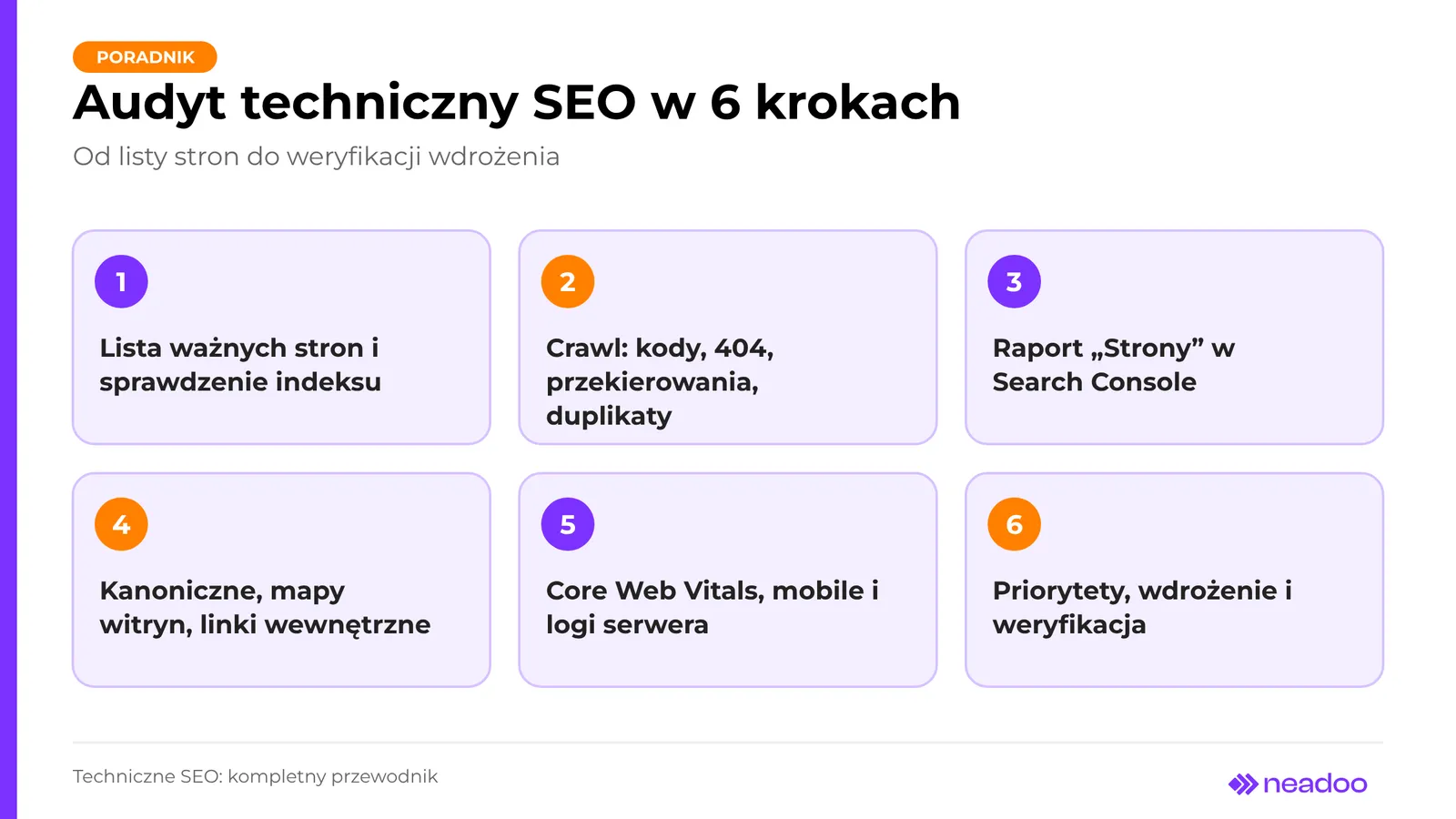
A technical SEO audit serves to identify errors and is easiest to perform using tools: start with a crawler, such as Screaming Frog, and compare its results with Search Console reports. Follow these six steps using a checklist:
- Compile a list of the most important pages (offers, categories, articles intended to drive organic traffic) and verify whether their subpages are in the index.
- Scan the site with a crawler, perform a status code analysis, and record 404 errors, redirect chains, orphan pages, and duplicate URLs.
- Compare URLs with the "Pages" report in Google Search Console: which ones are not indexed and why (noindex, robots.txt block, server error).
- Check the consistency of canonical tags, sitemaps, internal links, and external links pointing to redirects, ensuring they all point to the same URL.
- Measure Core Web Vitals and mobile performance, and for large sites, run a server log analysis to see what crawlers are actually scanning.
- Set an implementation strategy based on impact and scope, roll out fixes starting with the most critical ones, and verify results again after implementation.
Supplement the audit with a competitor analysis: check how top-ranking pages for your target keywords perform technically. Evaluating the effectiveness of fixes takes several weeks, and every audit concludes with a report listing the required changes. Also check whether meta tags are unique for each page: a title of around 50-60 characters and a meta description of around 155-160 characters are practical guidelines, not strict Google limits.
FAQ
What is the difference between technical SEO and on-site SEO?
Technical SEO focuses on a website's accessibility and understandability for crawlers: crawling, indexing, rendering, status codes, and speed. On-site SEO covers a broader scope, including content, keywords, and internal linking, so technical SEO is a component of on-site optimization and a prerequisite for the success of other efforts.
Why doesn't robots.txt remove a page from search results?
Robots.txt only disallows crawling. If other pages link to the blocked URL, Google may index it without fetching the content and display just the URL itself. To remove a page, allow crawlers access and add a noindex tag, or return a 404 or 410 status code.
Why does Google ignore the rel="canonical" tag?
A canonical tag is a hint, not a directive. Google may ignore it when signals conflict: the target URL returns an error or redirect, has a noindex tag, its content differs from the duplicate, or internal links and sitemaps point to a different URL. All of these signals need to be aligned.
Are Core Web Vitals a ranking factor?
Yes, but one of many, and they do not determine rankings on their own. Google includes them in its ranking systems, but quality content and relevance remain far more important.
Should I block AI bots in robots.txt?
This is a business decision. You can block training bots (such as GPTBot) separately, but blocking search-related bots will exclude your site from that platform's search answers. Google-Extended does not affect your presence in Google Search.
How often should you run a technical SEO audit?
There is no single schedule. For most sites, a review roughly every 6 months is reasonable; for large or frequently updated ecommerce stores, quarterly; and immediately following a migration or a drop in visibility.