
Zapier - What It Is and How to Use It to Automate Business Tasks
How many hours a week does your team waste retyping data scattered across different apps? Zapier is a web-based task automation platform that connects over 9,000 tools into automated workflows without requiring any coding. Zapier acts as a bridge between APIs: a specific event in the first app triggers an action in the second app.
What is Zapier? How app integration works
Zapier is a no-code iPaaS tool that moves data between software programs without the need to build integrations yourself. The ecosystem includes over 9,000 popular apps across marketing, sales, and project management. The platform acts as an intermediary between online services that do not communicate natively, maintaining consistent data across different apps. Automated workflows also support AI SEO by transferring traffic data to analytics tools.
Trigger, action, and filter - the foundation of every Zap
The basic unit is a Zap. It has a trigger and one or more actions:
- Trigger is an event in one app: a new lead in a CRM, a row in a spreadsheet.
- Action is a task in another program: a notification in Slack, automatically adding a contact to a mailing list.
- Filter is an optional condition checked after the trigger, not a mandatory third element of a Zap.
A single trigger can initiate actions in different apps. Configuration takes place in a step-by-step builder without a drag-and-drop canvas - a separate tool called Canvas is used for mapping out processes.
Zapier in Polish: English-only interface
The interface, documentation, and technical support are available only in English, including error messages - Zapier recommends in-browser translation. The actual logic of app integration remains simple and requires no coding skills.
How Zapier works step by step: your first automation
You can launch your first Zap in just a few minutes, across four stages:
- Account setup and app selection. Sign up via email or Google, then select the source and destination. Using one of the pre-built templates will speed up the process.
- Setting up the trigger. Select a specific event, such as "new email in Gmail." OAuth grants access without passwords.
- Adding an action and field mapping. Map variables from the trigger, such as sender and subject, to the target fields.
- Testing and publishing. The system pulls a sample and runs a test action, after which you activate the Zap.
Example: an email containing a specific keyword creates a row in Google Sheets and sends a notification in Slack.
Advanced workflows: filters, Paths, and delays
Once you master the basics, you can build multi-step workflows with branches.
Advanced filters and logic conditions
Instead of reacting to every event, a Zap verifies criteria: whether an order amount exceeds $1,000, or whether a lead comes from a qualified source. An unfulfilled condition halts execution. The benefits of using a filter are also financial: a rejected event does not consume a task from your limit.
Paths: conditional branching
Paths split a single trigger into multiple execution paths with their own conditions: a new lead triggers a notification for B2B, while a second path adds the contact to a B2C campaign.
Important change: until July 2026, branches ran concurrently. Zapier moved all accounts to sequential execution, running from left to right in the editor, and is deprecating parallel mode later in 2026. This reduces rate-limiting errors, but increases Zap run times.
Formatter and Delay as intermediary steps
Formatter transforms data within the workflow: date formatting, text trimming, currency conversion. Delay pauses execution from minutes up to 31 days, accommodating drip marketing campaigns.
Let's check your website's potential
Share your website and email - we'll get back to you with a real analysis, no strings attached.
The role of artificial intelligence: Copilot, Agents, and MCP
The AI layer consists of several products:
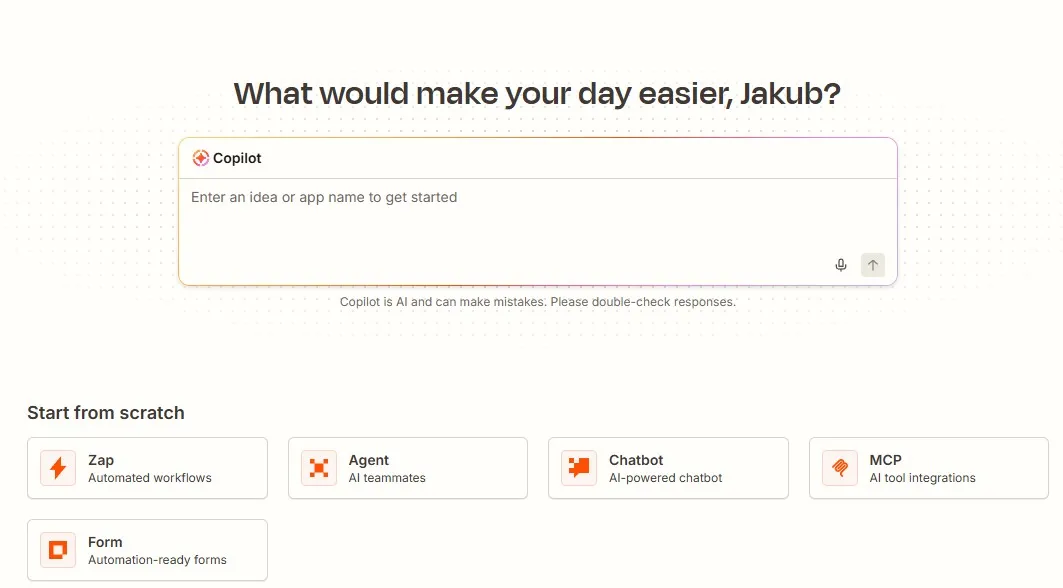
- Copilot builds a Zap outline from natural language prompts, even on the free plan.
- Zapier Agents are autonomous agents that make decisions based on context rather than rigid rules. Free includes 400 activities per month, Pro starts at $33.33.
- Chatbots handle customer inquiries. Free includes two bots, Pro starts at $13.33.
- Zapier MCP exposes platform actions to large language models within your task limit.
- AI Fields normalize data within Zap steps, exclusively on paid plans.
In practice, this means you can describe workflow creation in plain words, and Zapier delivers ready-made setups ready for review.
Practical use cases: automating everyday tasks
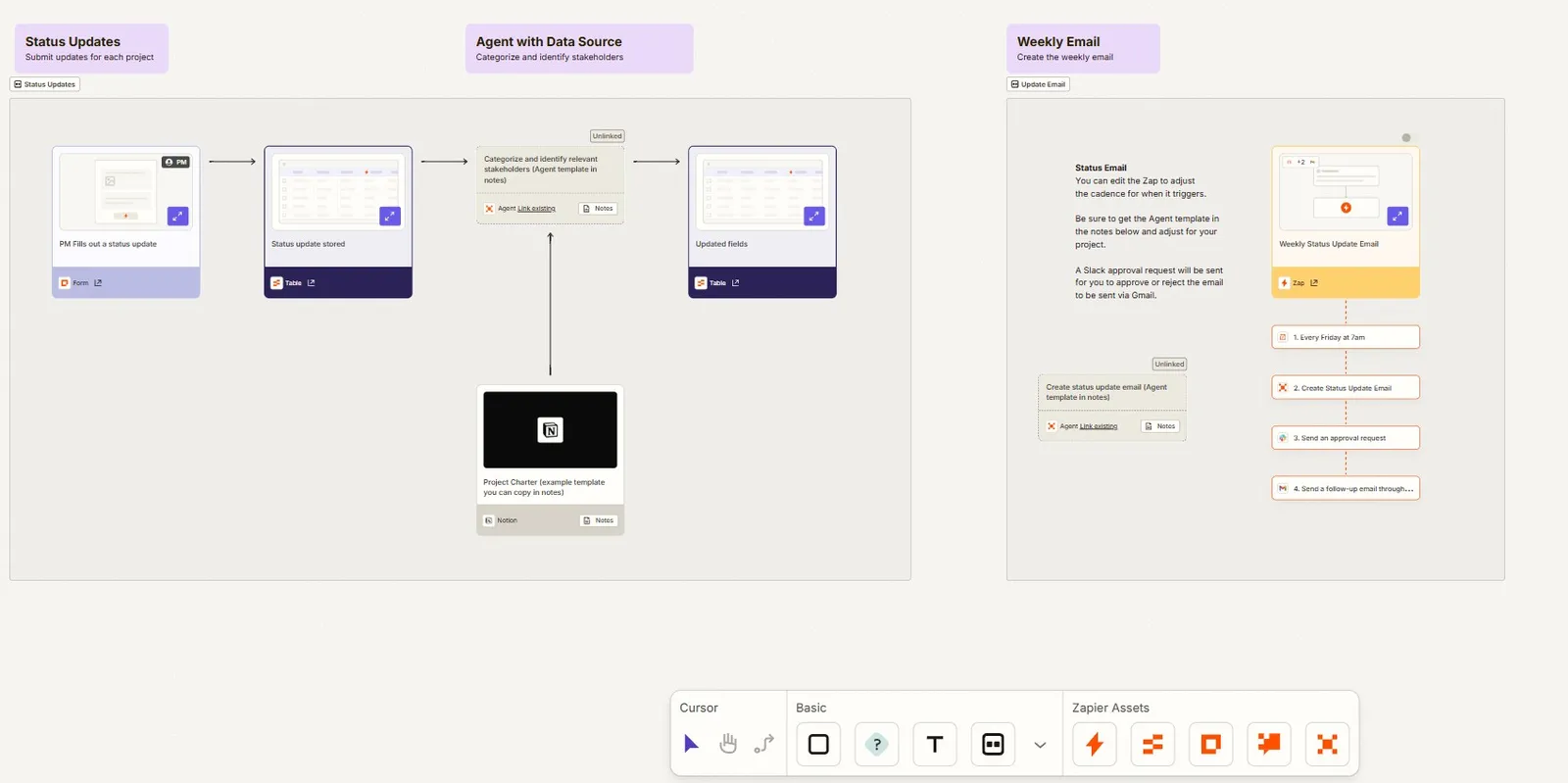
Zapier connects marketing, sales, and support into a single event sequence:
- Leads to CRM. A form in Facebook Lead Ads or Typeform creates a record in HubSpot, Pipedrive, or Salesforce, cutting response time from hours to minutes.
- E-commerce and social media publishing. An order in Shopify creates a row in a spreadsheet, adds the customer to a mailing list, and generates a shipping label. A new product becomes a social media post, while low stock triggers an alert via webhooks. Pricing stays consistent across different platforms.
- Communication in project management systems. A status change or quote approval generates a notification in Slack, Teams, or Discord, with no programming knowledge required.
The primary benefits of automating everyday tasks are time savings, eliminating manual data-entry errors, and running processes outside office hours. These time savings boost productivity without growing the team.
Zapier pricing: pla
ns and limitsBilling is based on the number of tasks performed, not the number of Zaps. Each action uses one task, and a filter that stops the flow uses none.
| Plan | Price (billed annually) | Tasks | Key features |
|---|---|---|---|
| Free | $0 | 100 / mo | Unlimited Zaps, but two steps. 15-minute polling, no premium apps |
| Professional | from $19.99 | scalable | Multi-step, Paths, webhooks, premium apps, 1-minute polling |
| Team | from $69 | scalable | 25 users, shared connections, SAML SSO |
| Enterprise | custom pricing | annual | Advanced permissions, dedicated account manager |
With monthly billing, Professional costs $29.99. The free account is enough for simple automations, and the role of paid plans grows with scale - in large enterprises, the starting point is Professional or Team.
Data security and GDPR compliance
Zapier encrypts data in transit and at rest, and confirms its security with annual SOC 2 Type II and SOC 3 audits. It acts as a data processor and provides a Data Processing Addendum (DPA). Detailed documentation is located in the Zapier Trust Center, and some materials require an NDA - plan for this if your legal department needs a record of technical measures. You authorize connections to other apps via OAuth and can revoke them, which stops any dependent Zaps.
Error handling and workflow monitoring
Autoreplay, which is the automatic retrying of failed tasks, is available on the Professional, Team, and Enterprise plans - the free plan is left with manual retries. Autoreplay performs up to five attempts at intervals of: 5 minutes, 30 minutes, 1 hour, 3 hours, and 6 hours. You can replay failed runs within a 60-day window.
Every execution leaves an entry in the Zap history with input data, filter results, and status. Expanding a step shows the JSON payload and the source of the issue, e.g., an expired OAuth token. Webhook triggers respond in real time, polling triggers at an interval depending on the plan.
Limitations when scaling process automation
Scenarios are practically unlimited, but scaling runs into three barriers.
The first is API limits. When a service applies rate limiting, Zapier queues actions instead of dropping them, which extends processing time and disqualifies such workflows wherever real-time response matters.
The second is the accumulation of delays: with a trigger, a filter, and several actions, the time to completion grows, and on a free account, there is also a 15-minute polling interval.
The third is the lack of a dependency view and version control: modifying an active Zap permanently overwrites the configuration.
Zapier vs Make.com vs n8n
Zapier offers the most integrations and the lowest barrier to entry, Make.com more flexible pricing, and n8n control over infrastructure.
| Criterion | Zapier | Make.com | n8n |
|---|---|---|---|
| Integrations | over 9,000 | over 3,000 | approx. 1,500 plus any API |
| Interface | form-based builder | visual canvas | canvas with code editing |
| Billing | per action | per operation | self-hosted with no limit |
| Best for | non-technical teams | complex scenarios | privacy requirements |
The key difference lies in billing: Zapier counts each action separately, so a ten-step scenario run thousands of times a day results in a high bill. n8n eliminates fees for operations on your own server, but it is not open source in the OSI sense - it uses a fair-code license, and maintenance falls on the IT team.
FAQ
What is Zapier used for?
For automating processes and everyday tasks scattered across different apps, without code. Zapier offers over 9,000 app integrations: an event in one tool triggers automated actions in others.
Is Zapier free?
Yes. The free plan provides 100 tasks per month and an unlimited number of Zaps, limited to two steps: one trigger and one action. Data is checked every 15 minutes, with no premium apps.
How much does Zapier cost?
With annual billing, Professional starts at $19.99 per month, Team starts at $69 for 25 users, and Enterprise is custom priced. Agents and Chatbots are billed separately.
Does Zapier require programming skills?
Not for basic use. For advanced automation of everyday tasks, the Code module in JavaScript or Python and familiarity with JSON come in handy.
Is Zapier available in Polish?
No. Zapier's interface, documentation, and support are in English only.
Data current as of August 5, 2026, based on official Zapier documentation.