
Website History - How to Check It?

Have you ever wondered how to check how a website has changed over the years? A website's history can provide valuable insights into changes in design, content, and functionality that were introduced over time. In this article, we will show you step by step how to check the history of any website using accessible tools, primarily such as the Wayback Machine. You will also learn why it is worth analyzing website history and what benefits you can gain from it.
For those short on time - TL;DR
- Wayback Machine allows you to easily check website history, giving users access to archived versions and the ability to analyze their evolution.
- The website archive provides valuable information about changes in design, marketing strategies, and user behavior trends, supporting SEO efforts.
- Even though Web Archive has its limitations, it remains an essential tool in researching internet history and optimizing websites.
How to check a website's history?
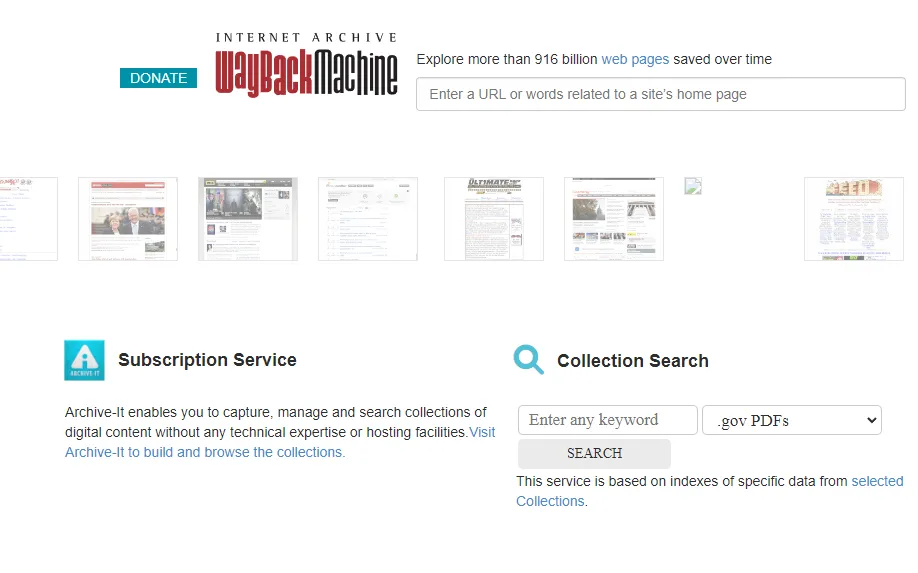
Checking a website's history has become extremely simple thanks to tools like Web Archive. It is a free tool that acts as an internet archive, available at https://web.archive.org/. To access archived versions of pages, simply enter the URL into the dedicated search box on the site. The process of using the site is very intuitive. After typing the URL, the user can select a specific year and date using the calendar of saved versions.
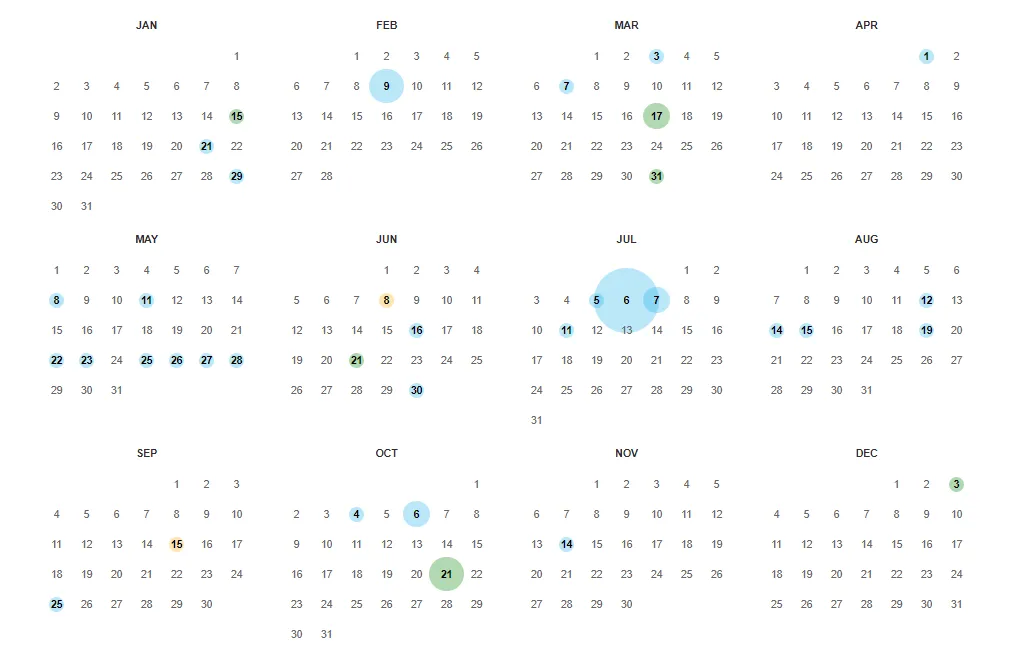
Thanks to this, it is possible to accurately check what a given website looked like in different periods. Browsing archived versions of pages allows you to observe the evolution of content and design, which can be extremely useful in various analyses. Wayback Machine not only lets you preview older versions of pages, but also helps you understand what changes were introduced over the years. This is especially important for SEO specialists and marketers, who can track trends and adapt their strategies to a dynamically changing market.
What can you check?
Web Archive is a real goldmine of knowledge about internet history. It allows us to see what sites looked like in the past and archives their evolution. As a result, users can browse page history, appearance, and structure, including links and posted content.

Using the calendar of available versions at the very top of the internet archive page makes it easy to quickly search and find the information you are interested in. Analyzing website archives allows you to identify changes in design, functionality, and user behavior trends. You can see how page layouts evolved, what content was popular during different periods, and which elements caught users' attention. Thanks to Web Archive, we can also discover what marketing strategies competitors used in the past and which ones proved effective. This is a valuable source of information for anyone who wants to understand how a website evolved and what lessons can be drawn for the future.
Let's check your website's potential
Share your website and email - we'll get back to you with a real analysis, no strings attached.
Why is it worth checking a website's history?
Checking a website's history brings many benefits, both for website owners and SEO specialists. Analyzing page history helps you understand what changes were made to a site, which can impact its reputation and credibility. Wayback Machine regularly archives website content, allowing you to view page copies and track their changes over time. Understanding a competitor's domain history allows you to tailor your own marketing and SEO strategies. This allows us to avoid mistakes made by others and apply proven techniques in our own efforts. Analyzing already archived versions of pages can support SEO optimization by identifying errors and trendy practices. For example, we can see which keywords were used in the past and which of them still bring benefits in search results. This is a valuable tool for continuously improving our websites and increasing their visibility online.
My website is not in the archive - how can I add it?
Archiving your own websites in Wayback Machine is quick and simple. To register a page in Wayback Machine, follow these steps:
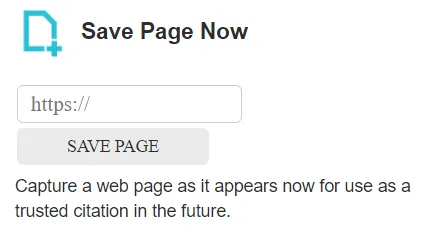
- Go to the Wayback Machine website available at: https://web.archive.org/.
- In the Save Page Now field, enter the URL of the website you want to archive.
- Click Save Page to start the archiving process.
Thanks to these simple steps, you can use the web archive and easily create archived copy versions of different pages.Serwis A rchive not only saves website content, but also robots.txt files and source code, which is useful in SEO analysis. The system has been collecting website changes since 1996, although it became publicly available only in 2001. Thanks to this, we can track the evolution of our sites over the years and recover deleted content, such as text or images from archived copies of websites that disappeared from the web long ago. Archiving websites in the Wayback Machine is not only useful for preserving historical versions of our sites, but also for SEO analysis and optimization. This allows for ongoing monitoring of changes and adapting strategies to dynamically changing conditions on the internet.
Wayback Machine Capabilities vs. SEO
Wayback Machine is an extremely useful tool in SEO audits, allowing for the verification of migrations and 301 redirect implementations. Using archived data can help recover lost backlinks that were beneficial for SEO. This tool makes it possible to analyze historical changes in content, which allows SEO specialists to understand which strategies were effective in the past. Tracking the evolution of keywords used on competitors' sites over time allows you to adjust your own SEO strategies to achieve better results. Wayback Machine makes it possible to publicly track website changes over the years, which is extremely useful for anyone involved in website optimization. Practical examples of using the website archive for SEO optimization include analyzing old SEO practices that may still be useful or that should be avoided. Thanks to access to past versions of sites, we can better understand what factors influenced their ranking in search results and how we can apply these lessons to our own SEO activities.
Weak Points of Web Archive
Despite its many advantages, Web Archive also has its weak points. Here are some of them:
- It does not guarantee that all versions of websites will be preserved, especially in the case of rarely visited sites.
- There is no certainty that users will be able to access archived pages in the future.
- Archived versions may not accurately reflect the original content due to improper saving of assets such as images or CSS.

Another issue is the exclusion of pages blocked by the robots.txt file from being crawled and saved by Web Archive. This means that not all websites will be available in the archive, which can limit the full picture of internet history. Despite these limitations, Web Archive remains an extremely valuable tool that offers a huge amount of historical data useful in many contexts, from academic research to SEO optimization, as well as the largest database among tools of this type.
Other Website Archiving Services
Although the Wayback Machine is the most popular tool for viewing archived versions of websites, it is also worth exploring other services that can prove equally useful. Archive.today and Memento Web are two excellent alternatives that let you discover the history of websites from all over the world, offering unique features that can be very helpful in analyzing website evolution.
- Archive.today (Archive.is) is a tool that allows for the immediate saving of a copy of any webpage on user demand. It is an independent archiving service that operates on the basis of snapshots, meaning screenshots of a page at a given moment. Archive.today stands out for its ability to archive even those pages that may block access for other archiving bots, ensuring the user that a copy of the page will be preserved. This tool is extremely useful when you need to secure content that may quickly disappear from the web or change, making it an ideal solution for journalists, researchers, and anyone who wants to preserve important information for the future.
- Memento Web (https://timetravel.mementoweb.org/) is another interesting tool that works like a search engine for archived versions of websites, combining various archiving services in one place, including the Wayback Machine and other smaller archives from around the world. Thanks to Memento Web, the user can search archived versions of pages from various sources, which allows for obtaining a more complete picture of the changes that occurred on a given site over the years. This tool is particularly useful when we want to see what a specific webpage looked like at a certain moment, but also when searching for content that might have been saved in less popular archives.
Until recently, users had the ability to check archived versions of web pages from several days or weeks ago using Google Cache. It was a convenient tool that allowed for a quick look at recently cached copies of pages, even if they were temporarily unavailable or modified. This feature was particularly useful for those who wanted to see what a page looked like before the latest modifications, without having to use more complex archiving tools. However, Google decided to completely disable this option, which means that users can no longer rely on easy access to cached versions of pages directly from search results.
Website History and Content Recovery
An archive of old websites allows for the recovery of deleted or modified content. Thanks to this, we can browse the archived version of a site and recover lost content. By selecting dates on the calendar, we can see snapshots from different periods, which is e extremely useful when you have lost content that was important for your website.Archived pages in the Wayback Machine can be viewed across different versions, which allows you to analyze their evolution. This tool is particularly useful for webmasters who want to recover deleted content or understand which changes contributed to the current state of their websites.
Archived versions of pages - why is it worth using them?
Using archived versions of websites is not only a way to recover lost content, but also a valuable help in creating new materials. Thanks to archiving services like the Wayback Machine or Archive.today, there is a chance to find former versions of pages that can serve as inspiration or a source of information.Archived content allows you to analyze changes in SEO strategy, design, and even in the approach to user communication visible over the years. This is a handy tool for marketers, designers, and content creators who want to understand how the industry evolved and which elements contributed to the success or failure of particular websites.
The importance of website archiving for future generations
Archiving websites has not only current applications, but also great importance for future generations. Services such as the Wayback Machine Internet Archive act as a digital library that preserves knowledge, culture, and history from around the world. As a result, content that could disappear from indexing and the internet is preserved forever.Websites that once may have played a key informational role can be examined and analyzed by researchers and historians, which makes the archiving process part of our cultural heritage.
Let's take a look at how the Wirtualna Polska website has changed over the years:
06/01/2022
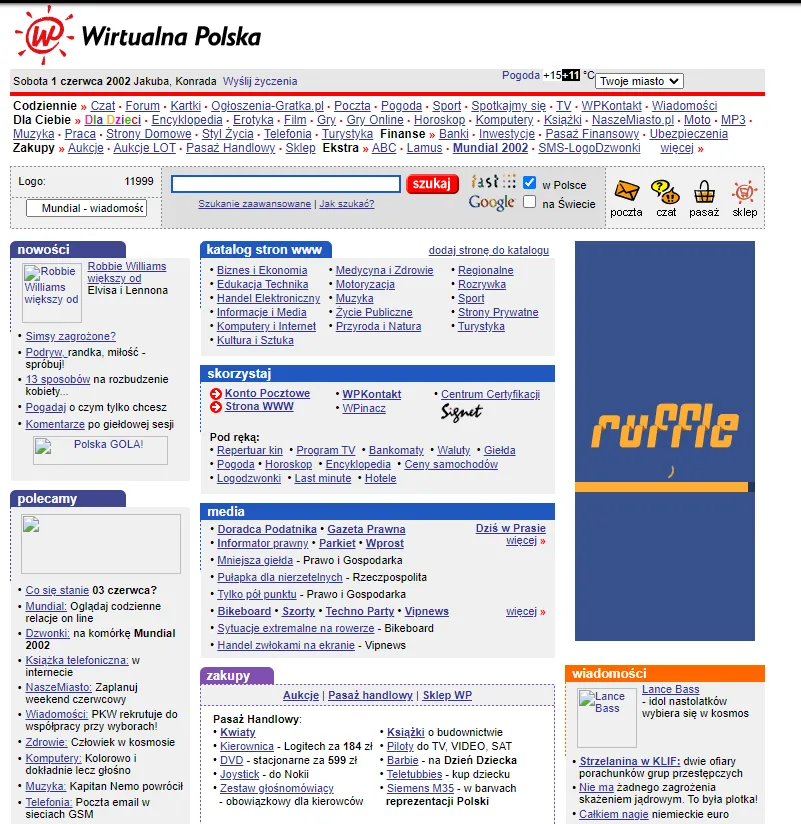
06/30/2014

09/26/2024

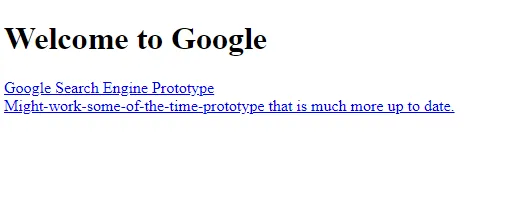
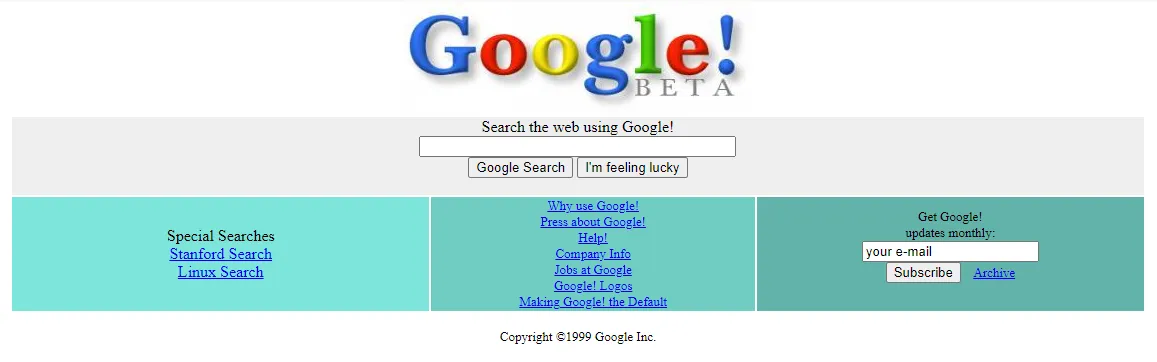
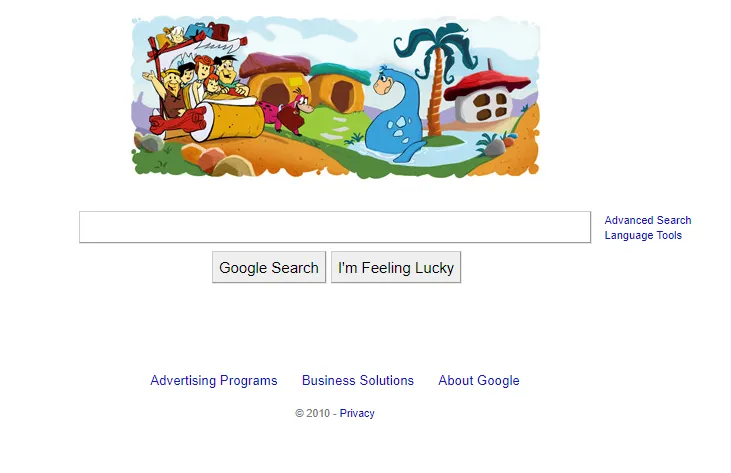
And how did Google change?
The first available version of the https://google.com page from the web archive - 11/1998
01/1999
10/10/2010
Today

Frequently Asked Questions
How can I check the history of a website?
You can check the history of a website using Web Archive by typing the URL into the search bar at https://web.archive.org/.
What can I see in a web archive?
In a web archive, you can view historical versions of websites, their structure, and published content. It is a valuable tool for researching the development of websites over time.
Why is it worth checking the history of a website?
It is worth checking the history of a website because it allows you to understand the changes made and their impact on reputation, SEO, and marketing strategy. Understanding the context of changes can be key to effective future actions.
How can I save a page in Web Archive?
To save a page in Web Archive, go to the service's website https://web.archive.org/web/ and enter the website's URL, then click 'Save Page'.
How can archived pages support content creation?
Archived versions of pages allow you to analyze past trends and strategies, which supports the creation of more relevant and engaging content.
Does browsing archived pages affect SEO?
Not directly. But analyzing archived versions of pages helps you understand which SEO strategies were effective, which supports the content creation process and can help with SEO.
What services can I use to view archived versions of pages?
To view archived versions of pages, you can use services such as Archive.today or Memento Web, which store old versions of websites.