
Meta Description - What It Is and How to Write an Effective Page Description
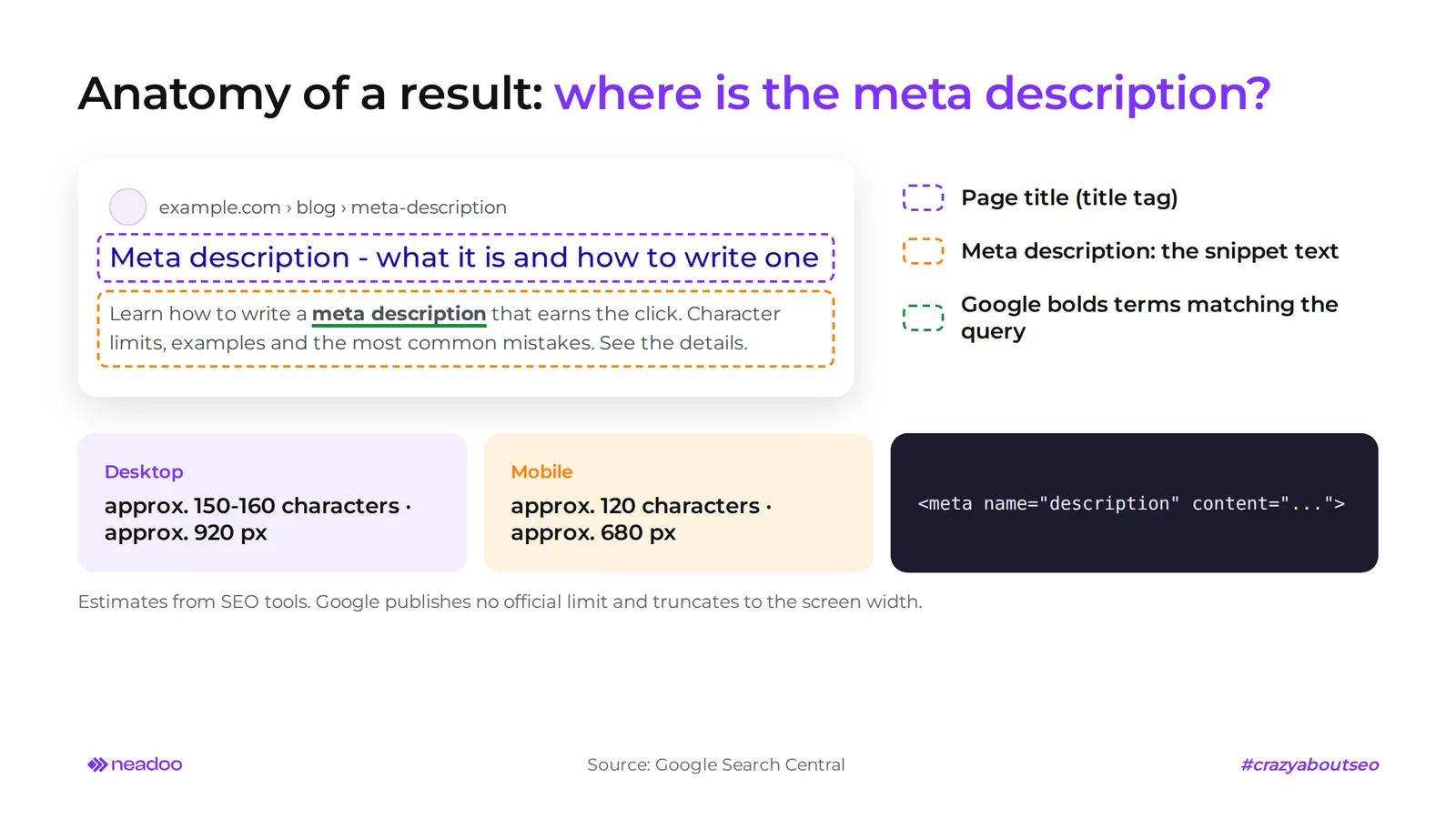
The meta description appears below the page title in search results and influences whether a user clicks on your result.
The meta description is an HTML tag, <meta name="description" content="...">, placed in the <head> section. It summarizes the page content and often appears as the webpage description within the snippet in search results, right below the title. It is not a direct ranking factor. Google stated this in a September 2009 blog post and has not changed its stance. It works like a micro-ad: it influences click-through rate (CTR), and through user behavior, indirectly affects visibility.
What Is a Meta Description and How Many Characters Should It Have?
A meta description is a brief description of a webpage written in HTML code as <meta name="description" content="..."> in the <head> section. It appears in search results below the page title.
On desktop, aim for about 150-160 characters; on smartphones, aim for around 120. Google does not guarantee that your description will be displayed in full - this is a guideline, not a hard rule.

Device Length Limits
Google does not provide an official length limit for meta descriptions and truncates the description based on screen width. The values below are practical estimates from SEO tools, not a strict specification.
| Environment | Characters | Width | Notes |
|---|---|---|---|
| Desktop | approx. 150-160 | approx. 920 px | - |
| Smartphone | approx. 120 | approx. 680 px | text is truncated earlier |
| Result with article date | fewer than above | - | date takes up space in the snippet |
Place the most important information and the primary keyword in the first 120 characters - even if the rest gets cut off, the core message remains visible.
How to Write a Meta Description That Increases Click-Through Rate
Google does not use meta descriptions for ranking - it is your free ad copy in search results. A better description usually brings more clicks, and user behavior indirectly affects visibility.
An effective description communicates benefits, uses the active voice, and includes a single call to action (CTA). Do not promise what is not on the page - a misleading description leads to a quick exit and a higher bounce rate.
From Page Selection to Testing
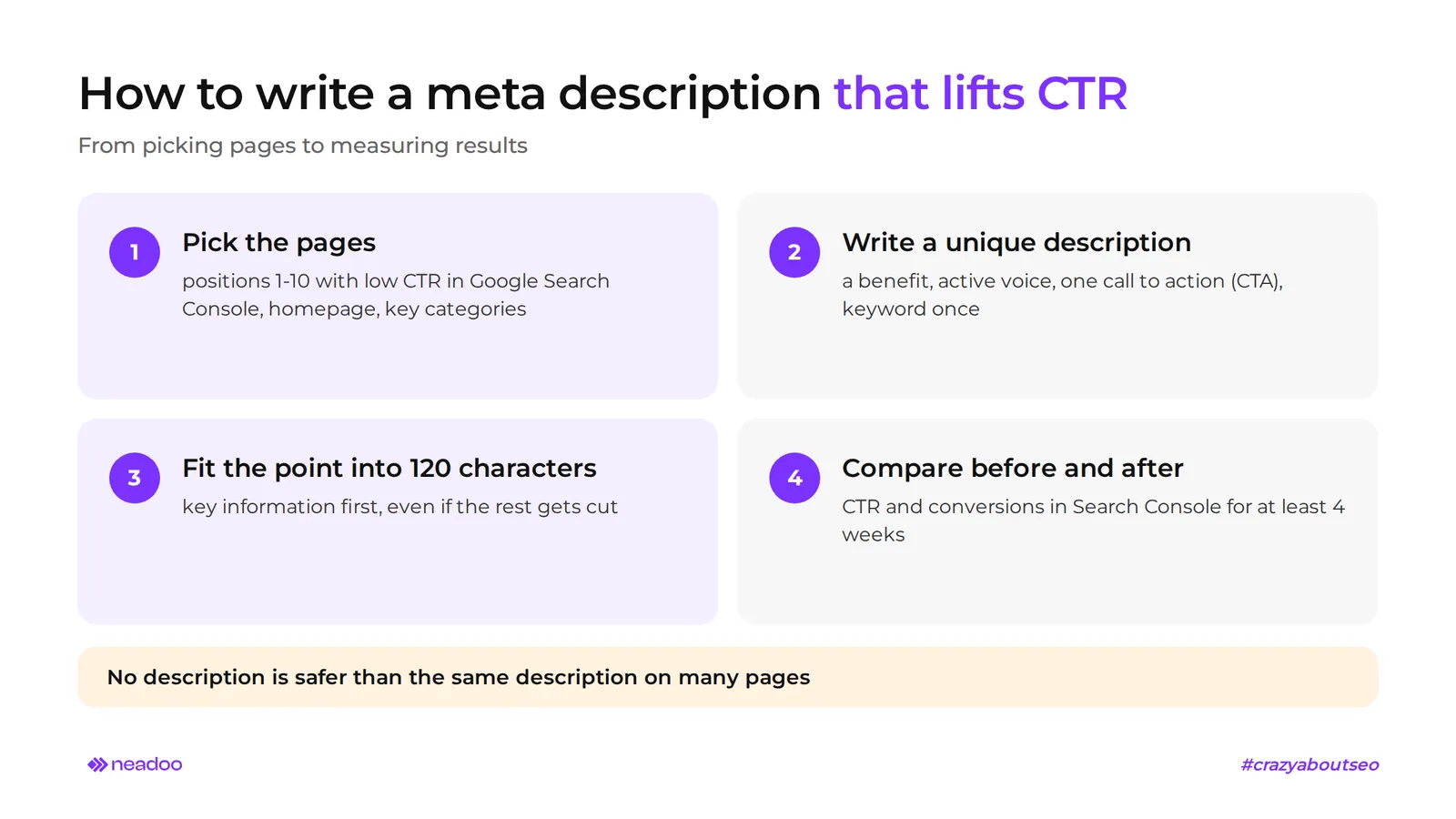
- Identify pages. Optimize meta descriptions first for URLs ranking in positions 1-10 with low CTR in Google Search Console. Add the homepage, key product categories, and pages with little content, such as contact pages.
- Write a unique description. Use a CTA, e.g., "Check details" or "Learn more." Weave the primary keyword in naturally, once - Google bolds it in the snippet if it matches the search query.
- Deploy the change and wait for re-indexing.
- Measure for at least 4 weeks. Compare CTR and conversions in Search Console before and after the change. This is a before-and-after comparison, not an A/B test where two versions run simultaneously.
Not having a meta description tag is safer than duplicating the exact same description across multiple pages. Every page should have its own unique description.
Why Google Rewrites Descriptions and How AI Reads Them
Google does not guarantee that it will show the description you provided. The meta description loses display priority when the algorithm selects a different snippet of page content that more closely matches the query intent - this is known as snippet rewriting on the search engine results page (SERP). A query like "how to measure CTR" might therefore display a paragraph from your article instead of a description written for a general keyword.
It is still worth filling in the tag: when Google considers it relevant, it will display it in the results, and controlling snippets with the directives below also applies to AI Overviews and AI Mode.
| Aspect | Classic SERP description | AI Overviews and AI Mode |
|---|---|---|
| Tag role | text to encourage clicks | no confirmed role; citation is determined by page content |
| Who selects the text | Google: meta description or page snippet | Google, from content accessible to the crawler |
How to Control Snippets
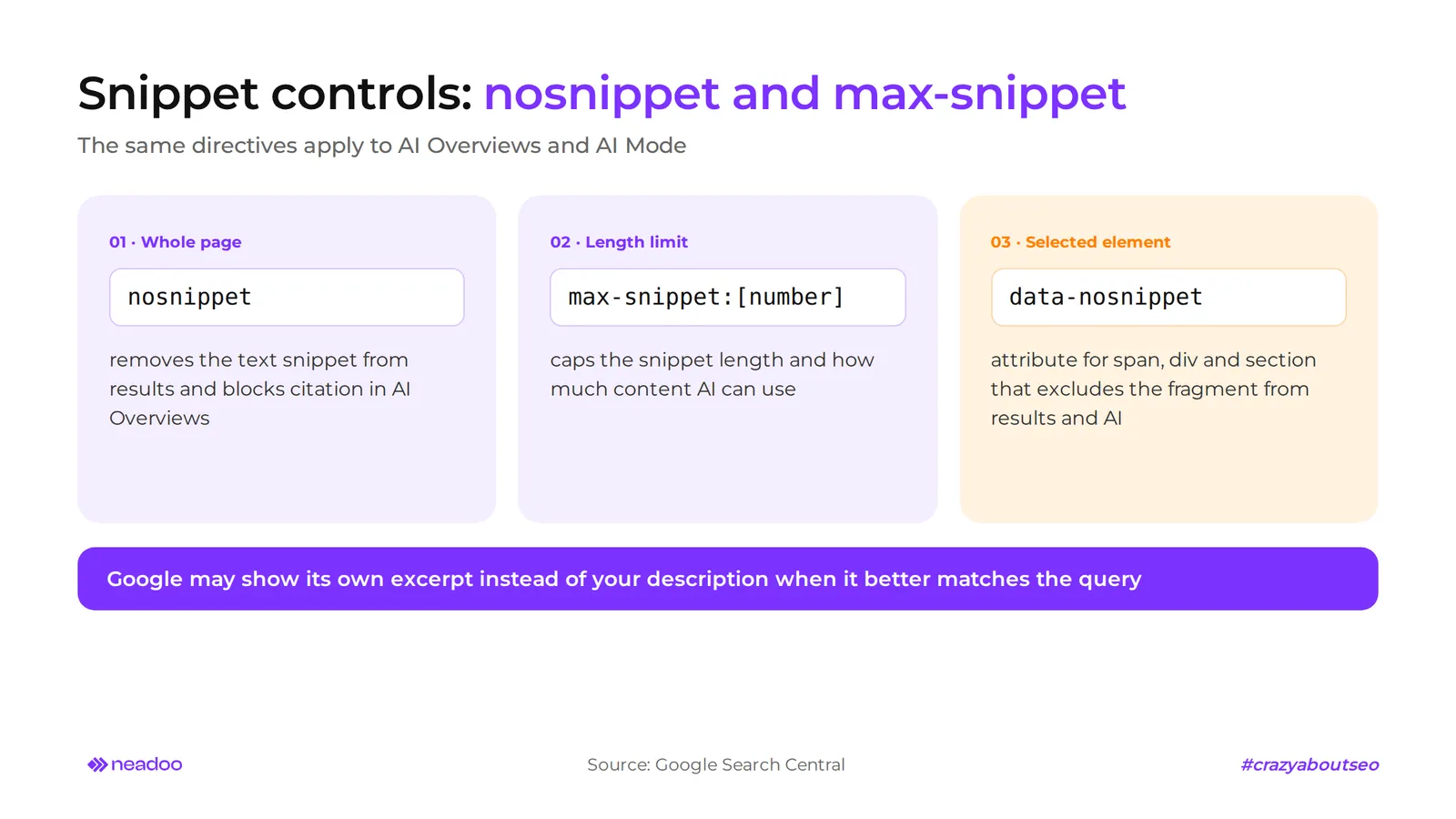
- nosnippet. Completely removes the textual snippet from search results and prevents the page from being cited in AI Overviews.
- max-snippet. The rule
max-snippet:[number]limits the snippet length, and with it, the amount of content used by AI Overviews and AI Mode. - data-nosnippet. An attribute for
span,div, andsectionelements that excludes the specified fragment from snippets and direct use by AI.
Do not mass-generate descriptions with AI tools without editing them - Google will ignore generic, low-quality copy.
Let's check your website's potential
Share your website and email - we'll get back to you with a real analysis, no strings attached.
FAQ
Does the meta description directly affect rankings in Google?
No. Google does not use it for ranking. The impact is indirect: a better description boosts CTR, which in turn influences user behavior. You will only see the effect if Google actually displays your text rather than an excerpt extracted from the page.
How do you add a meta description in WordPress?
The easiest way is via an SEO plugin, such as Yoast SEO or Rank Math. The SEO plugin generates the tag in the HTML based on the text entered in the description field while editing a post, and automatically inserts it into the <head> section. Afterward, check the page source code to make sure the tag appears only once.
Is it worth adding emojis to a meta description?
You can, but in moderation. Emojis and Unicode symbols can increase CTR, but Google often omits them or renders them incorrectly depending on the operating system and device. Simple symbols are safer. They are no substitute for a strong benefit and call to action, so polish the copy first. Then, compare results before and after the change for at least 4 weeks.
What should you do when an online store lacks unique descriptions?
Start with pages that already have impressions but a low CTR: the homepage, key categories, and bestsellers. For products, build descriptions out of parameters: product name, manufacturer, SKU, price, and a single benefit. If you do not have unique text, leave the field blank - that is better than duplicate copy. In ecommerce, the most common mistake is pasting one description across an entire category or all products, while on PHP sites, duplicates can also result from defining the tag both in the main header and in the page template. At scale, create templates and refine them manually.
Want to check which pages are losing clicks due to poor descriptions? Order an SEO audit, and we will identify pages with the lowest CTR and prioritize fixes.