
Lovable - What It Is and How to Build Apps Without Coding
What Lovable is and how it works
Lovable is a Swedish AI platform and full-stack software development agent that generates working web applications based on natural language prompts, with no need to write code. The tool was created by Lovable Labs Sweden AB, founded in the fall of 2023 in Sweden. The word "lovable" in English also describes products that evoke positive emotions in users.
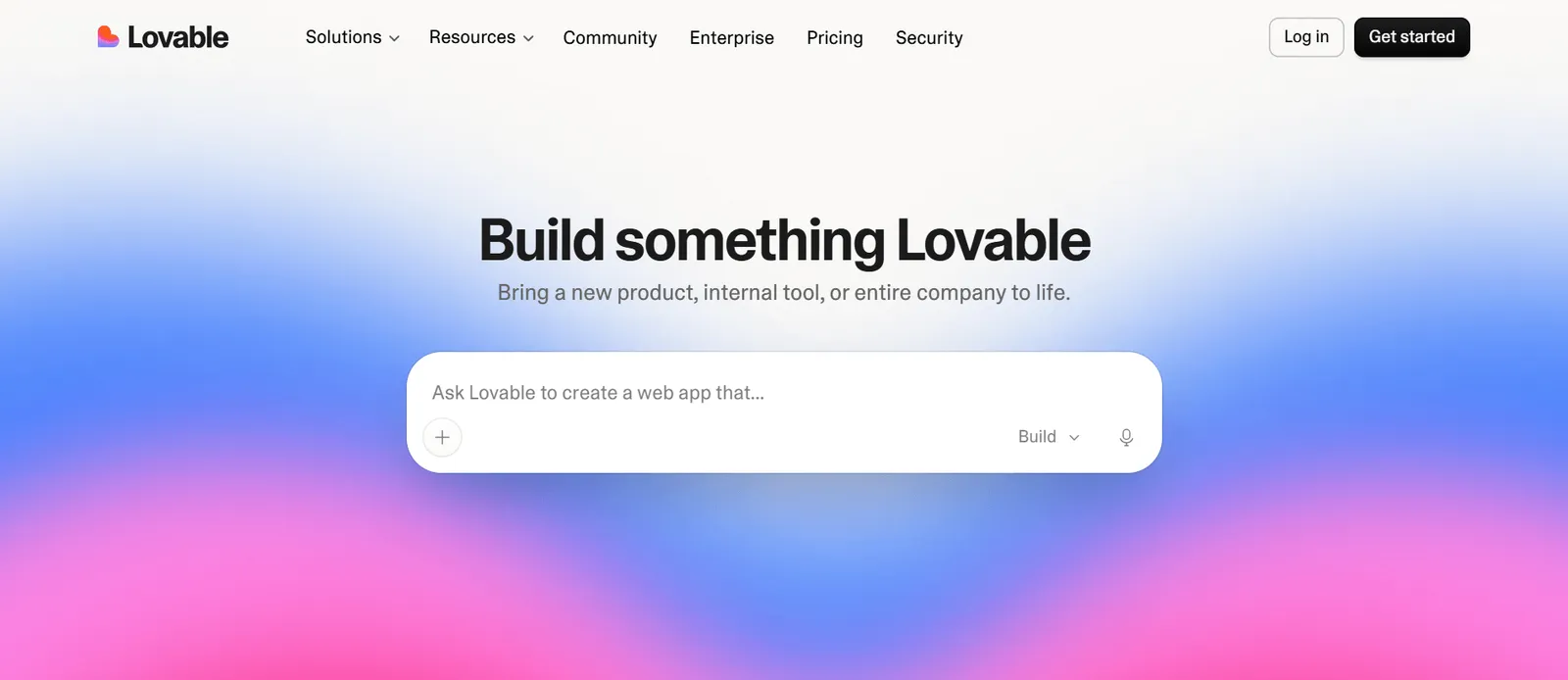
How it works draws on the concept of vibe coding: instead of writing instructions in a specific programming language, the user describes in natural language what the application is supposed to do - what user roles it has, what screens, and what actions. Artificial intelligence translates this description into a software architecture and generates full-stack code: front-end, business logic, database structure, and the authentication layer. Zero manual code writing on the user's part. In practice, a single person with no programming experience can take a project from idea to a clickable prototype within a few hours - building software here takes hours, not weeks.
For product managers and marketers, this means a shift in their role within the software development process: instead of writing specifications for a developer and waiting for a sprint, you can build a clickable prototype yourself, test it with users, and only then decide whether the project warrants a full development budget. This sets Lovable apart from simple landing page builders - the agent operates at the level of an entire application, complete with business logic and a database, not just a visual layer. For the same reason, Lovable AI is also used by startups, entrepreneurs validating an idea through rapid prototyping, and freelancers building applications for clients - each of them wants the same thing: to ship the first working version of a project faster.
Key platform features and capabilities
The tool's architecture is based on generating clean code in React, Next.js, and Tailwind CSS - a modern front-end framework stack - while avoiding vendor lock-in thanks to bidirectional synchronization with GitHub. Combining these technologies allows you to create functional web applications without writing code manually. Any project can be exported to your own repository at any time, which sets this approach apart from walled-garden site builders - the code remains your property, and Git export provides flexibility for further project development outside the platform itself.
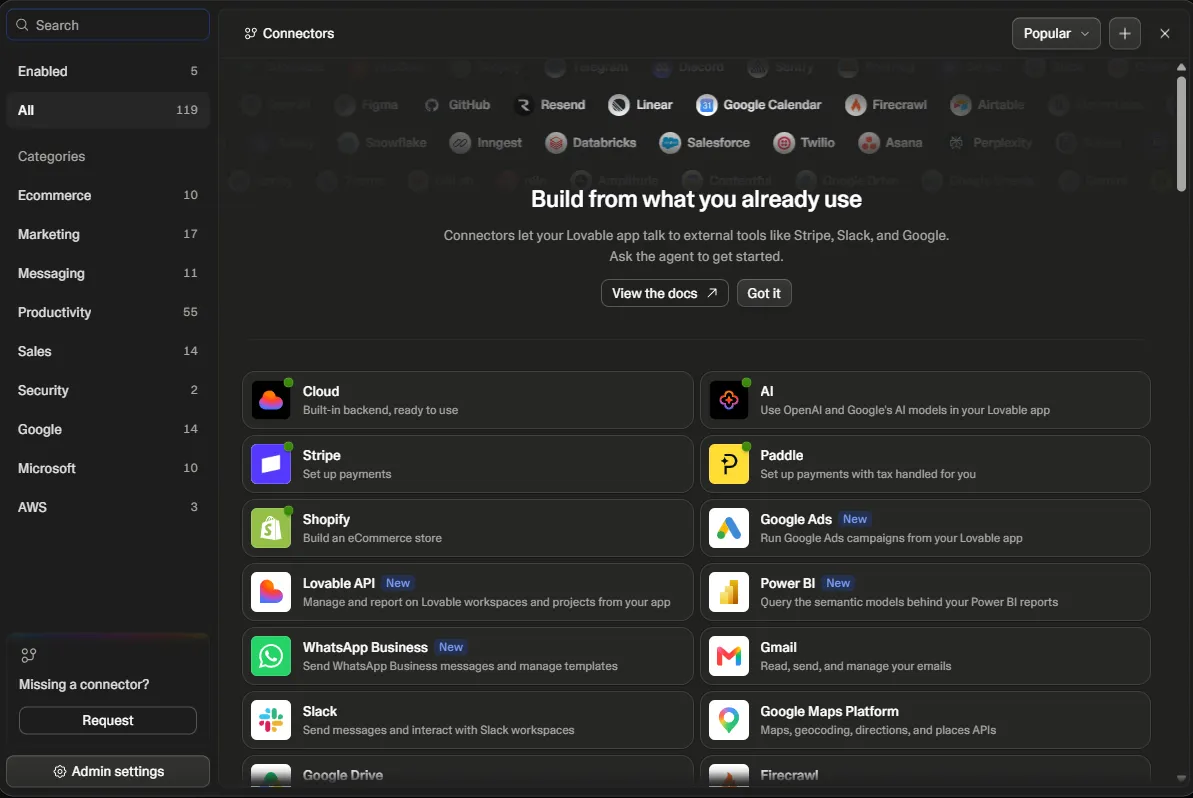
On the back-end side, Lovable uses Node.js and Express, handling database integrations and login mechanisms through connections to Supabase, Firebase, Logto, and Stripe. A single project can therefore feature a database, payments, and an authentication dashboard all at once - without configuring each element individually by hand. The application preview updates in real time. Meanwhile, a built-in self-diagnostics mechanism detects compilation errors and suggests fixes before the user even sees them.
This level of automation - from tables, through access rules, to authentication - makes classic software development, once accessible mainly to experienced developers, available to companies without an internal development department: there is no need to manually wire together individual components. It is this exact mechanism that matters most for non-developers - a syntax error or a mismatched data type does not halt work while waiting for a developer; instead, it goes right back to the agent, which suggests a fix on its own. The user sees the result of the change immediately in the preview panel, allowing the entire app creation process to be run through trial and error, without knowing the underlying code.
Interface design in Sketch-to-code mode and mockup import
The Sketch-to-code feature lets you instantly turn a hand-drawn sketch, screenshot, or Figma design into editable UI component code. Simply take a photo of a paper sketch or paste a Figma file, and the platform automatically recognizes the layout of elements - headings, buttons, forms - and generates a UI layer consistent with the rest of the project.
This solution cuts down work time for designers and non-technical users who previously had to describe layouts in words - the generated interface can be edited further in the chat window, refining components with follow-up prompts. It is valued by marketing teams at smaller companies without dedicated technical staff, who until recently outsourced every mockup revision. Now it fits into a single afternoon of working with the agent.
Creating an Application in Lovable Step by Step
The development cycle in Lovable comes down to iterative work with an AI agent: from an initial conceptual prompt, through real-time editing, all the way to cloud deployment. The entire process takes place in a single chat window, without switching between a code editor, terminal, and test environment - this is what sets working in Lovable apart from traditional programming based on separate tools for each stage.
A typical workflow looks as follows:
- describing the application concept and its main features in the first prompt,
- generating a working application scaffold with a live preview,
- refining subsequent screens and business logic in follow-up prompts,
- connecting a database and authentication,
- publishing the application on Lovable hosting or exporting it to external infrastructure.
The more precisely the business and technical requirements are defined at the start, the fewer rounds of revisions are needed before the application starts working as intended. The same pattern works well for building task management apps, simple CRMs, or internal reporting tools - only the scope of the questions in the initial prompt changes.
Preparing the Prompt and Generating the First MVP Prototype
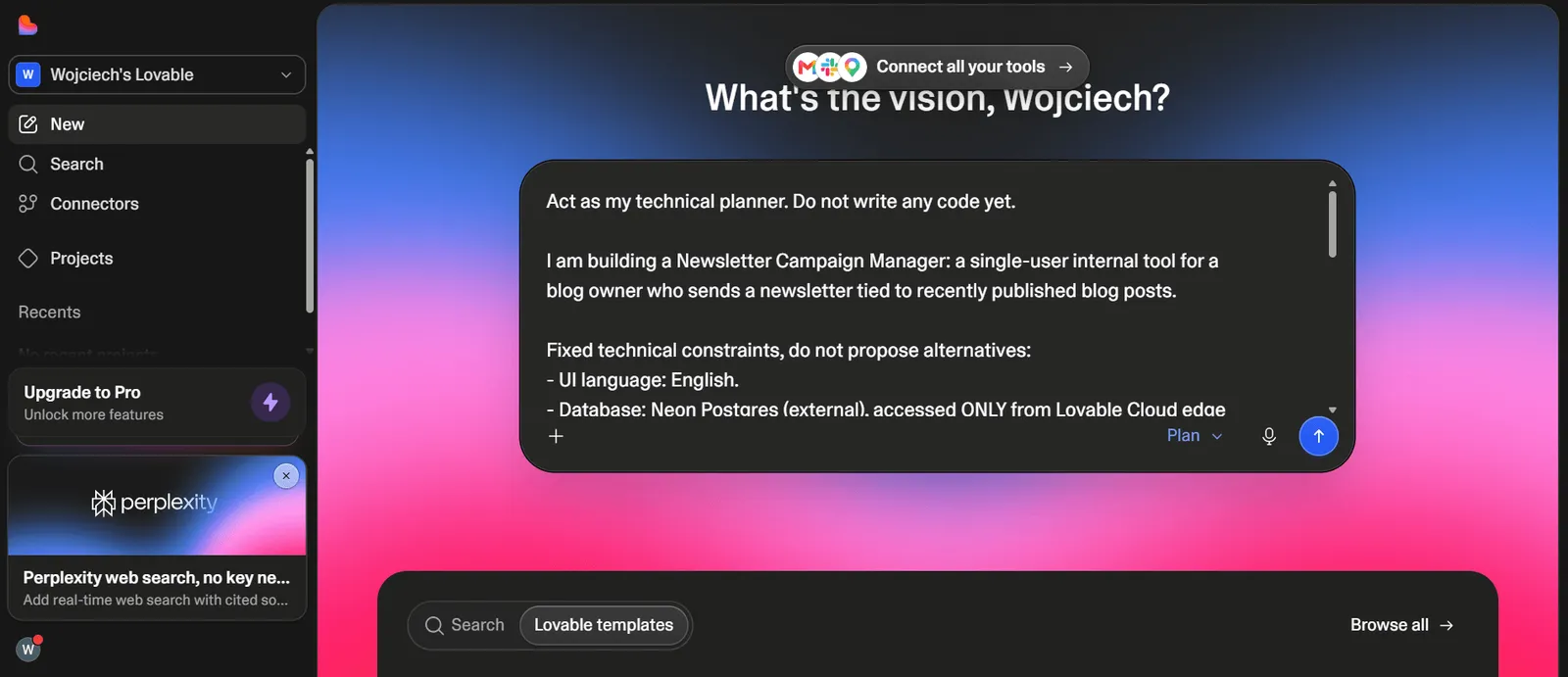
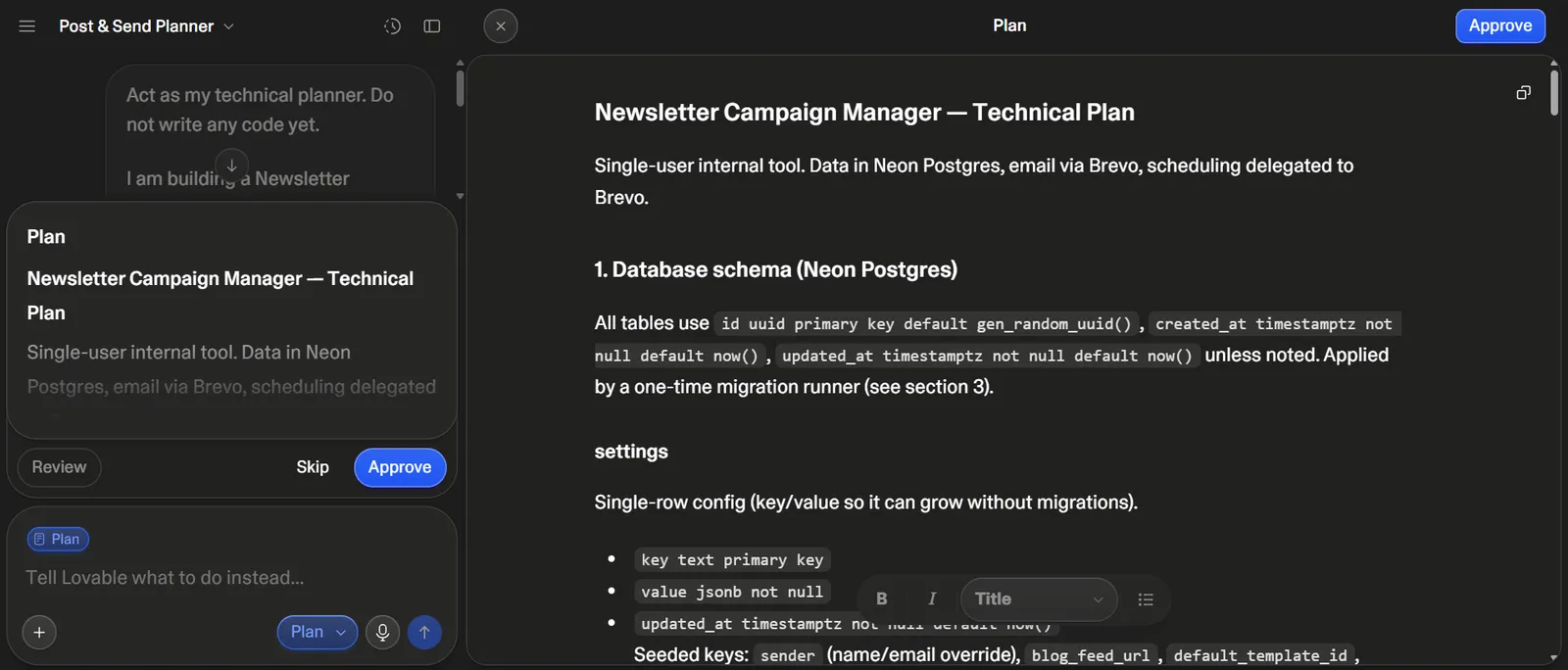
Rapid business idea validation in the form of an MVP requires a precise description of user roles, data architecture, and key actions right in the first prompt. Instead of a generic "build a task management app," it is better to be specific: who logs into the system, what data they enter, what happens after clicking a given button, and what statuses a task takes on. It is also worth indicating upfront what content should appear on key screens so the agent does not have to guess sample descriptions and labels.
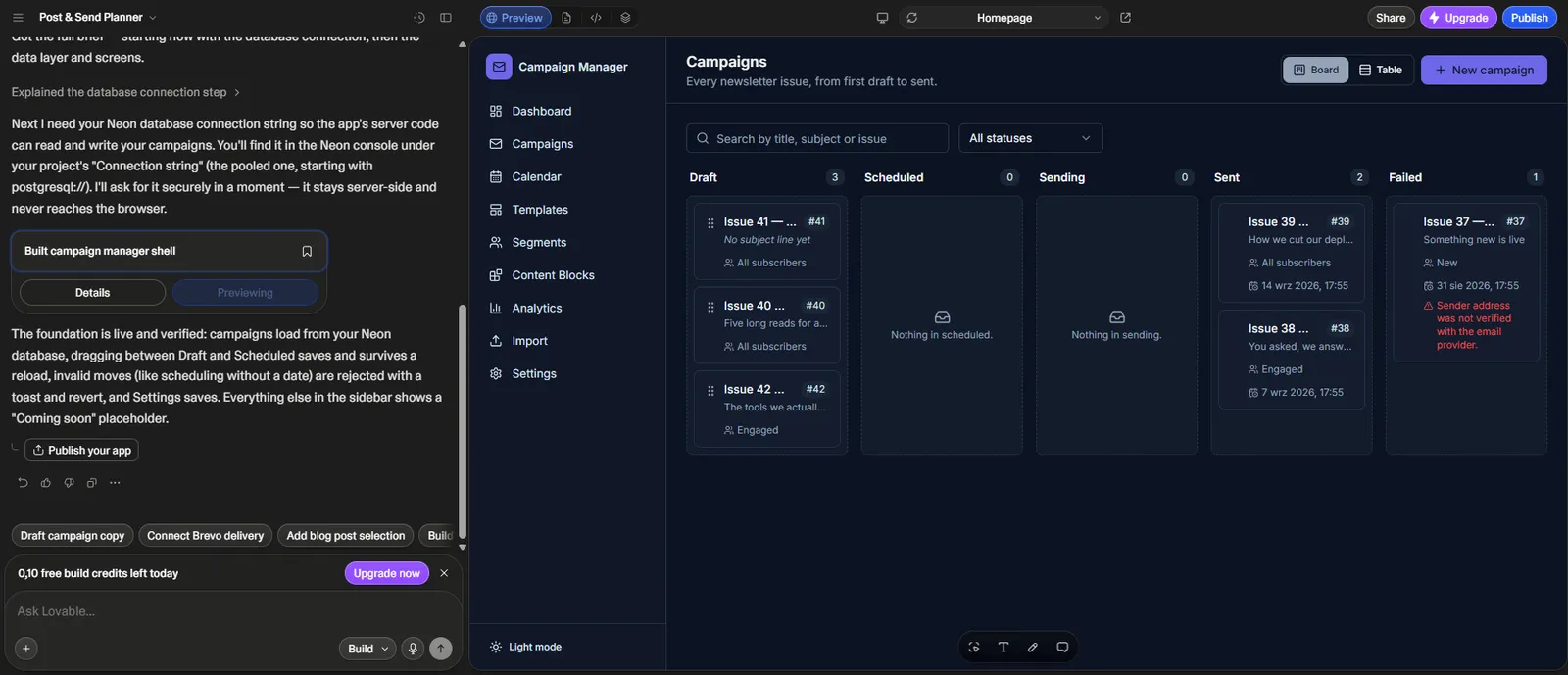
After generating the first version, the agent displays an application preview and a console showing any compilation errors. Most minor issues - typos in variable names, missing imports - Lovable fixes automatically in the next step after you report them in a follow-up prompt.
It is also worth keeping track of the order of prompts - the agent's first response is rarely final, so it is better to break a large project down into smaller instructions covering individual screens or features, rather than describing the entire application in a single, very long prompt. This breakdown also increases the likelihood that building subsequent screens will proceed according to the original plan, which is especially important for an MVP built at typical startup speed.
Configuring the Supabase Database and Publishing the Application
Native integration with Supabase lets you automate the creation of PostgreSQL tables, security rules, and authentication mechanisms directly from the Lovable chat window. You simply describe what data the application should store and who should have access to it, and the platform suggests the table structure and row-level access rules on its own - the mechanism that determines which logged-in user can see which records. Thanks to this automation, backend configuration that would manually take a developer several hours comes down to a few follow-up prompts. The same mechanism makes it easier to build applications with multiple user roles - for example, a separate client portal and admin panel - without writing access logic from scratch.
You can publish the finished application on built-in hosting with a custom domain or export the code and deploy it yourself to Vercel or AWS - the latter option comes in handy when a project requires infrastructure that goes beyond the platform's default hosting. Lovable AI can also generate sample content to populate the interface, so the result immediately looks like a finished product rather than an empty shell.
Let's check your website's potential
Share your website and email - we'll get back to you with a real analysis, no strings attached.
Costs, Limitations, and Alternatives
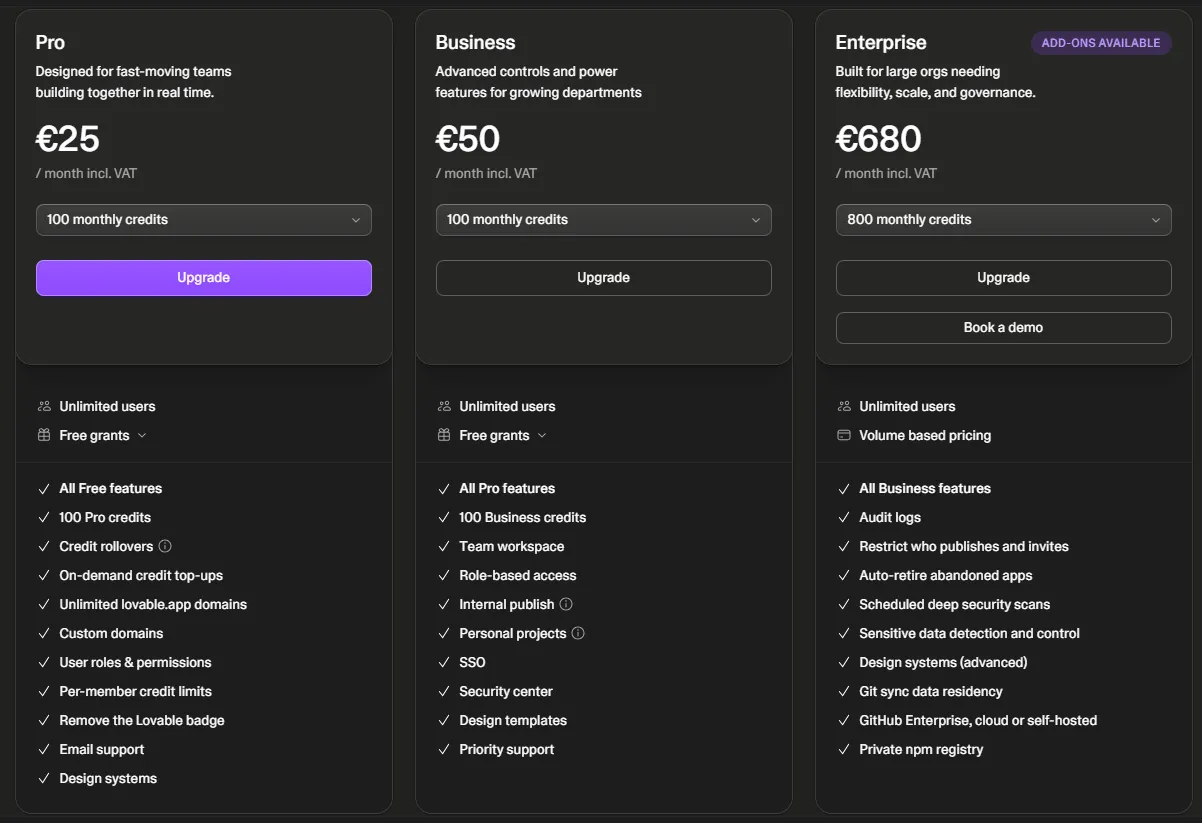
Lovable operates on a subscription model with a free pool of credits; however, when scaling a project, the barrier of the final 30% of complex business logic emerges, which already requires developer support. The official pricing includes four plans:
| Plan | Cost | Scope |
|---|---|---|
| Free | $0 per month | 5 build credits per day, up to 30 per month |
| Pro | $25 per month | expanded pool of credits and features |
| Business | $50 per month | features for teams |
| Enterprise | custom pricing | terms negotiated with the client |
The Free plan in Lovable AI is an accessible starting point for testing an idea before deciding on a paid subscription. Higher plans add a larger pool of credits and features useful for team collaboration on a larger project.
Lovable handles simple web applications, internal tools, and pet projects well, but it does not eliminate the need to hire developers. As the codebase grows, language models tend to struggle with managing dependencies between components and data types, which sooner or later requires manual intervention by a specialist. It is worth factoring this in as early as the budget planning stage: the first, large part of the functionality is built quickly and cheaply, while system integrations, performance under higher traffic, or unusual business logic already require traditional programming.
There are also several other tools in this category on the market - Cursor, Windsurf, Bolt, v0, or Replit. Developers who want to maintain full control over the code often choose Cursor as an AI-assisted editor instead of a full agent like Lovable AI. They differ in their approach to code generation and integrations, but none of them fully replaces a development team for an enterprise-grade project. It is always a good idea to check the current pricing and credit limits at https://lovable.dev, as providers in this tool category change their terms quite frequently.
Check Whether Your Project Is Suitable for Building in Lovable
Vibe coding works well for creating MVPs, simple internal tools, and rapid prototyping of an idea before investing in a traditional development team. With more complex business logic, system integrations, or enterprise requirements, you already need architecture designed by software engineers - that is where the previously described barrier of the project's final 30% reveals itself.
Contact Neadoo to evaluate together with us whether your project is suitable for building in Lovable, or if it requires traditional software development from the start with the involvement of a developer team and a solution architect. A finished app or company website, just like any other address on the web, then needs real search engine visibility - that is what SEO services cover. If you also care about having a presence in answers generated by artificial intelligence, check out what GEO optimization is all about.