
H1-H6 Headings - How to Use Them on a Website for SEO
Chaotically arranged headings on your website rarely lower rankings directly, but they make it harder for Google bots and users to understand what a subpage is about. H1-H6 headings are HTML tags that organize content into a pyramid-like structure: from the main H1 title, through subordinate H2 and H3 tags, down to detailed H4-H6 tags. A proper heading structure is not a matter of aesthetics, but of logic: it helps users understand content, makes scanning easier, and supports website visibility and web accessibility.
Optimizing headings for SEO involves strategically placing keywords within H1-H6 tags to indicate to the search engine which parts of the content are most important. Below, we show step by step how to build a heading hierarchy on a page when creating headings, what to avoid, and how to verify the results - without repeating the myths that have grown around this topic.
What HTML Headings Are and How They Are Structured
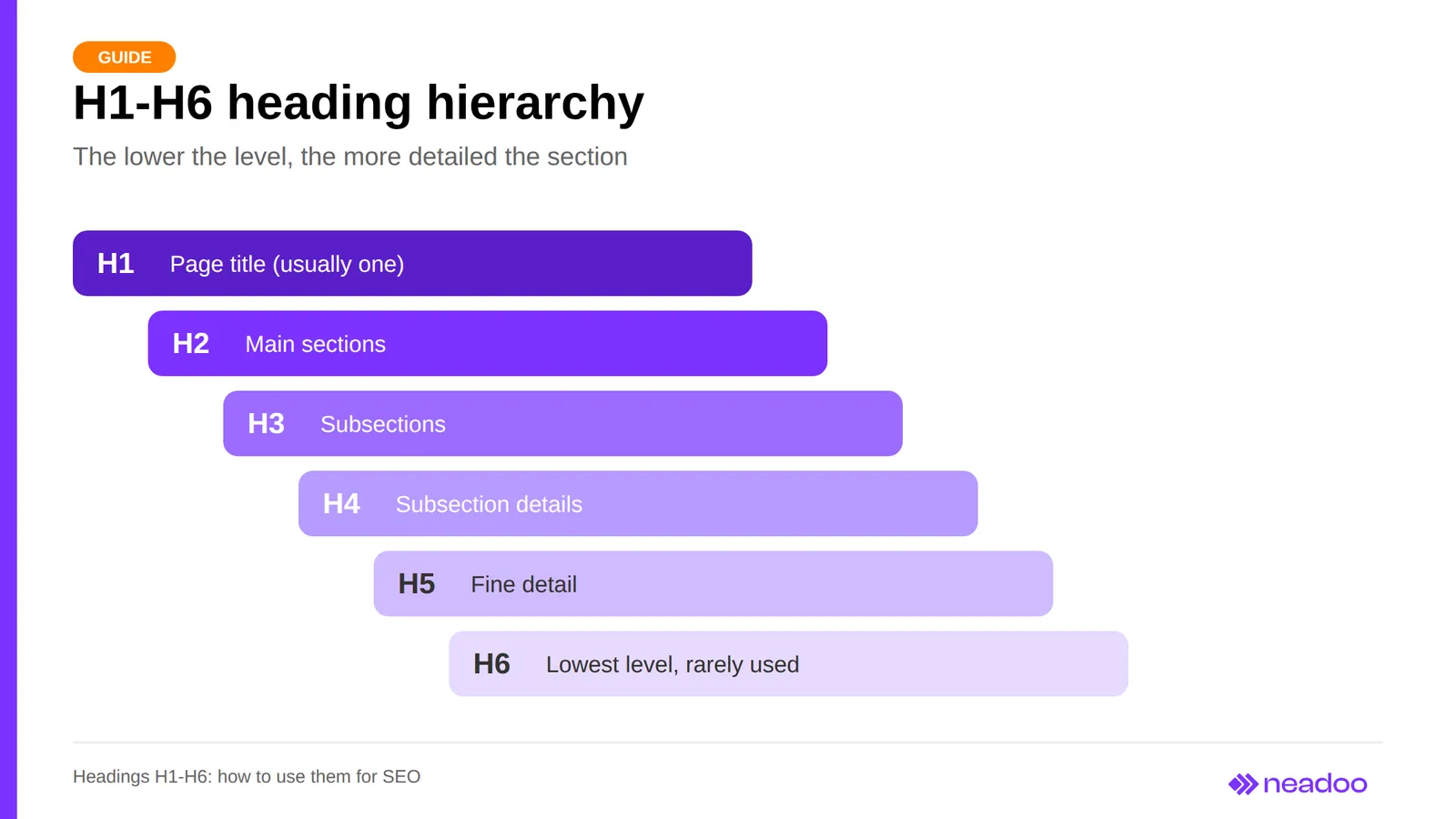
HTML headings are H1-H6 tags, representing six levels: H1 is the highest, H6 is the lowest, and H7 does not exist in the standard. They are written as a pair of tags - an opening tag (<h1>, <h2>, etc.) and a closing tag (</h1>, </h2>, etc.) - directly in the HTML code. As a result, the text between them is a semantically designated heading rather than simple bold text. When someone asks what a heading is, the simplest answer is: it is a short section title that previews what is in the paragraphs beneath it.
The H1 tag, or page heading, serves as the main heading: it defines the title of an article or subpage and its subject matter. H2-H6 are subordinate levels that expand on the main topic and divide it into increasingly detailed sections, moving from the general to the specific. The main structural weight is carried by H1-H3 headings, while H4-H6 are used less frequently, primarily in extensive texts and documentation. Search engine crawlers interpret headings as semantic meaning: they indicate which fragments are primary and which are secondary. HTML headings also break up long blocks of content into smaller parts, making navigation easier for users scanning the page with their eyes, Google bots analyzing code, and screen readers used by visually impaired individuals. Without this breakdown, a page turns into a wall of text that is difficult to navigate for both humans and machines.
Understanding this structure is the starting point for further work. The proper use of headings is one of the foundational elements of on-site SEO.
How Headings Impact SEO: Facts and Myths
Headings on a website help crawlers understand its topic and structure, but none of them act as a standalone ranking factor in isolation from the content. Google primarily describes headings as a navigation aid for users and does not specify an ideal number of headings, while John Mueller has repeatedly emphasized that a site can rank well both without an H1 and with multiple H1 tags. When a crawler scans a page's code, it treats heading content as a signal of which fragments describe a given topic, helping match the page to search queries in the search results. H1 and H2 headings usually describe the main topic and key sections, so in practice they carry the most important keywords, but Google has never confirmed their overriding ranking power. H4-H6 headings organize detailed subtopics, and their impact on rankings is marginal. Therefore, the significance of headings in SEO is indirect.
| Claim | Verdict |
|---|---|
| Headings help search engines understand the structure and topic of a page | Fact |
| The number and order of headings is a standalone, significant ranking factor | Myth |
| Google has confirmed that the H1 has the greatest impact on rankings | Myth |
| Missing an H1 makes high rankings impossible | Myth |
| Having more than one H1 is a critical ranking issue | Myth |
| Skipping a level (e.g., straight from H2 to H4) always lowers rankings | Myth |
| Question-based headings guarantee a featured snippet or AI answer | Myth |
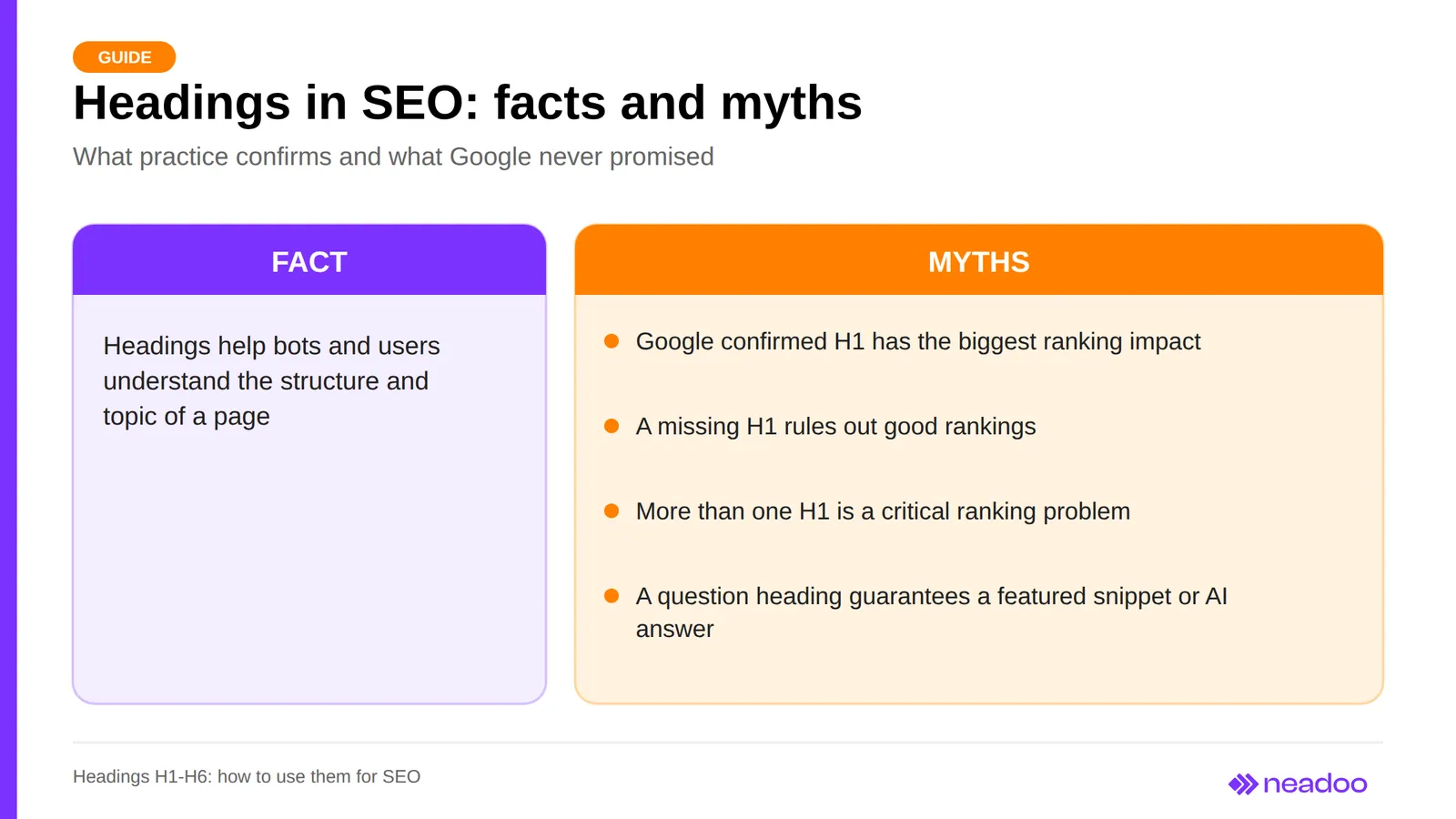
Distinguishing facts from myths matters during a content audit. A heading structure should reflect the thematic logic of the document and facilitate navigation, rather than satisfy requirements that Google does not enforce. The most important thing is that the H1 clearly identifies the main topic, while H2 and subsequent levels logically expand upon it.
Heading Hierarchy on a Page: How to Arrange the Structure Step by Step
The Pyramid Rule and Avoiding Skipped Levels
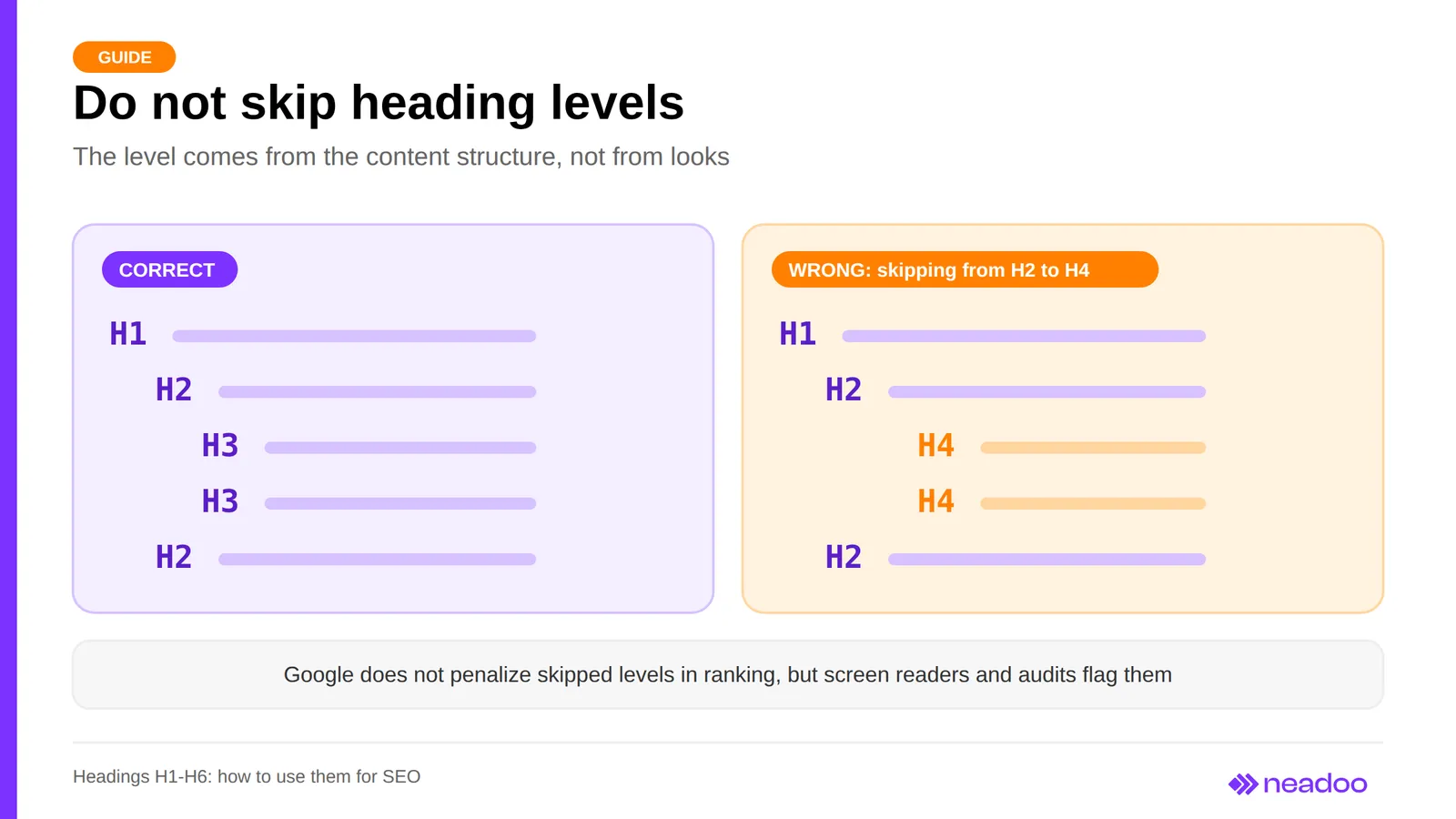
The fundamental rule of building a heading structure is: do not skip levels without a valid reason, and treat lower-level headings as expansions of higher ones. The hierarchy resembles a pyramid, with H1 at the top, H2 and H3 as subordinate headings, and H4-H6 detailing the specifics. Headings arranged in a proper hierarchy divide content into logical sections and create a clear structure that easily guides the user. Each lower level is subordinate to a higher one, like chapters and subchapters in a document: an H3 expands on a topic introduced by an H2, and an H2 expands on a portion of the H1 topic. Moving directly from an H2 to an H4 while skipping H3 is a common nesting mistake. Google does not penalize this in rankings, but HTML specifications and accessibility guidelines recommend avoiding skipped levels, as jumping makes it harder for screen readers to work, impairs code readability, and disrupts the heading tree in audit tools. A practical rule of thumb: the next heading can be at the same level, one level lower, or return to a higher level in a new section.
Example Heading Tree for a Single Article
A heading tree for an article about SEO headings shows the proper hierarchy in practice:
H1  How to Use Headings on a Website According to SEO Best Practices
  H2  What Are H1-H6 Tags
    H3  Structure of a Heading Tag in HTML
    H3  Differences Between H1 and H6 Levels
  H2  Step-by-Step Heading Hierarchy
    H3  The Pyramid Rule and Avoiding Skipped Levels
    H3  Example Heading Tree
      H4  Example for a Blog Post
      H4  Example for a Product Page
  H2  Most Common Mistakes in Heading Structure
Each H3 is subordinate to a specific H2, not to the entire article. An H4 appears only where a given H3 requires further division into detailed cases, rather than "just in case" in every section.
Let's check your website's potential
Share your website and email - we'll get back to you with a real analysis, no strings attached.
H1 Heading: How Many You Can Have and How to Write One
The recommendation to use a single H1 heading per page, including the homepage, is an editorial and accessibility convention, not a Google requirement. The HTML specification does not prohibit multiple H1s as long as they are not nested, and the absence of an H1 does not block ranking either. However, a single clear H1 remains best practice: it clearly communicates the document's topic to the user, the crawler, and the screen reader. Having more than one H1 is usually an organizational problem, not a ranking one. A typical case is a CMS template that automatically generates extra H1s in side widgets or section headers alongside the main page title, blurring the line between the title of the entire page and the titles of its parts. Conversely, the absence of an H1 deprives the other levels of a reference point, so it is worth using one on every page (article, category, product page).
A good H1 heading is short, visible to users, matches the page's topic and content, contains the primary keyword, and addresses search intent. A heading that suggests a topic different from the actual content increases bounce rate, while one that is too long resembles a lead paragraph and loses its function as a title. A single primary keyword chosen based on query analysis is enough, rather than a list of keywords separated by commas. On a product page, the H1 heading is usually just the product name; on a category page, it is the category name from the CMS (it is worth leaving an option for manual editing); and with a large number of pages, it is most convenient to generate it from a template, for example, "{Category Name} - Online Store".
The H1 heading must be visible to both the Googlebot and the user. Hiding it using a tiny font size, a color that blends into the background, or the display: none rule is a classic Black Hat SEO technique that brings no real benefit and, if detected, exposes the domain to a loss of algorithmic trust.
H1 vs. Meta Title: Identical or Different
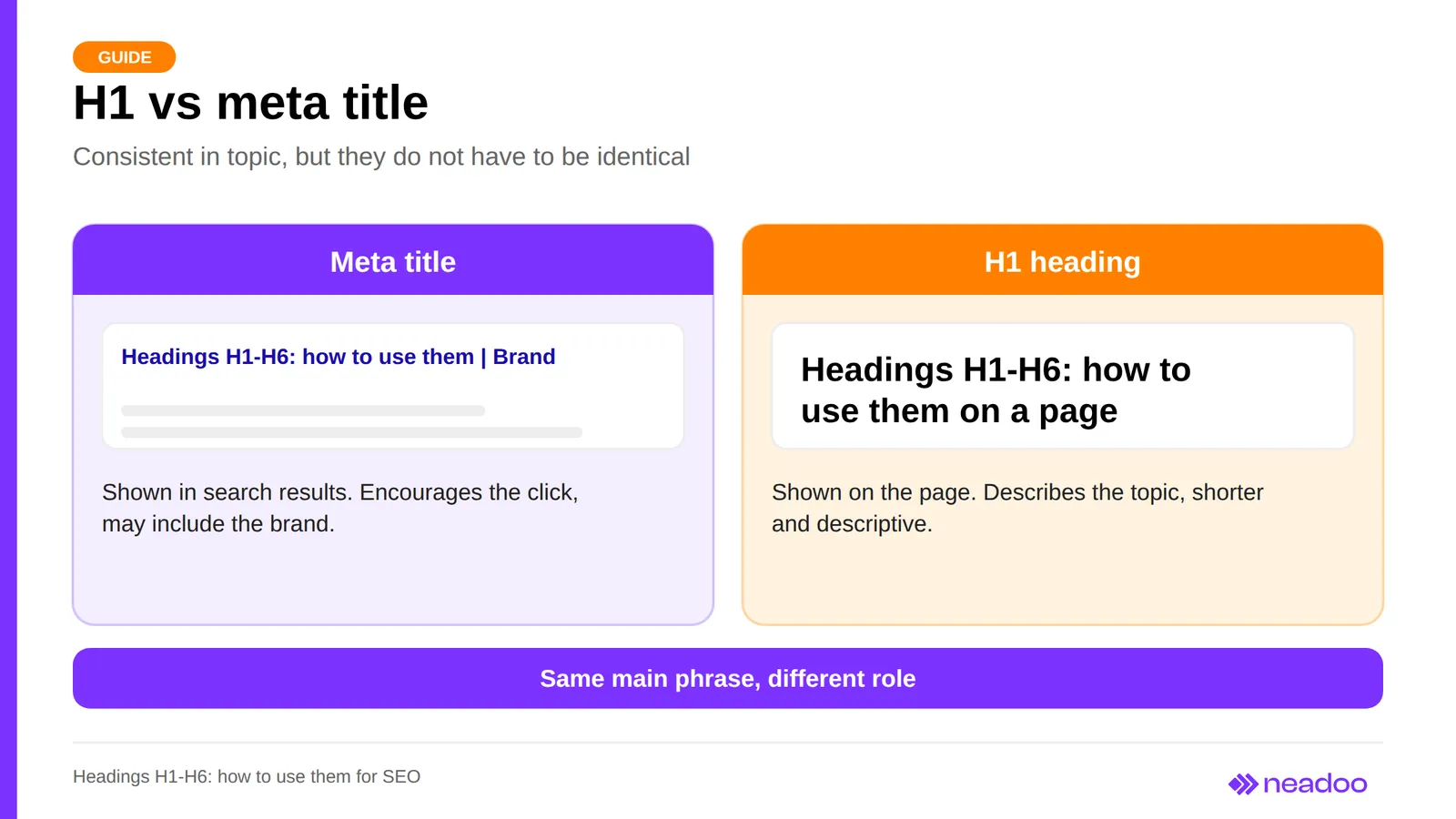
The meta title tag and the H1 heading do not have to be identical; it is enough that they are thematically consistent and contain the same primary keyword. Sources disagree on this point: some experts recommend nearly identical content for both elements to reinforce the weight of the keyword, while others advise against duplication because the two serve different functions. In practice, the title, placed in the <head> section, appears in search results as the clickable page title (Google may rewrite it) and can be longer, more marketing-oriented, and include the brand name. The H1 is seen only by someone who has already landed on the page, so as the page title and article title, it should be shorter and descriptive, aimed at someone already reading the content.
Distributing Keywords Across Heading Levels
H1-H6 headings organize content according to keyword importance: the primary keyword goes into H1, related keywords into H2 and H3 headings, and synonyms and long-tail variants into H4-H6, always sounding natural. Placing keywords in headings must not look like stuffing. Keywords in headings signal to both the reader and the algorithm which section carries key value, but this is a matter of content structuring logic, not a formal ranking mechanism.
| Level | Keyword Type | Example |
|---|---|---|
| H1 | Primary keyword | Coffee makers: rankings and model comparison |
| H2 | Related keyword | How to choose a coffee maker for the office |
| H2 | Related keyword | Espresso machine vs. drip coffee maker: differences |
| H3 | Section subheading | Pump pressure and espresso quality |
| H4 | Long tail | Quietest coffee maker for a small apartment |
| H5-H6 | Synonyms, variants | Coffee brewer, manual espresso machine |
The H1 contains the most important keyword in its most general form, while H2s expand it into key subtopics. H3-H6 headings delve into specifics and have limited impact because they organize content within sections - for example, breaking down a list of product features into bullet points. Thanks to the heading hierarchy, every keyword has its place and does not compete with the others.
Question-Based Headings, Featured Snippets, and AI Answers
A question heading with a concise answer right below it increases the chances of earning a featured snippet and being cited by AI-based search engines, because the question-answer structure makes it easy to extract a self-contained snippet. However, the mere presence of a question in a heading guarantees neither a featured snippet nor an AI answer. In its 2026 guidelines, Google also emphasizes that the same SEO principles apply to generative features, without any special markup. The question should be phrased the way a user actually asks it, and the answer should be placed in the first sentence or two under the heading, as that is what catches the reader's attention. Beneath a heading like "Can H1 appear more than once on a page?", the answer should appear immediately ("Yes, Google allows multiple H1 elements and does not treat this as a ranking error"), followed only then by the explanation.
FAQPage structured data can mark up questions and answers for machines, but Google displays FAQ rich results primarily for government and health websites, and HowTo results have been deprecated, so they cannot replace a well-written answer within the body text. A question format falls short when it does not naturally stem from the content or when describing a list of features or procedural steps: "Technical specifications of Model X" is more natural than "What specifications does Model X have?". A good structure mixes formats depending on the function of the section.
Headings, CSS, Accessibility, and UX
A heading's level is determined solely by the document structure, while its appearance (size, font, color, capitalization) is styled in CSS. You do not choose an H2 or H3 because it should look larger or smaller, but because it describes the position of the content in the outline. If a subheading needs to look more modest, you assign it a class (<h3>) and define a smaller font-size, while uppercase letters are achieved using text-transform: uppercase. Conflating semantics with styling leads to nesting errors and makes code analysis harder for crawling bots, screen readers, and anyone reading the code later.
A logical heading structure is also an accessibility requirement. A blind person rarely reads a web page linearly: a screen reader generates a list of headings and lets them jump between sections using keyboard shortcuts. WCAG guidelines require that relationships between content elements can be programmatically determined (Criterion 1.3.1) - meaning a heading must be a real <h1>-<h6> tag, not a bold paragraph - and that headings clearly describe the section's topic (Criterion 2.4.6). Skipping from H2 to H4 suggests nesting that does not exist and confuses someone navigating the heading list.
Headings on a website reduce bounce rates only indirectly: not as a ranking factor, but through a better user experience. Users scan the subheadings of a section to judge whether they will find the answer to their questions, so the more accurately a heading describes the paragraphs below it, the quicker they decide to keep reading. Vague titles like "More Information" do not help at all and can negatively affect UX. Image SEO is driven by surrounding text, alt text, and file names, while a heading next to an image supports them only indirectly.
Headings in Online Stores and CMS Templates
Generating H1 tags automatically in a CMS template (product name on a product page, category name on a category page) is safer than entering them manually because online stores create thousands of pages from a single template, and a flaw in the heading structure replicates automatically. WooCommerce, PrestaShop, Shopify, and Magento map the product or category name to the H1 by default, which eliminates empty headings, but it creates the problem of identical H1s across variants of the same product.
The weakest headings are found on faceted (filtered) pages and paginated pages: templates either fail to generate a separate H1 for them or copy the parent category heading, repeating the exact same H1 across all pages in the list. Repeating an H1 is not penalized on its own, but it makes it harder to distinguish pages and match them to search intent in search results. When choosing a theme, check whether the editor allows you to override default field mappings to the H1, as some templates rigidly tie the heading to the technical record title in the database.
Most Common Heading Errors and Their Consequences
The most common mistakes on your site include missing H1s, multiple H1 tags within a single document, skipping hierarchy levels (for example, jumping from H2 to H4), and selecting levels based on visual appearance rather than semantic meaning. None of these are formally penalized by Google, but each muddies the document outline and makes navigation harder for screen reader users.
The second group includes content-related errors: vague or promotional headings that fail to describe the paragraphs beneath them, incorrect section ordering relative to the logic of the topic, and non-standard levels like H7, which browsers may ignore. Another mistake is treating question-based headings as a guaranteed ticket to a featured snippet: a question improves intent matching, but without a solid, direct answer in the body copy, it accomplishes nothing. Best practices are straightforward: a heading should describe the content beneath it, not advertise it.
How to Check and Audit Heading Structure
Auditing headings on your site requires tools that extract the H1-H6 list directly from the code without manually digging through HTML. Lighthouse in Chrome DevTools highlights issues like improper heading order in its accessibility section, while Screaming Frog SEO Spider crawls the entire site and exports headings for every URL, catching duplicate H1s across category pages, product pages, or filtered variants. Browser extensions such as HeadingsMap display the outline as a nested list, making a jump from H2 to H4 immediately visible as a gap. In the page source code, search for <h to verify that headings are not faked using bolded <div> elements.
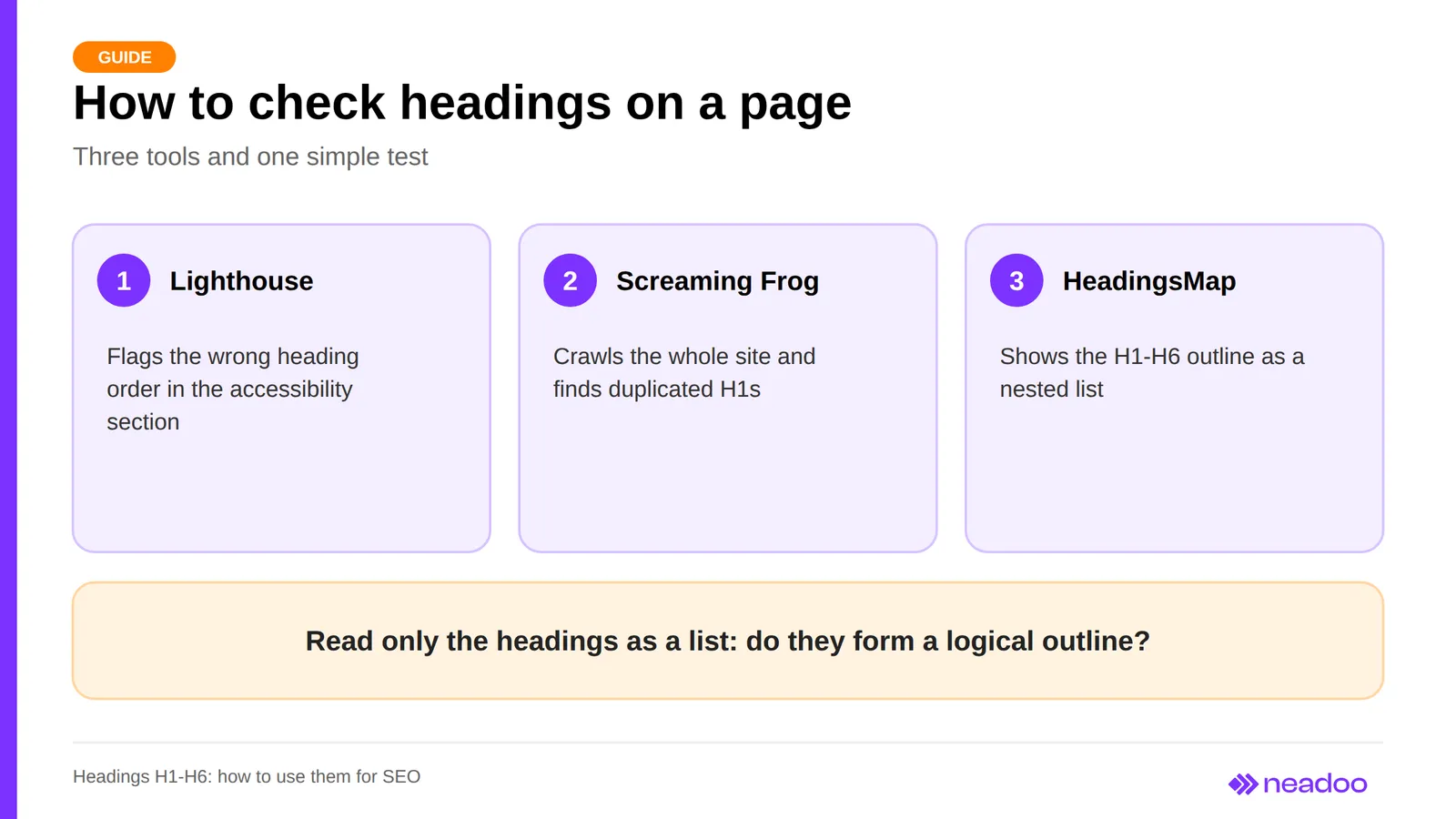
The second test is simpler: extract only the headings and read through them as a standalone list. If the sequence of H1, H2, and H3 tags read from top to bottom forms a logical outline - moving from the overarching topic down through supporting subtopics - the hierarchy is doing its job. A list that reads like a random collection of phrases points to a structural problem, even when no single tag violates HTML rules. Tools uncover technical errors, but reading the list itself evaluates the substantive quality of your outline.
FAQ
How many H1 headings should be on a page?
One H1 is recommended per page, including the homepage, but this is a convention rather than a strict Google requirement: John Mueller has confirmed that a page can rank well both without an H1 and with multiple H1 tags.
Does an H7 heading exist?
No. HTML defines tags from H1 through H6 only, and H7 or lower are not supported.
Does the H1 have to be identical to the title meta tag?
It does not, but both should accurately describe the page topic and include the primary keyword. The H1 serves as the header of the on-page content, while the title is a separate element displayed in search results.
Can you change a heading level just to get a larger font size?
No. The heading level reflects the structure of the content, while font size is handled in CSS.
Can you hide the H1 on a page?
It is not a good idea. The H1 should be visible to both users and crawlers, and hiding it using tiny font sizes, matching background colors, or display: none can be viewed as manipulation.