
Featured Snippet in Google - What Is Position Zero and How to Win It?
You ask Google a question and see the answer before you click any link. This is a featured snippet - a highlighted box in the so-called "position zero", above the standard organic results. This box determines whether a user stays on the search results page or clicks through to your website, completely free of advertising costs.
For years, research showed that featured snippets appeared in about 11-12% of search results (Ahrefs in 2017: 12.29% of US search queries). In 2025, their share dropped noticeably, as some were replaced by AI Overviews. According to Ahrefs, the percentage of SERPs with a snippet fell from 15.41% in January to 5.53% in June 2025. It is still worth winning a snippet, but the rules have changed slightly.
What a featured snippet is and how it differs from Google Answer Box and rich snippets
A featured snippet is a block of text, a list, a table, or a video that the search engine automatically extracts from page content and displays as a direct answer to the user's query. Direct answer snippets come straight from web pages, and the algorithm itself determines which piece of content best answers a given phrase. Clicking the box increasingly takes the user directly to the cited spot in the document rather than to the top of the page. This is powered by the Scroll-to-Text Fragment mechanism, which highlights the cited text.
The same extraction mechanism powers answers in the "People Also Ask" section. A Knowledge Graph result works differently: it does not come from a specific website, but from Google's own knowledge base, which is why it usually does not link to an external source. Examples include currency exchange rates, the weather, or the current time in another country.
A featured snippet is also sometimes confused with a rich snippet. The difference comes down to the source and format of the information:
| Feature | Featured snippet | Answer box | Rich snippet |
|---|---|---|---|
| Content source | Text excerpted from an external website | Knowledge Graph | Structured data (schema.org) on the page |
| SERP position | Above the results, "People also ask" section | Usually above the results, without a URL reference | Standard organic result with extensions |
Four main types of featured snippets and optimal content structure
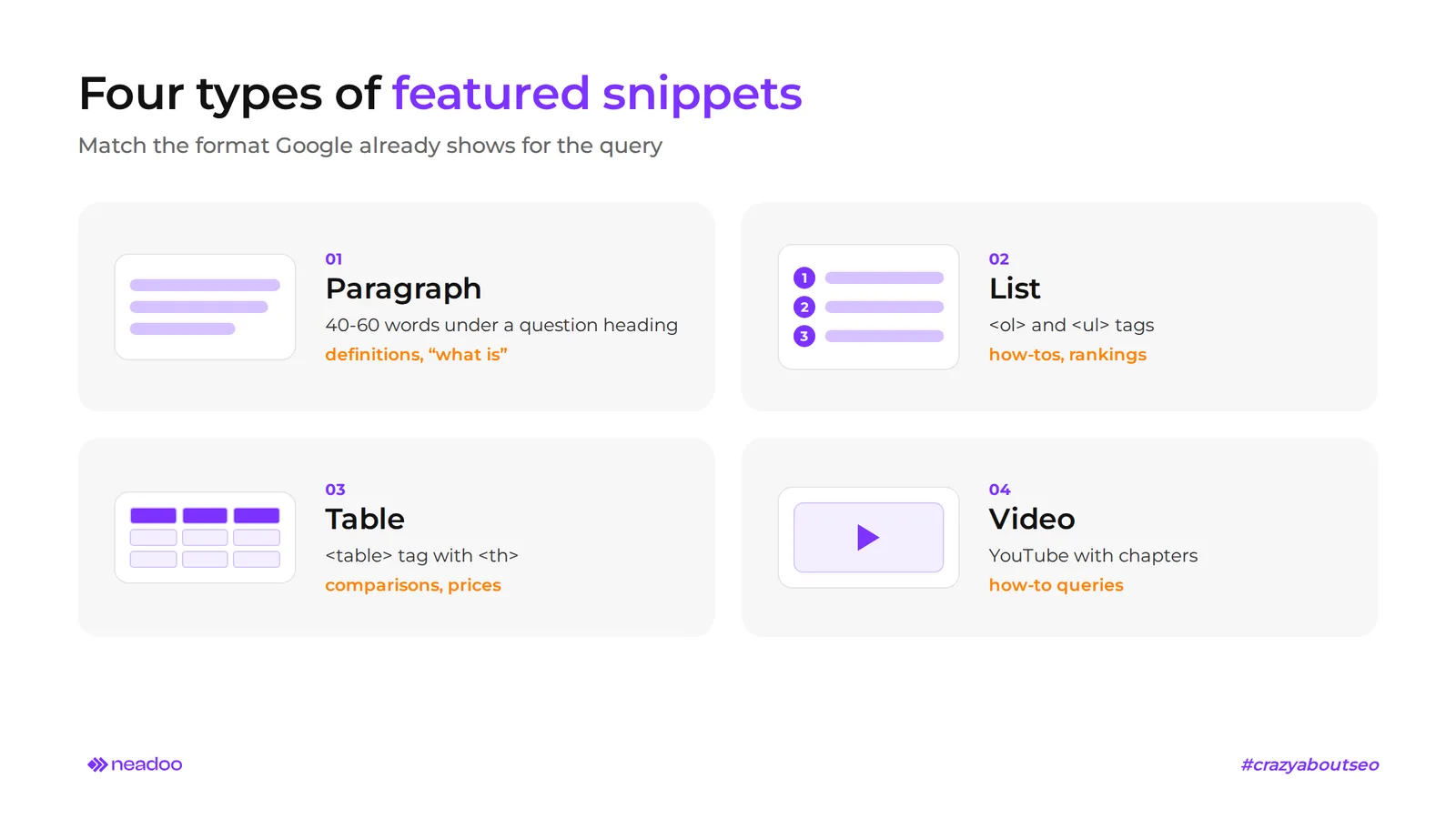
Featured snippets appear in four formats: as a paragraph, a bulleted or numbered list, a table, and a video. Google prefers a clear structure that can be easily extracted and displayed, but there is no dedicated HTML tag that forces a snippet to appear. The algorithm uses standard tags: headings, paragraphs, lists, and tables. The format you optimize your content for should stem from what is already visible in the search results for a given query. Enter it into the search engine, check the current snippet, and align your content layout accordingly.
Definition paragraphs (40-60 words)
The paragraph is the most common snippet format: in a Semrush study, it accounted for about 70% of all featured snippets. So-called paragraph snippets usually consist of 40-60 words, most often 40-50. The algorithm extracts them from directly beneath an H2 or H3 heading that repeats the user's question in an almost identical form.
The algorithm often shortens the quoted content by combining sentences and omitting secondary side notes (sentence compression). Therefore, the definition should sit in the very first sentence of the paragraph and be fully understandable on its own without the rest of the article.
Ordered and unordered lists (steps and rankings)
A list snippet is generated from <ol> (numbered list) or <ul> (bulleted list) tags. The search engine usually assigns numbered lists to "how-to" guides and recipes where sequence matters. Bulleted lists appear for rankings, product features, and lists where order is irrelevant.
Each list item should begin with a short, standalone statement. The box often displays only the first few items followed by a "More items" link, so place the most important points right at the top. A longer list also has an advantage: anyone who wants to see the full list has to click through.
Data tables and comparative overviews
A table snippet is generated from the <table> tag, primarily for comparison, pricing, and numerical queries, such as "difference between X and Y" or "service prices in category Z". Direct answer snippets appear most often for informational and comparative phrases.
Column headers (<th>) must clearly describe the content, and cells should be short and uniform: all numbers or all brief descriptions. This format is widely used by service companies comparing the scope and prices of regional services, which plays an important role in local SEO.
YouTube videos for how-to queries
A snippet can feature a short video, most often from YouTube, demonstrating how to perform a given task (how-to). The search results then display a thumbnail marked with the relevant timestamp and a link leading directly to that scene.
The choice depends on subtitle matching with the search phrase and chapters with timestamps in the video description. For technical topics, video directly competes with paragraphs and lists, so for tutorials it is best to provide both formats.
Keyword research and search intent for position zero
Informational queries hold the greatest potential: the user is looking for a definition, instructions, or a comparison, not a product. The user wants to find specific information quickly. Transactional and navigational queries rarely trigger a snippet. Featured snippets, on the other hand, frequently appear for long-tail queries formulated as complete sentences.
The first step is categorizing keywords by question word. Many featured snippets appear for "why" and "how" questions, but "what", "who", "when", and "is/can" also trigger them, so there is no point in limiting yourself to a single type.
The second step is checking where the page already ranks. Google selects featured snippets from pages in the top ten: according to Ahrefs, 99.58% of URLs in the box already held a spot in the TOP 10, most often in the top five. For a phrase outside the first page of results, simply changing the content structure will, in most cases, do nothing. First, you must take care of core SEO: indexing, links, and page relevance.
The third step is analyzing existing featured snippets. Check the format of the current box, the word count of the quoted text, and what is missing from it. Monitor these phrases regularly, as Google's algorithms dynamically test and swap out quoted pages, making it easy to lose an earned spot.
Also take passage ranking into account. Google still indexes full documents, but since 2021 (initially in the US, in English), it can evaluate the relevance of an individual passage of text. A long article can therefore land in the box for a narrow query if it contains a paragraph that precisely answers it. Questions from the "People Also Ask" section are best addressed in dedicated paragraphs or subsections within a single article.
Let's check your website's potential
Share your website and email - we'll get back to you with a real analysis, no strings attached.
On-page optimization strategy: how to win and keep position zero
There is no SEO method that guarantees a featured snippet. Earning one requires precise content optimization, but the algorithm always has the final say. Google recommends creating people-first content. In our view, this remains the best tip, because featured snippets go to texts that genuinely solve the reader's problem. For content marketing and SEO, this is good news: the very same work improves search engine visibility and the overall quality of the website.
Heading structure and the inverted pyramid principle
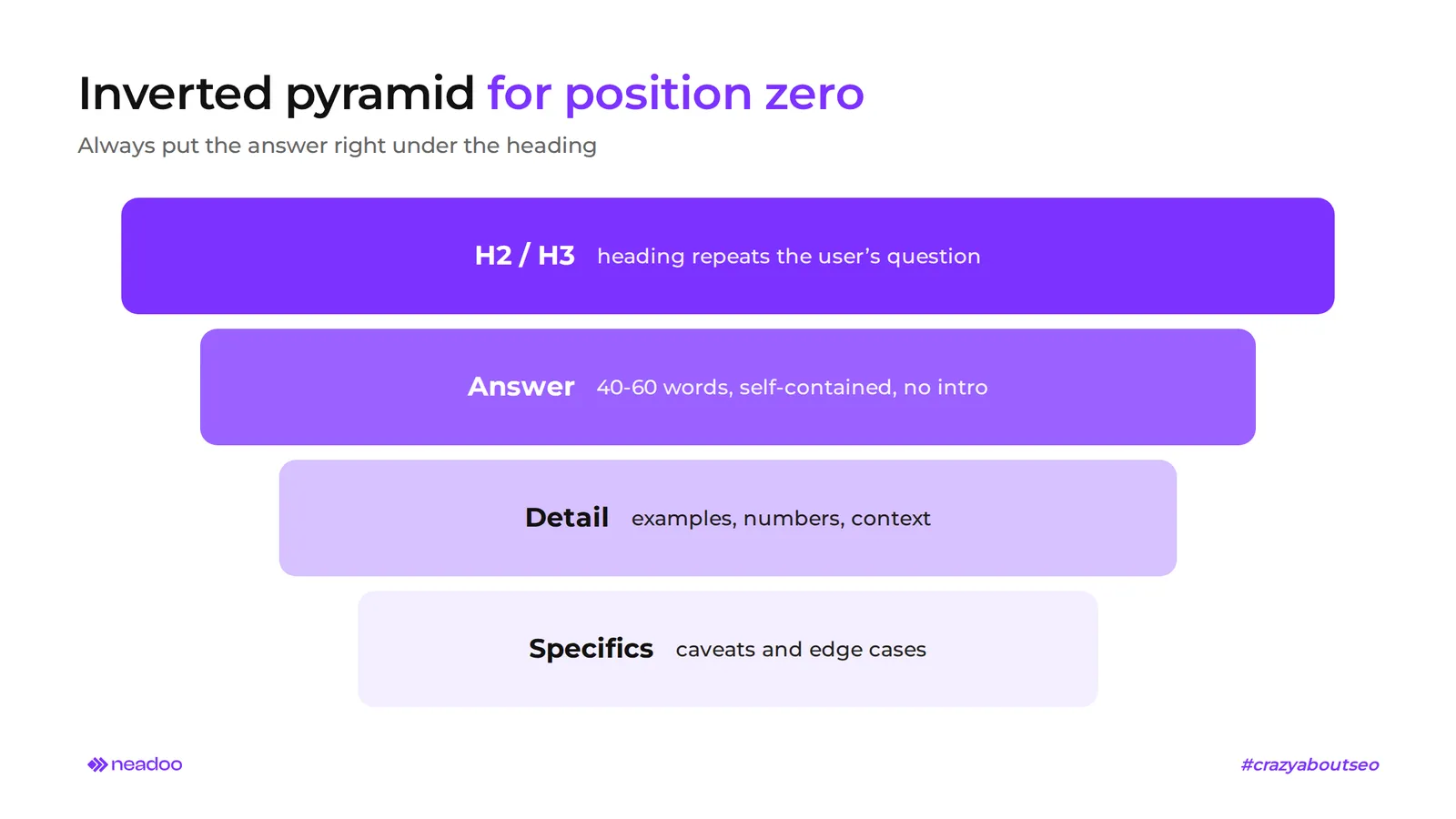
Placing the answer right below the heading is the simplest way to increase your chances of getting a snippet. Use the inverted pyramid: a direct answer appears immediately below an H2 or H3 heading that mirrors the query in the user's natural language, without any intro or anecdote. Elaboration, examples, and caveats go further down.
Repeat this pattern in every subsection that covers a separate subtopic. A single article with a dozen H3 headings provides a dozen entry points into the box from a single URL, without having to create separate subpages.
The impact of position zero on CTR, the zero-click phenomenon, and integration with AI Overviews
A featured snippet does not always mean more traffic to your website. For simple factual questions, such as definitions or single numbers, the user gets the complete answer directly in the SERP and does not click. This is the zero-click phenomenon. In an Ahrefs study, the snippet alone earned an average of about 8.6% of clicks, which is less than the first organic result beneath it.
With complex queries, the opposite can be true. A snippet can dramatically change website traffic statistics and boost CTR, because the information displayed in the box occupies a large portion of the screen, and the snippet answer alone is not enough. It also builds brand recognition and domain authority on a given topic, even when not every impression leads to a click. If your goal is traffic, target snippet queries where a brief summary will not satisfy the user.
AI Overviews amplify zero-click searches even further. A featured snippet cites a single excerpt from one page, whereas an AI Overview synthesizes information from several domains into one answer. The SERP usually displays one or the other, though both can appear in the same SERP. Content prepared for a snippet - a precise, standalone paragraph with a direct answer - also makes good source material for AI citations. That is why we treat Answer Engine Optimization (AEO) as an extension of featured snippet optimization.
The same applies to voice search. In a Backlinko study of 10,000 Google Home queries, about 40.7% of answers came from featured snippets. While voice assistants increasingly rely on generative models today, a concise, specific answer remains a solid source for them.
Technical display controls: nosnippet tags and the data-nosnippet attribute
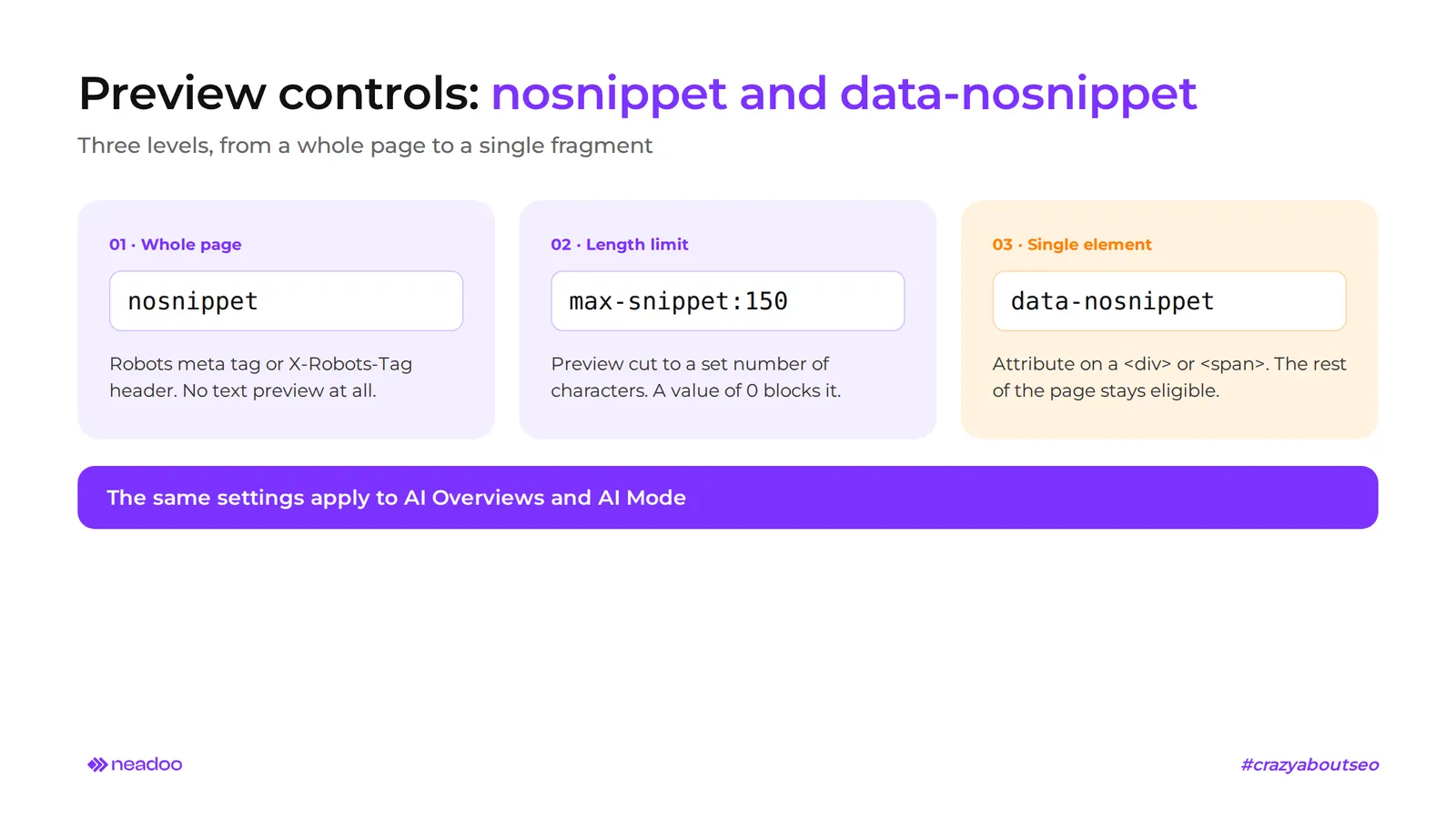
Website owners can restrict the snippets displayed in search results or block featured snippets entirely. This control works on three levels:
- Robots meta tag is a directive in the head section that applies to the entire page.
- HTTP X-Robots-Tag header works well for PDF files and other non-HTML resources.
- data-nosnippet attribute excludes a specific HTML element from previews without affecting the rest of the page.
The nosnippet directive in the robots meta tag or X-Robots-Tag blocks every text preview of the page: the standard description below the title as well as the featured snippet. The URL remains in the index, but the search engine will display it with only a title and a URL. This makes sense for terms of service, legal documents, and content that should not be quoted out of context.
The max-snippet directive restricts the preview to a specified character count, e.g., max-snippet:150, and when set to 0, it blocks the preview entirely. This serves as a middle-ground solution for websites looking to control the scope of excerpts.
Element-level exclusion (e.g., on a <div> or <span>) is useful when one part of an article - such as a pricing table, client information in a case study, or a frequently updated description - should not be shown in the preview, while the rest of the page retains its chance to win the box.
The most important change involves the scope of these settings. Google treats nosnippet, max-snippet, and element exclusions as universal preview controls that also apply to AI Overviews and AI mode. A website that blocks snippets in the traditional SERP will therefore disappear from citations in generative answers as well. This decision is best made as part of an overall visibility strategy, alongside traditional SEO.
FAQ
Does a featured snippet guarantee an increase in organic traffic?
No. Featured snippets increase search engine visibility and can boost organic traffic, but for simple questions, users often do not click because they can find what they are looking for right in the SERP.
From which Google ranking position is it easiest to win position zero?
From the first page of results, most commonly from positions 1-5. A page outside the TOP 10 practically never makes it into the box.
Is implementing Schema.org required to get a featured snippet?
No. The algorithm extracts the snippet directly from the page's HTML: a paragraph, a list, or a table. Structured data is useful for rich snippets, but it is not required for a featured snippet.
Can a single page hold both position 1 and position zero at the same time?
Since January 2020, Google has applied deduplication: a URL selected for the snippet usually does not appear again among the standard results on the first page, and the box is treated as the first position. Exceptions do occur, so the same page can sometimes appear in both spots, but that depends on the specific query.