
Cursor AI - What It Is and How It Works
AI assistants for developers have established themselves in daily workflows faster than any other programming tool in the past decade. Cursor stands out in this group through its architecture: it is not a plugin bolted onto an existing editor, but a standalone IDE built around large language models from the very first line of code. For developers tired of juggling between an editor and an external AI chat, this is a difference felt in the daily pace of shipping changes to a product.
What is Cursor AI?
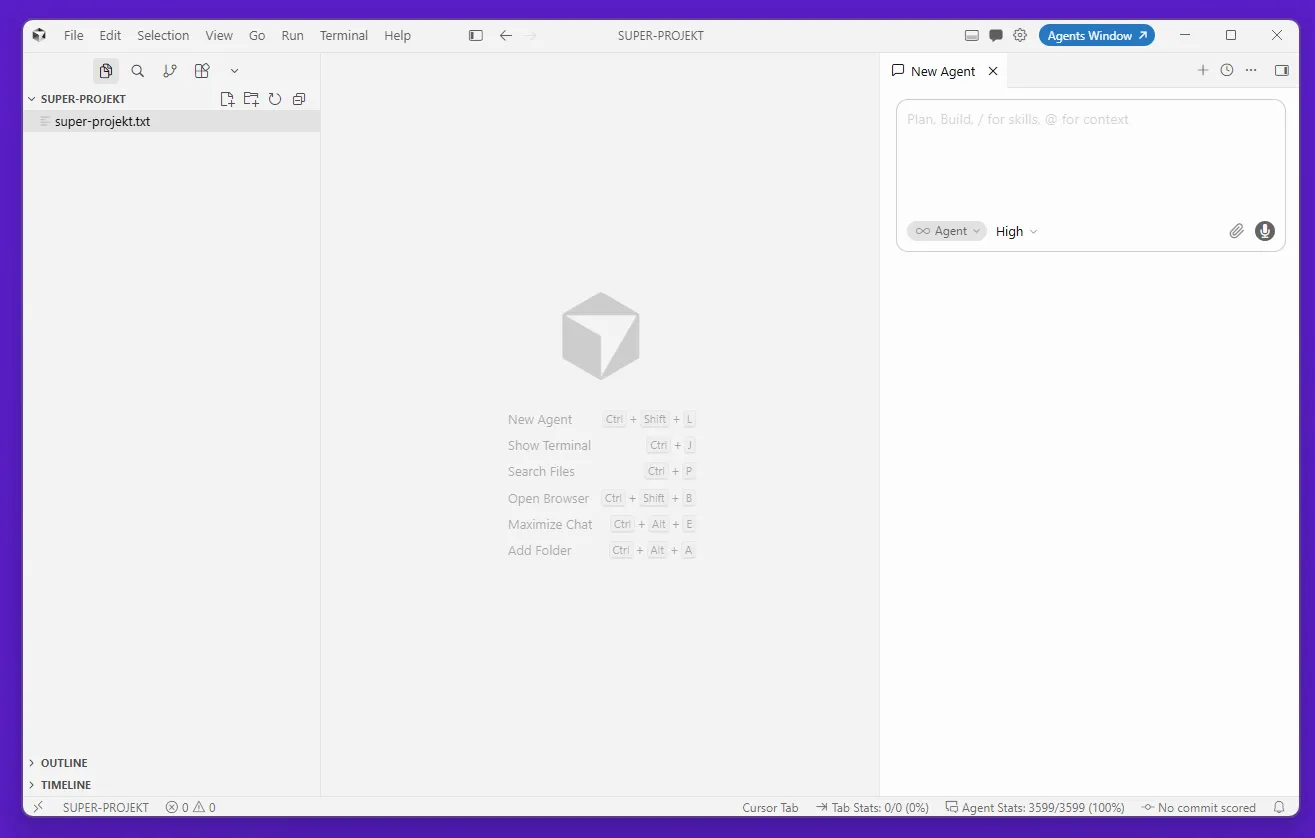
Cursor AI is an autonomous integrated development environment (IDE) created by Anysphere, built as a fork of Visual Studio Code with natively integrated artificial intelligence models.
Anysphere was founded in 2022; the first public release of Cursor reached developers a year later. The application supports Windows, macOS, and Linux. Because it is based on Visual Studio Code, the entire VS Code ecosystem - extensions, themes, keybindings, and Jupyter notebooks - carries over without changes, and importing configurations takes just a single step. SpaceX is one of the editor's leading enterprise users. For experienced VS Code developers, migration requires zero environmental adaptation.
The code editor supports Python, JavaScript, TypeScript, PHP, Java, C++, Go, Rust, SQL, and other programming languages. What does Cursor AI mean in practice? It means choosing a development environment, not just picking an assistant plugin - the language model has native access to the repository structure and relationships between components, something a plugin installed on a host editor cannot provide.
Cursor does not overlay an artificial intelligence layer on top of an existing host - it builds an environment where AI models have direct access to the editor's internal mechanisms and the project's AST. This architectural difference translates into the depth of context available for every query and the quality of code generation.
Key Features and Editor Mechanism
Cursor AI's operation is based on integrating advanced large language models (LLMs) with deep, real-time repository context analysis.
Cursor supports models from four provider groups. Anthropic is represented by the Claude family, from Opus 5 and Sonnet 5 to older 4.x versions and the lightweight Haiku and Fable. On the OpenAI side, the GPT-5.6 family is available in Sol, Terra, and Luna variants, along with older GPT-5.x models and Codex 5.3. Google supplies Gemini 3.1 Pro as well as the Flash series. Cursor also develops its own models, Composer 2.5 and Cursor Grok, while the list rounds out with open-weight models: Kimi, GLM, and Muse Spark. Older versions remain on the list after newer ones debut, so the selection panel currently counts several dozen items.
| Anthropic | OpenAI | Cursor and Others | |
|---|---|---|---|
| Claude Opus 5 | GPT-5.6 Sol | Gemini 3.8 Flash | Cursor Grok 4.6 |
| Claude Opus 4.8 | GPT-5.6 Terra | Gemini 3.7 Flash | Cursor Grok 4.5 |
| Claude Opus 4.7 | GPT-5.6 Luna | Gemini 3.6 Flash | Composer 2.5 |
| Claude Opus 4.6 | GPT-5.5 | Gemini 3.5 Flash | Muse Spark 1.3 |
| Claude Opus 4.5 | GPT-5.4 | Gemini 3.1 Pro | Kimi K3 |
| Claude Sonnet 5 | GPT-5.4 Mini | Gemini 3 Flash | Kimi K2.7 Code |
| Claude Sonnet 4.6 | GPT-5.4 Nano | Gemini 2.5 Flash | GLM 5.2 |
| Claude Sonnet 4.5 | GPT-5.2 | ||
| |
|
|
|
|
Models available in the Cursor selection panel as of September 2026.
The editor does not officially support local models. The settings only feature "Add Custom Model", an OpenAI key field, and an "Override OpenAI Base URL" toggle. Connecting Ollama or LM Studio through this base address works, but it disables features calculated on the Cursor cloud side, including Tab suggestions and repository indexing.
The base URL override option itself has long drawn reports on the Cursor forum. Users reported that enabling it breaks Anthropic models because requests hit an endpoint with a different schema and return a 422 error. It was also reported that connecting a custom Anthropic key flips this toggle on its own, and that in some editor releases, the key and URL fields were sometimes uneditable. Tab suggestions use Cursor-hosted models anyway, regardless of the setting.
The AI workflow interface is split into two modes. The Cmd+K shortcut (Ctrl+K on Windows and Linux) opens an inline panel to edit a selected code snippet or an entire function - the AI suggests changes directly at the cursor position without opening a separate window. Cmd+L (Ctrl+L) launches the project chat in Ask mode, where you can ask natural language questions about architecture, generate new modules, and analyze logic. Both modes leverage the same indexed code context.
Cursor sets itself apart from plugins in that the AI does not operate on the visible file, but on the full repository index. Every query carries information about the entire project.
Multi-File Editing in Composer and Intelligent Autocomplete
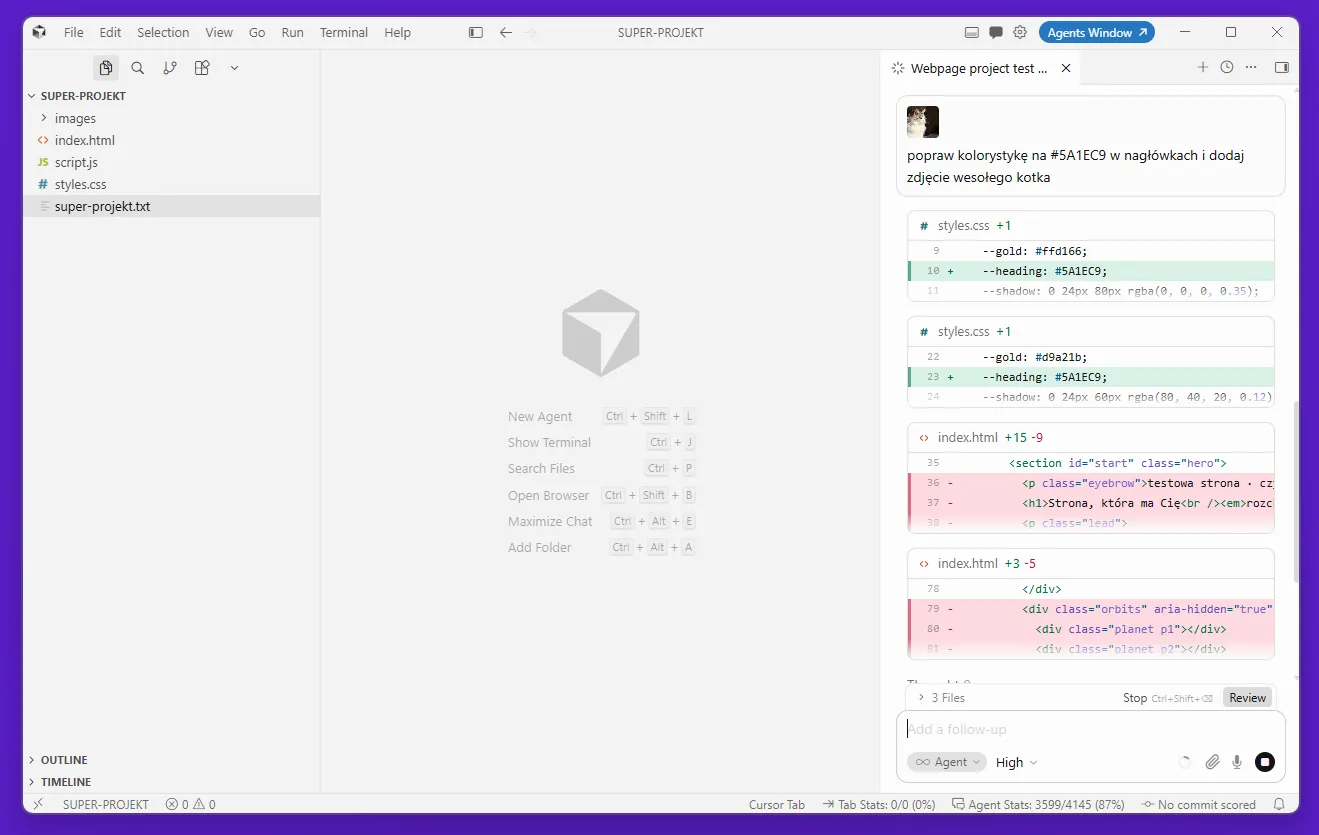
The Composer module allows parallel generation and modification of code across multiple files simultaneously, eliminating the need to manually copy changes.
Composer executes the command "add input validation to all endpoints in /routes" as a coherent set of changes across files at once, presented in a Diff view prior to acceptance. The developer reviews the code snippets suggested by the AI, approves or rejects individual blocks, and gets the finished result - instead of tracking each file separately and manually copying the pattern.
When generating code in repetitive patterns - CRUD handling for subsequent models, generating functions based on signatures, tests for existing methods - the time difference is clear. The vendor reports productivity gains of around 30%, resulting from the automation of routine programming tasks and focusing work on business logic instead of writing boilerplate code.
The Cursor Tab feature is an autocomplete mechanism that goes beyond the next token. It predicts entire code snippets and multiline modifications accepted with a single press of Tab. Intelligent autocomplete cuts coding time on repetitive patterns - completing TypeScript interfaces, replicating error handling across controllers, filling in documentation comments. The savings compound when working across multiple files simultaneously throughout the entire day.
Agentic Workflows and Context Management with the @ Operator
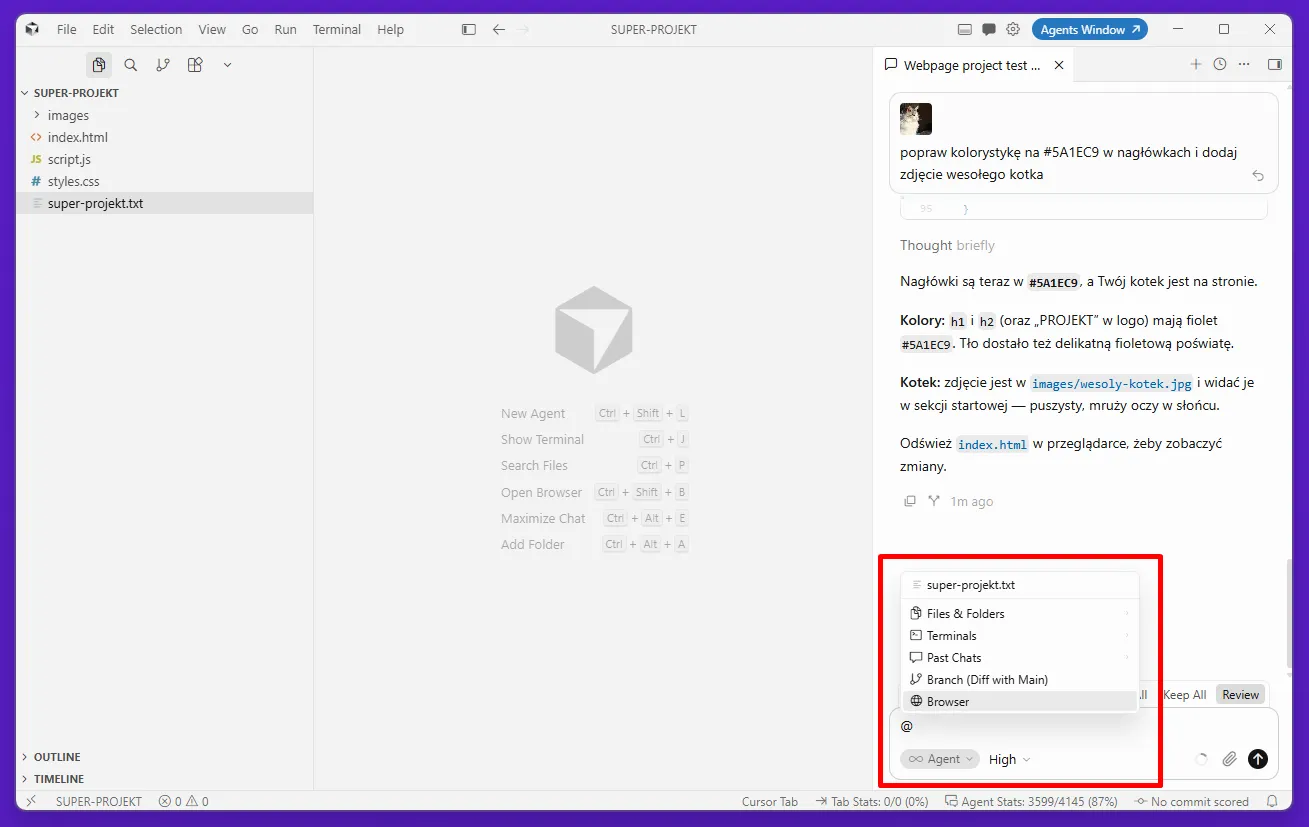
Code generation precision in Cursor stems from the Codebase Indexing mechanism and granular resource specification using the @ operator.
Codebase Indexing vectorizes the entire codebase upon opening a workspace folder. It builds a complete repository context: AI models see relationships between classes, imports, and the architecture of the entire project. The @ operator lets you attach specific files, folders, symbols, external documentation, and search results to the prompt. The query "how do we handle user sessions in our project?" generates an answer grounded in actual code - not in general model knowledge of the framework's API.
Agent mode expands editor capabilities beyond text editing. Cloud Agents run terminal commands, execute tests, and complete multi-step programming tasks without manually piloting every step. Bugbot inspects pull request changes for potential errors and logical inconsistencies. The automatic fixes Cursor proposes for compilation errors rely on the context of the entire project - not on patterns from training data.
The editor scans code for errors in real time, proposes fixes, and automatic optimization of code snippets reduces the need for manual refactoring. Debugging complex applications with full repository context is yet another advantage over tools that only operate on the visible file.
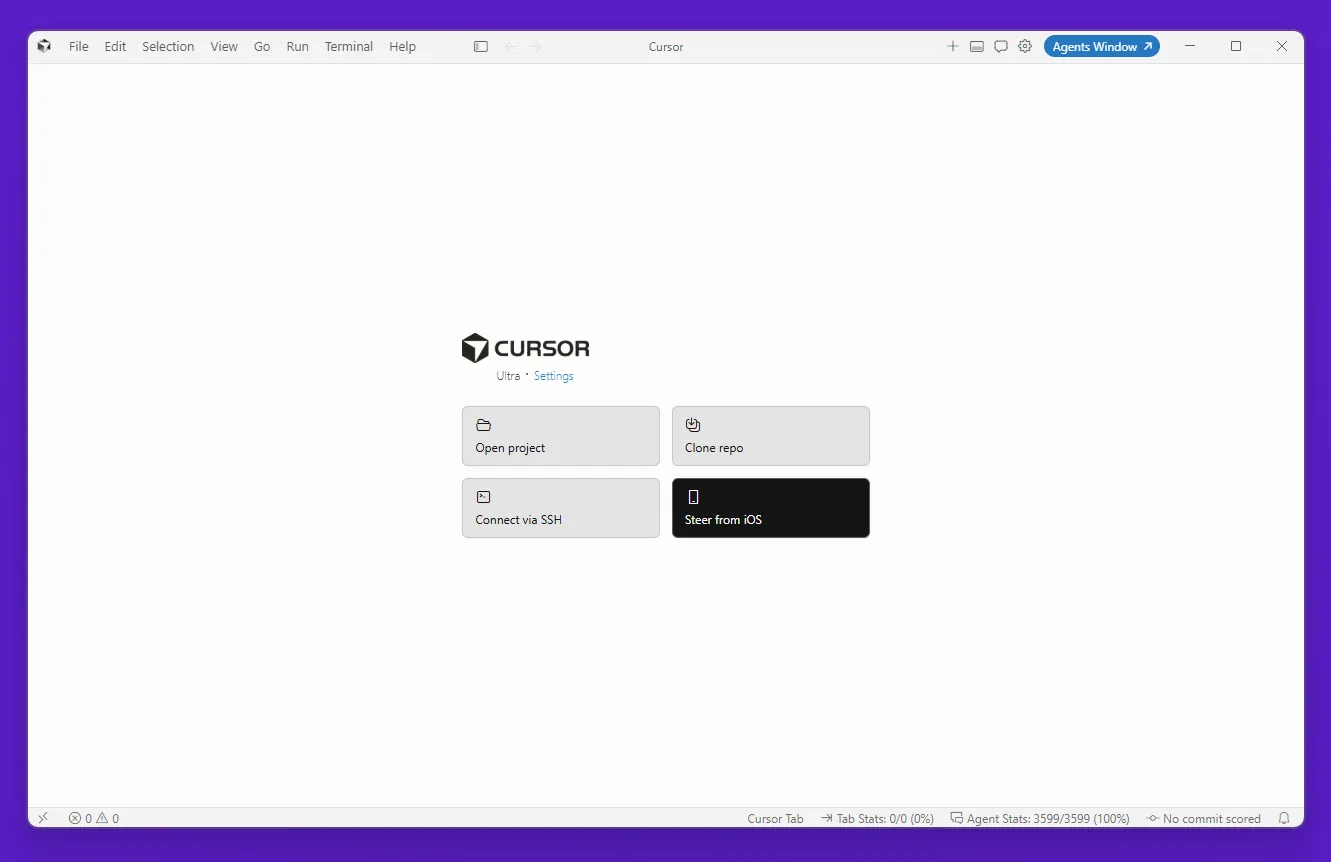
| FUN FACT: Cursor also features "Steer from iOS" - the agent runs on your desktop, and the developer controls it from an iPhone via a dedicated mobile dashboard. During multi-hour agent tasks - refactoring a large codebase, generating a test suite - you can step away from your computer and adjust the workflow direction right from your phone. The start screen also offers "Clone repo" and "Connect via SSH", completing the workflow: cloning a repository, running agent tasks, pushing changes - without having to sit at your desk for the entire duration of the task. |
|---|
Code Security, Privacy Mode, and Regulatory Compliance
Deploying artificial intelligence tools in a commercial environment requires absolute control over the retention and processing of intellectual property.
Cursor offers Privacy Mode, which disables sending user code to train public AI models. In this mode, API providers do not store query data - requests are processed and deleted without retention on the AI tools' end. Companies with compliance requirements can use the BYOK (Bring Your Own Key) option, which allows using their own API keys via the settings interface. This shifts control over data flow to the client side and resolves most objections related to source code confidentiality.
In the context of GDPR and the AI Act, two aspects require verification: the location of data processing and the responsible entity. Privacy Mode reduces the risk of unauthorized code usage; however, it does not exempt organizations processing sensitive data from conducting a DPIA, nor does it eliminate the need to enter into a DPA with Anysphere.
An AI model may suggest function calls or API imports that do not exist in the project, especially when prompts are too general. These are architectural hallucinations - a phenomenon mitigated by precisely indicating context using the @ operator and breaking tasks down into smaller components. Every team should account for potential issues of this type within their change verification process before accepting them.
Cursor Pricing Plans (as of September 2026):
| Plan | Price | Scope |
|---|---|---|
| Hobby | free | basic editor features, limited access to Composer and the agent |
| Cursor Pro | $20/mo | unlimited Cursor Tab autocompletion, extended agent limits |
| Pro+ | $60/mo | higher limits, access to premium models |
| Ultra | $200/mo | highest limits, priority processing |
| Teams Standard | $40/user/mo | team management, shared settings |
| Teams Premium | $120/user/mo | advanced features for enterprise environments |
How much does Cursor cost in the free tier? The Hobby plan does not require a credit card and includes basic editor features sufficient for evaluating the tool over several weeks of work. The Hobby plan should not be confused with the BYOK API key mode - these are two distinct access variants.
Let's check your website's potential
Share your website and email - we'll get back to you with a real analysis, no strings attached.
How to Get Started with Cursor AI Step by Step:
Getting started with the editor does not require changing established coding habits, thanks to an automated migration process.
Download Cursor from the vendor's website for the appropriate operating system. Upon initial launch, the installer detects the existing VS Code configuration and suggests a one-step import. The automatic setup transfers extensions, themes, and keybindings from VS Code - developers land in a visually identical environment with native AI under the hood. Configuring repository indexing takes just a few clicks.
Good prompting is more important here than knowing keyboard shortcuts. Daily developer work with Cursor is streamlined by the single-task-per-prompt rule. Instead of "fix this code," use "in auth.service.ts, within the validateToken method, add expired JWT handling and return a 401 status with the message 'Token expired'". The more precise the prompt, the fewer unwanted edits in unexpected parts of the project. Practical tips: pinpoint specific files and methods, describe the expected result, and break refactorings down into verifiable steps.
Installation, Importing VS Code Configuration, and First Queries
The one-step import transfers your complete configuration from Visual Studio Code, including extensions, keybindings, and themes.
After installation: launch Codebase Indexing (Cursor > Settings > Codebase Indexing), wait for the repository vectorization - which takes a few minutes for an average project - and run your first test query using Cmd+K on a selected snippet. The Diff view prior to acceptance serves as a checkpoint protecting against unintended modifications across multiple files simultaneously.
For a new project - whether a web application, a microservice, or a library module - we recommend starting by asking for a natural-language explanation of an existing function before asking the AI to modify it. This verifies whether the model has properly understood the project's context before entrusting it with production code changes. During onboarding, Cursor accelerates understanding the code structure by answering questions about component dependencies.
Cursor AI vs. GitHub Copilot - Main Differences
While GitHub Copilot functions primarily as a plugin assistant, Cursor AI is a complete, standalone environment designed from the ground up around large language models.
The architectural difference is fundamental. GitHub Copilot is an extension installed within an existing code editor, operating within the boundaries of the host's API. The modern Cursor editor is a standalone fork of VS Code with direct access to the internal mechanics of the development environment.
| Criterion | GitHub Copilot | Cursor AI |
|---|---|---|
| Architecture | editor plugin | standalone IDE fork |
| Context scope | active file | entire project with Codebase Indexing |
| Scope of changes | single file | multiple files simultaneously (Composer) |
| Context management | limited | @ operator (files, symbols, documentation) |
| Cloud agents | none | Cloud Agents, Bugbot, automated PRs |
| AI models | GPT-4, GPT-4o | Claude 3.5/3.7 Sonnet, GPT-4/4o, Gemini, local |
In projects based on multi-tier web applications - API, frontend, database - the advantage of a multi-file environment is noticeable during every major refactoring. GitHub Copilot suggests changes in the open file; Composer propagates them as a single, cohesive operation across the entire stack. Claude 3.7 Sonnet, as one of the models available in Cursor, excels particularly when working with extensive codebases where the context window length is critical to suggestion quality.
Cursor and Claude Code, Anthropic's autonomous terminal-based coding agent, address different needs. Claude Code excels at autonomous tasks within CI/CD pipelines; Cursor provides visual control over code snippet modifications directly inside the IDE.
New features are added to Cursor regularly - the vendor ships updates every few weeks. AI support at the IDE level, rather than as a plugin, gives developers a tangible competitive edge in building complex software - especially for teams working on projects where SEO is part of the product strategy.
Cursor AI in Production Environments - Assessment for Teams
Cursor AI shifts the focus from single-line autocompletion to autonomous execution of programming tasks. For teams considering implementation: productivity increases genuinely, but it requires changing prompting habits and the results verification process.
Questions before deciding: code compliance with Privacy Mode or BYOK, possible DPIA requirements, and calculating the plan's cost against hours saved on routine tasks. The Hobby plan allows you to test this with no upfront costs. Cursor automates routine programming tasks - code generation, refactoring, unit tests, SQL query optimization - but supervising the results and final acceptance of changes always remains with the developers.
Contact Neadoo if you want to assess your technical processes' readiness for implementing AI tools - we analyze the stack, regulatory risk, and real savings potential. We support software houses, companies, and agencies in nationwide website positioning and in local positioning. We also specialize in positioning in AI environments (AI SEO).
Frequently Asked Questions About Cursor
How much does Cursor AI cost?
Cursor costs from $0 to $200 per user per month. The Hobby plan is free, no credit card required - with limited AI access. Cursor Pro is $20/month with unlimited Cursor Tab. The Pro+, Ultra, and Teams plans are designed for enterprise environments - see the table above for details.
Is Cursor AI free?
Yes - the Hobby plan is free and includes basic editor features with limited AI access. It is not the same as the BYOK mode (bring your own API key), which is a separate option. For evaluating the tool, the free plan is enough for a few weeks of intensive coding.
What is the deal with AI in Cursor?
Cursor integrates language models (Claude, GPT-4, Gemini, and others) directly into the programming environment and indexes the entire repository, not just the visible file. The AI operates on the real context of your project: generating application code, multi-file refactoring, real-time error detection. You ask questions in natural language; Composer presents the results as sets of file changes to review and accept.
What do you get with Cursor Pro?
Cursor Pro, priced at $20 per month, removes the Cursor Tab autocompletion limits (which are limited in the Hobby plan), expands agent request limits, and provides full access to Composer. For developers using the editor in their daily professional work, the Hobby plan limit usually runs out within a few business days. Cursor Pro is de facto the minimum plan for production work; for developers who treat productivity as a measurable metric, higher plans pay off with large codebases and teams.