
Backlinks - What They Are and How to Get Them
Backlinks (also known as inbound links or incoming links) are external links - referrals from other websites to your site that are important from an SEO perspective. They act like digital recommendations: they guide users and search engine bots to your site, strengthen domain authority and website visibility in Google, and help determine what the linked page is about. A collection of such links from other domains creates a website's backlink profile. You might also encounter the spelling backlink, back link, or backlinks, but they all refer to the same concept.
The value of a link is determined not just by the raw number of links or domains, but by its naturalness, topical relevance, the quality of the source page, and context. Effective link building - planned acquisition of links - is therefore based on creating valuable content that others link to willingly, and the profile's quality should be regularly checked in a backlink analysis tool. A well-built profile can yield better rankings, but only if it grows naturally. Below, you will find specific methods, a list of practices to avoid, and rules for safely using the Disavow tool. Remember that acquiring backlinks is part of a broader SEO strategy, not a standalone trick.
What Are Backlinks and How Do They Affect SEO
Search engines treat backlinks as votes of confidence, following the concept of PageRank, an algorithm that evaluates a page based on the number and quality of pages linking to it. This is one of many signals, albeit one of the most important, and its impact depends on the quality, context, and naturalness of the link. Every incoming link passes a portion of link equity (commonly known as link juice): the greater the authority and topical relevance of the source page, the more value flows to the target page. External links therefore build the strength of the target page, provided they come from credible sources. Creating links primarily to manipulate a site's ranking in search results violates Google's link spam policies, which is why in SEO each link is evaluated individually rather than in bulk.
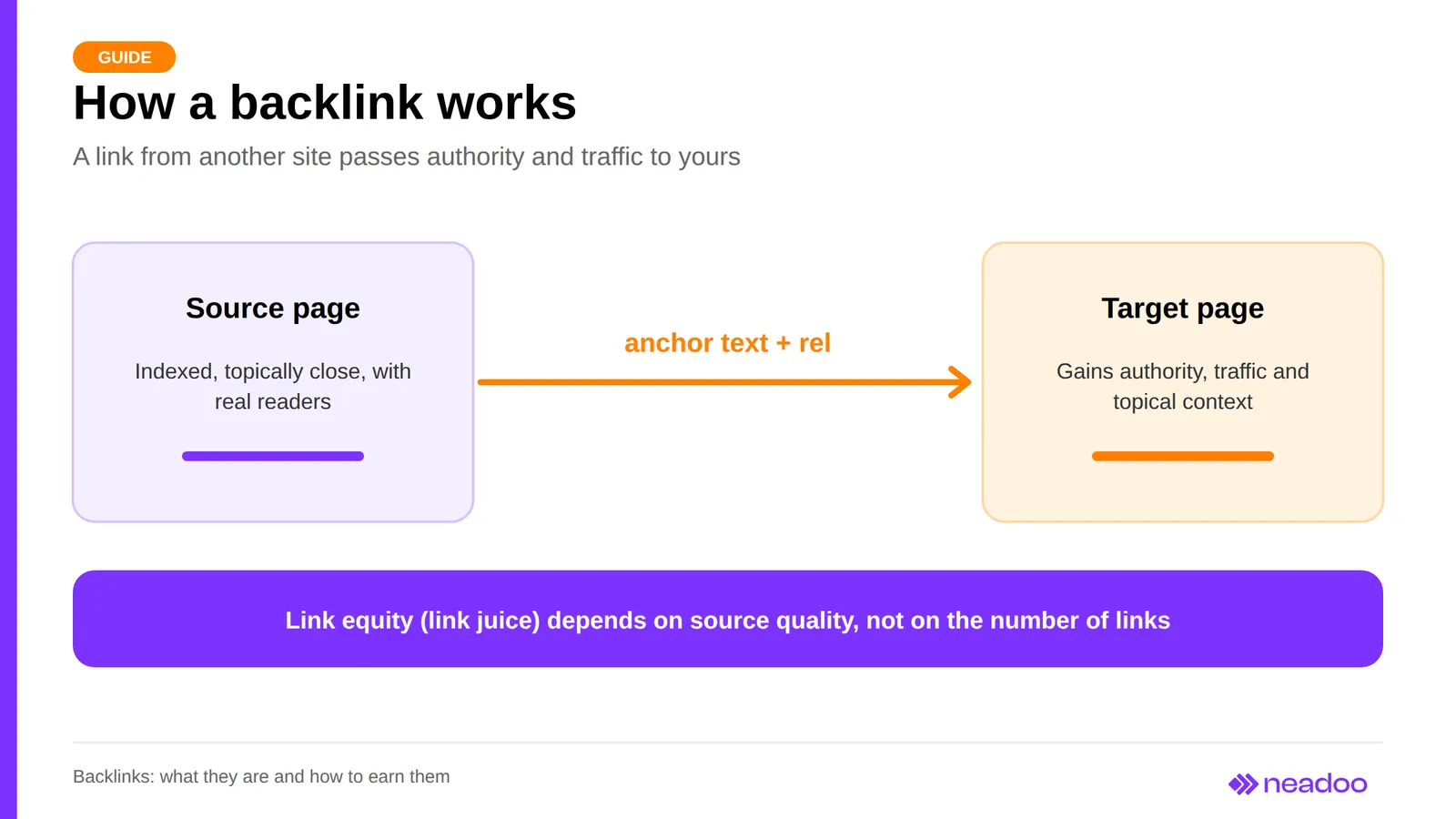
The link text, which is the visible, clickable part of a link, is called anchor text. It describes the target page for both the reader and algorithms, so its choice affects how the search engine understands the topic of the linked subpage.
External, Internal, and Image Links: How Do They Differ
Backlinks are external links - links pointing to your site from someone else's website. Internal links connect subpages within a single website: they organize navigation and distribute equity across pages, while outbound links lead from your website to other sites. Image links are links where the clickable element is an image, and the image's ALT attribute acts as the link text. All these types matter for SEO, but only backlinks depend on someone else's decisions. Therefore, plan internal links yourself, including the anchor text, and for external links, focus on the quality and topical relevance of the source.
rel Attributes: What Passes Equity and What Is a Myth
The rel attribute is an annotation in the link's code that tells search engines what type of link it is. A regular link without rel is a standard link available to crawlers, commonly called dofollow (follow). However, the value rel="dofollow" is not an official attribute value and does not guarantee the transfer of equity. Since 2019, Google has treated other attributes as hints rather than strict rules.
| Attribute | Purpose | Common myth |
|---|---|---|
| no rel (dofollow) | standard editorial link | every such link passes full authority |
| rel="sponsored" | advertising, paid, and sponsored links | Google ignores it |
| rel="ugc" | links in user-generated content, e.g., comments and forums | it means spam |
| rel="nofollow" | link the author does not want to endorse | nofollow is worthless |
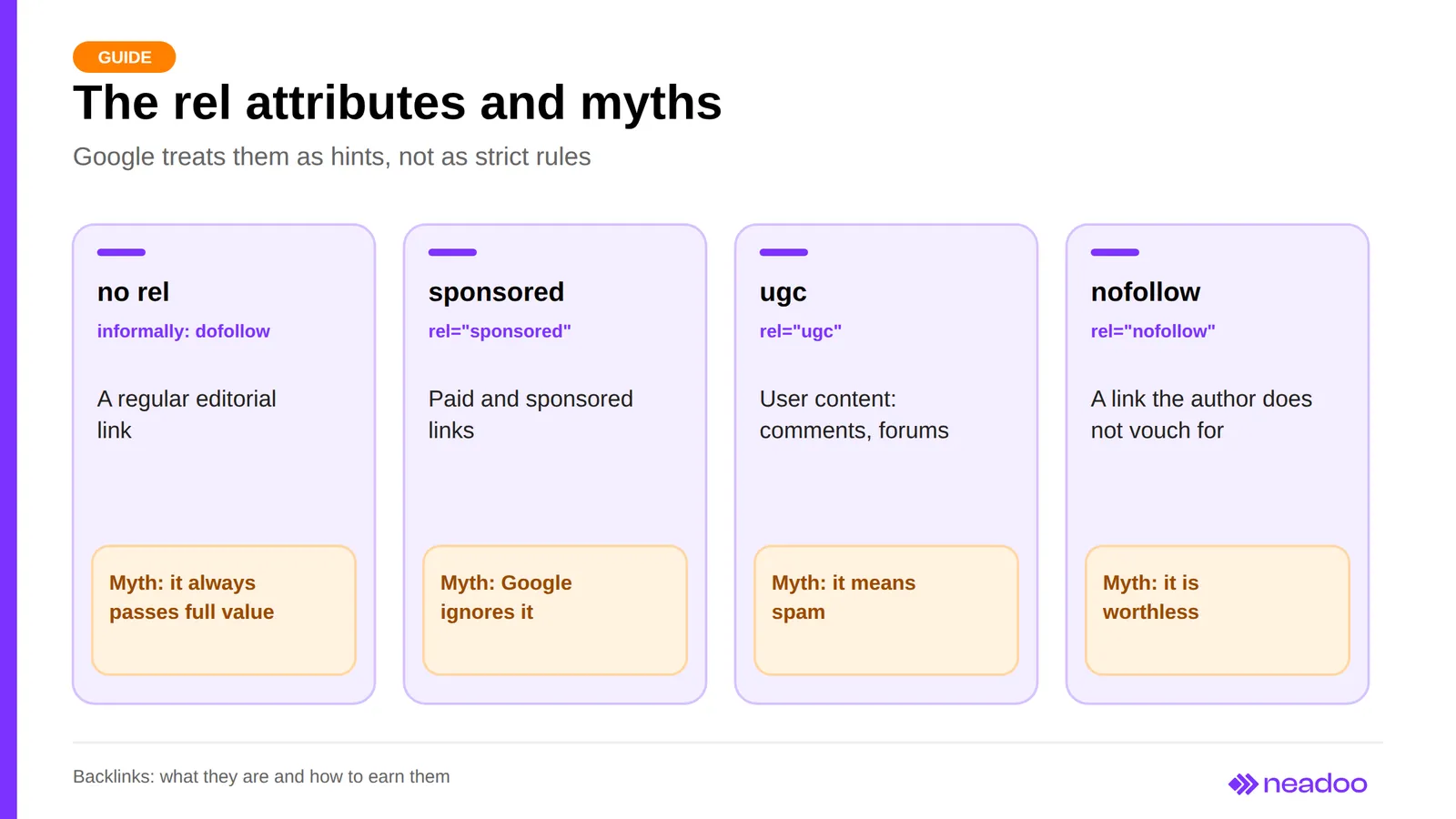
It is a mistake to believe that nofollow links do not matter. Google uses them as hints, and it is also important that such a link can still bring benefits: traffic, brand recognition, and the chance that another author will link to the content without any attribute.
Why the Page with the Link Must Be Indexed
A backlink helps the target site primarily when the page containing the link has made it into Google's index. A link on a page that the bot hasn't visited cannot help rankings. Therefore, before evaluating a link, check the indexing of the source page - for example, by typing site: followed by its URL into Google or, if it is your site, by using the URL Inspection tool in Google Search Console.
How to Assess the Value of a Backlink
A good SEO link helps the reader, not just an algorithm. Valuable backlinks come from websites topically related to your site's industry that publish content for humans, with the link placed in a natural context, such as a paragraph that justifies it. When evaluating a source, pay attention to signals: does the site have real audiences and traffic, does its topic match yours, are there no signs of spam, and is it worth checking the domain's history, since an expired domain that has been taken over often has nothing to do with its previous content.
It is worth noting that metrics such as Domain Rating (Ahrefs), Domain Authority and Spam Score (Moz), or Trust Flow and Citation Flow (Majestic) are third-party tool estimates, not Google metrics. They help compare domains, but they should never be treated as definitive judgment. A low metric score is no reason to discard a naturally acquired link, and a high score will not save a purchased link.
Effective and Safe Link Building Methods
A stable backlink profile comes from a combination of natural link magnets, selective outreach to editors, and controlled partner publications. Below, we describe three proven methods.
Link Baiting: Content That Earns Links
Link baiting is a part of content marketing: creating content that others cite voluntarily. It requires regular publishing and analysis, so it is a long-term strategy. Four formats work best: expert articles, guides, and case studies (knowledge); infographics with data and videos that other websites can embed (data); calculators, quizzes, and surveys solving a specific problem (tools); and storytelling-based materials without exaggerated or unverified claims.
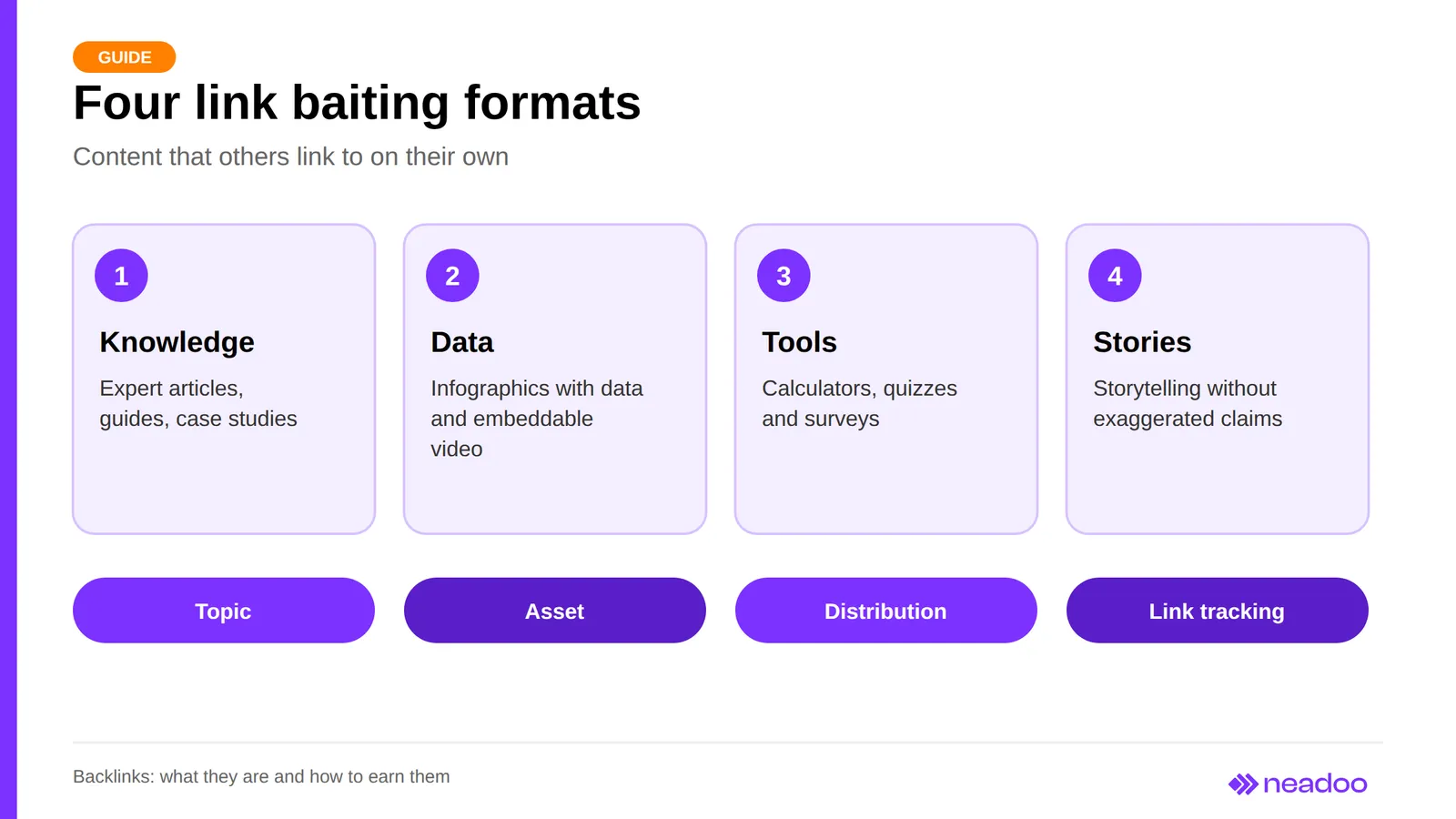
The process has four steps. First, choose a topic after analyzing the industry, competitors, and audience questions. Then prepare material with something not found elsewhere, such as your own proprietary data. Next, distribute it in a newsletter, on social media, and among industry figures who might link to it. Finally, check Google Search Console and a backlink analysis tool to see what new links have appeared.
Guest Posts, Sponsored Articles, Business Directories, and Digital PR
You can buy sponsored articles on platforms like WhitePress. Mark them with the rel="sponsored" attribute, and base guest posts on substantive content, with the link serving as a helpful resource, not an advertisement. Ensure a diverse anchor text profile: use exact match anchors sparingly, as too many look unnatural, and balance them with brand names (branded anchors) and neutral phrases like "check here" or "more."
Reputable business directories and industry listings provide safe links, provided you fill out the profile thoroughly and select directories with editorial review. Digital PR involves pitching materials worthy of a mention and a link to media outlets and industry editors, such as original research, roundups, or expert commentary. Pick a portal in your industry, write a short pitch focusing on one specific topic with numbers, and treat the link as a natural outcome of the publication, not a requirement.
Broken Link Building Step by Step
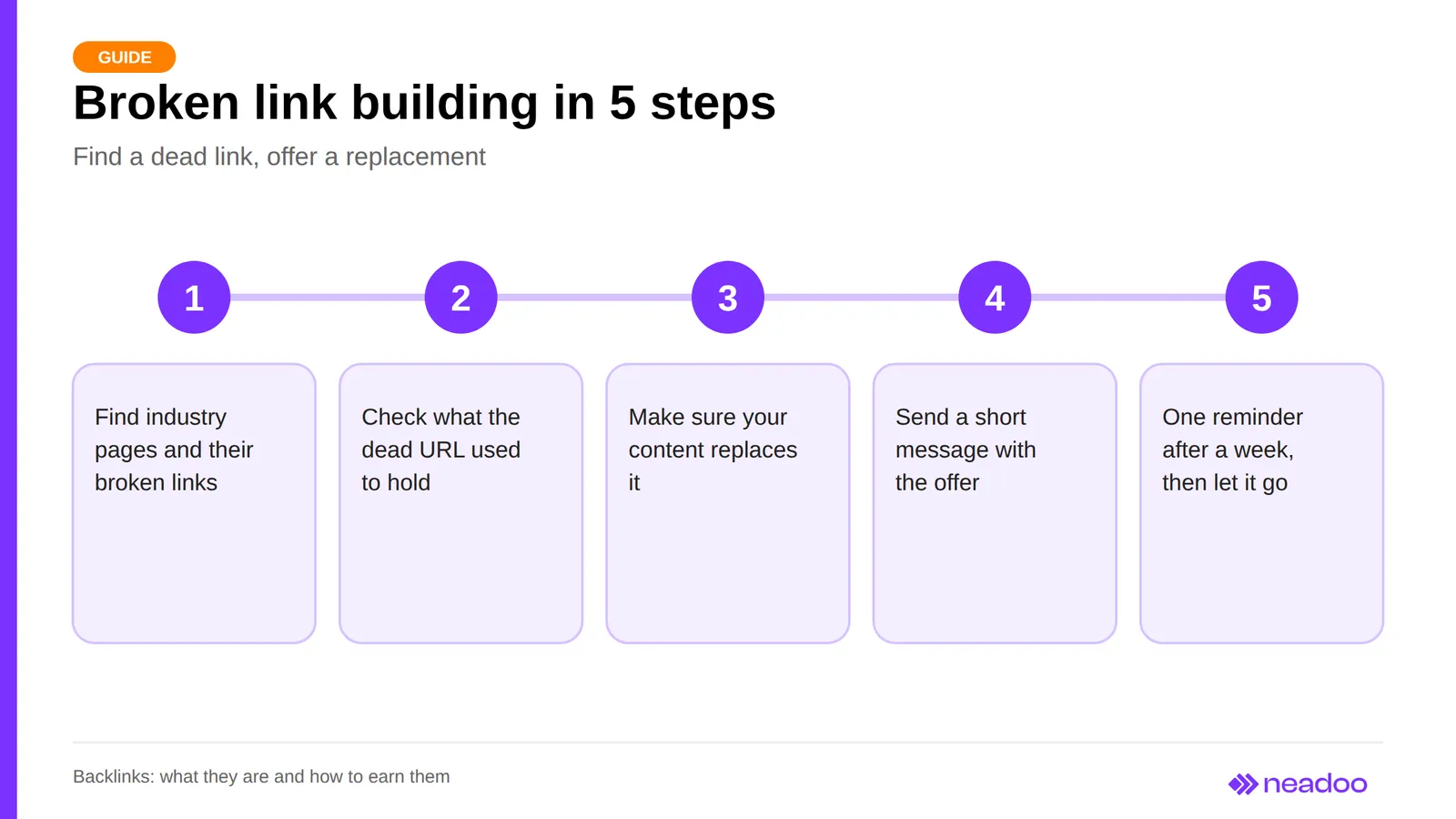
Broken link building involves finding an inactive link (a 404 error, or broken link) on someone else's website pointing to a topic your content covers, and suggesting a replacement. Do it in five steps:
- Find websites in your industry that link to materials on your topic, and check them for broken links using a browser extension or a crawler.
- Check what was at the dead URL, for example, using the Internet Archive (Wayback Machine).
- Make sure your content actually replaces the removed material.
- Send the author a short message detailing the broken link's URL, its location on the page, and your suggested replacement.
- If they do not respond, send one follow-up after a week, and then move on.
Let's check your website's potential
Share your website and email - we'll get back to you with a real analysis, no strings attached.
Which Links to Avoid
Avoid link exchange networks (SWLs), link farms, and private blog networks (PBNs), as they carry the risk of a manual action or an algorithmic penalty. Link exchange networks are webs of sites that automatically link to one another, while PBNs are satellite networks built on expired domains solely to point to selected target sites.
Equally risky are cheap link packages from auction and classified sites (offers like "1,000 links for a few dollars"). Such links usually come from link farms and unmoderated directories rather than genuine publications. This category also includes undisclosed paid links, mass automatically generated links, comment and forum spam, and websites hosting malicious code. Following Google's Penguin algorithm updates, many of these can harm your link profile, or at best represent wasted budget.
The Disavow Tool: When to Use It and When to Leave Links Alone
Decision Hierarchy in a Link Audit
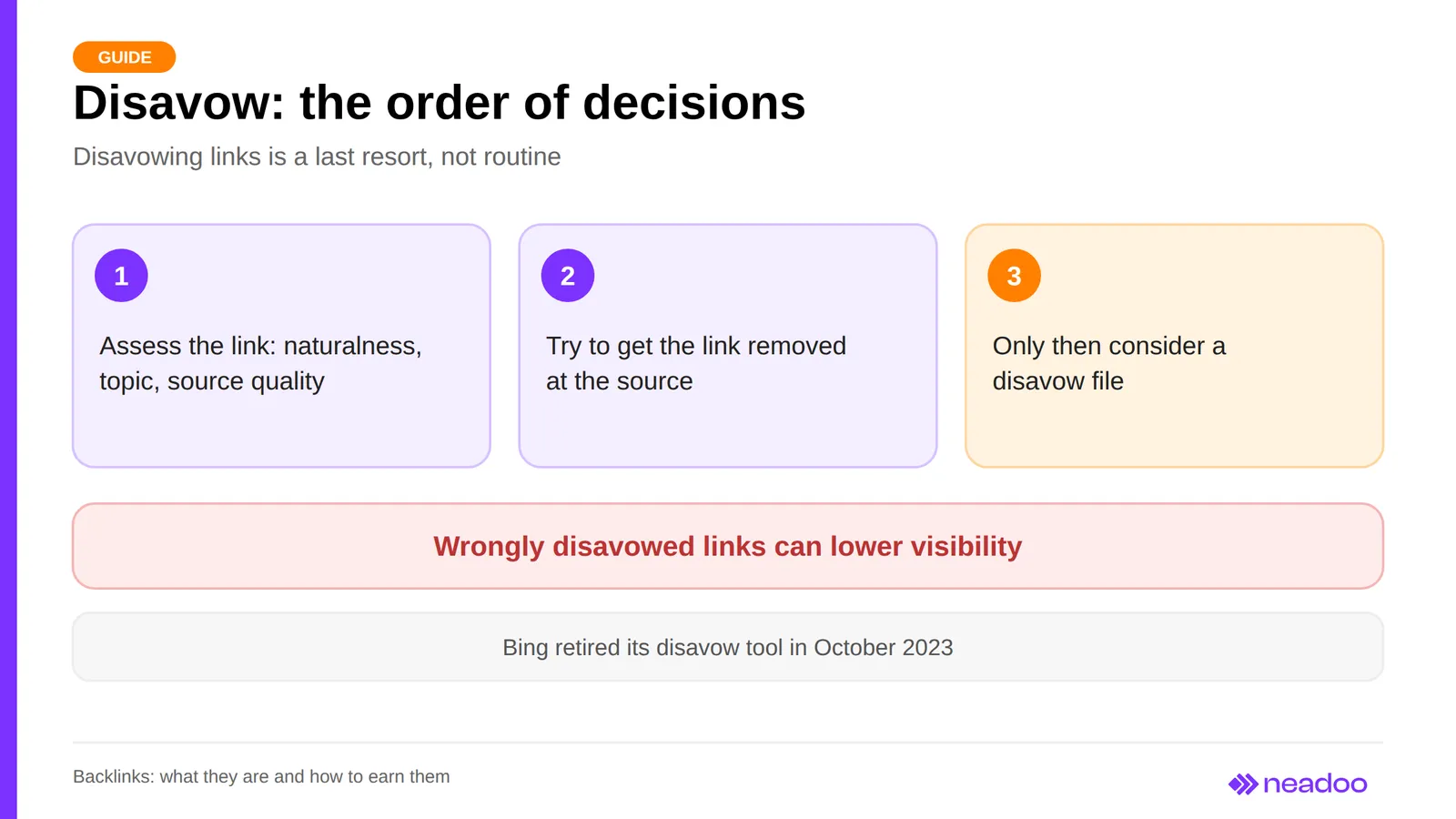
Follow this sequence during an audit: first evaluate naturalness, topical relevance, and the quality of the referring page, rather than just the number of links. For a link that violates guidelines, first attempt to remove it at the source by contacting the referring site's administrator. Only consider a disavow file if that fails. Low Domain Authority or low traffic are not reasons in themselves to disavow a naturally earned link, and a high Spam Score is merely a signal for manual verification, not a verdict.
How the Tool Works and Why You Need to Be Careful
To use the Google Disavow tool (available in Search Console at search.google.com/search-console/disavow-links), you upload a .txt text file containing a list of URLs or domains that you want Google to ignore when evaluating your site. Be careful: disavowing links by mistake can hurt your visibility, and the file does not remove links from the web - it only asks Google to disregard them. The tool is not intended for regular cleanup of every link profile: Google considers it an advanced feature and typically handles unnatural links on its own, and John Mueller has previously suggested it might eventually be retired.
Disavowing makes sense in the case of a manual action for unnatural links when they cannot be removed at the source. In such cases, you need to remove or disavow the links and submit a Reconsideration Request in Search Console. Bing retired its own disavow tool in October 2023, so a file prepared for Google has no effect there. However, the backlink report in Bing Webmaster Tools is still active.
Free Tools for Checking and Auditing a Link Profile
Start free backlink checking with Google Search Console and supplement it with the free tiers of SEO platforms. The first tool displays data for your own website, while the others also let you analyze competitors. Free plan limits change, so check their current pricing and plan pages.
| Tool | What you can check for free | Limitations |
|---|---|---|
| Google Search Console | "Links" report: top linked pages, anchor text, linking sites; list export | Verified site only |
| Bing Webmaster Tools | Backlink report for your own and other sites | Bing index data only |
| Ahrefs (Webmaster Tools, free backlink checker) | Preview of links to your own site and selected URLs | Limited number of links, no full filters |
| Majestic, Semrush, Moz | Basic domain metrics and partial link profile | Query or data limits in the free version |
Regularly monitoring your website's link profile allows you to quickly spot new and lost links. During an audit, compare your referring domains with those of competitors, identify high-quality sources you are missing, and track gained and lost links. Filter the export for links pointing to pages returning a 404 error. Set up a 301 redirect from that URL to a thematically relevant page, or restore the missing content.
FAQ: Frequently Asked Questions
What are backlinks and how do you check backlinks to a website?
Backlinks are incoming links from other websites to yours. You can check them in the "Links" report in Google Search Console, the backlinks report in Bing Webmaster Tools, and in free versions of SEO tools, and it is worth comparing the results against your competitors' profile.
How long do you have to wait to see the effects of new backlinks?
There is no set timeframe. First, the crawler has to visit and index the page containing the link, and only then can the impact show up in rankings. The timing depends on the quality of the source, keyword competitiveness, and the pace of profile building, so evaluate changes over months, not days.
What is the difference between a dofollow and a nofollow link?
A dofollow link is a standard link without a rel attribute that can pass ranking equity, although the term itself is not official. A nofollow link contains rel="nofollow", which Google treats as a hint rather than an absolute rule. A natural profile includes both types.
Do social media links help with SEO?
Indirectly. Links in posts usually have the nofollow attribute, so they do not pass equity like a classic backlink, but they drive traffic and increase the chances of earning links from other creators.
What is link juice in the context of SEO?
Link juice, or link equity, is a colloquial term for the value passed through PageRank from the referring page to the target page. It depends on the quality and topical relevance of the referring site and its indexing status, while Google treats links with nofollow, sponsored, or ugc attributes merely as hints.
Is buying cheap link packages worth it?
No. Such links usually come from link farms and unmoderated directories, violate Google's link spam guidelines, and risk manual actions or algorithmic penalties - or, at best, produce no results at all.