
AI Presentation Tools: Which Ones to Choose in 2026?

AI Presentation Makers: Which One to Choose in 2026?
Preparing a presentation for the board or a client still takes hours. A good AI presentation maker cuts that time down to roughly a dozen minutes without sacrificing substantive or visual quality.
The market for artificial intelligence presentation tools has become remarkably mature. In 2026, AI is no longer limited to randomly generating slides: the best AI presentation makers act like agents that iteratively fine-tune the entire presentation to match your brand. The workflow order has also shifted, as the "outline and narrative first, design second" approach has become standard.
We reviewed AI presentation tools from three angles: slide quality, time savings, and sales value. Separately, we took a close look at two specific things: how much these tools actually cost and what their makers say - or keep quiet about - regarding Polish special characters.
2026 AI Presentation Tool Ranking - Which Slide AI to Choose
The best AI presentation tools in 2026 are Gamma App, Canva, Beautiful.ai, Plus AI, and Microsoft Copilot. The choice depends on the purpose of your presentation, not the number of features on the pricing page.
One name is worth crossing off: Tome sunset Tome Slides on April 30, 2025, and repositioned itself as a platform for sales teams. The company still exists; the presentation product does not. Some Polish rankings still place Tome in the top three.
| Tool | Key Technology | Output Format | Use Case |
|---|---|---|---|
| Gamma App | modular cards, AI slide generator | presentation and webpage in one | pitch decks and product pages |
| Beautiful.ai | AI design engine, Smart Slides | corporate slides | team presentations |
| Canva Magic Design | graphic and prompt library | slides, social media | marketing |
| Plus AI | PowerPoint and Slides add-on | .pptx files and Google Slides | company templates |
| Microsoft Copilot | Word and Excel data | .pptx in Microsoft 365 | data reports |
| Pitch | sales rooms, version history | online deck with permissions | B2B sales |
Gamma App, Beautiful.ai, and Canva Magic Design
Gamma builds presentations out of modular cards: each slide is a block that can be moved or embedded on a webpage. A single content source therefore powers both pitch decks and websites.
Gamma AI generates presentations in minutes using text prompts and a short description. Sharing presentations is done via a link, and Gamma supports interactive elements like videos. You can generate a deck and export it to PPTX for free, but with Gamma branding on the cards. A paid plan unlocks unlimited generation and broader template customization options.
Beautiful.ai automatically adapts slide layouts to content in real time: you add a sentence, and the design engine recalculates the composition, turning raw text into professional slides. The price for this orderliness is less flexibility than in a vector editor, because Smart Slides keep elements within their frames. That is an advantage when a presentation is created by a sales rep without design skills. There is no free plan here: there is a 14-day trial that requires entering a credit card.
Canva Magic Design generates a draft of a complete presentation in seconds and gives access to millions of graphics. Visual elements and icons are all in one place, and exporting to PowerPoint (.pptx) lets you hand the file over to a designer. A brand kit with your own logo and palette requires a paid plan; Canva Teams is no longer sold to new customers and has been replaced by Canva Business.
Slidesgo AI, SlidesAI.io, and Pitch - Templates and Team Collaboration
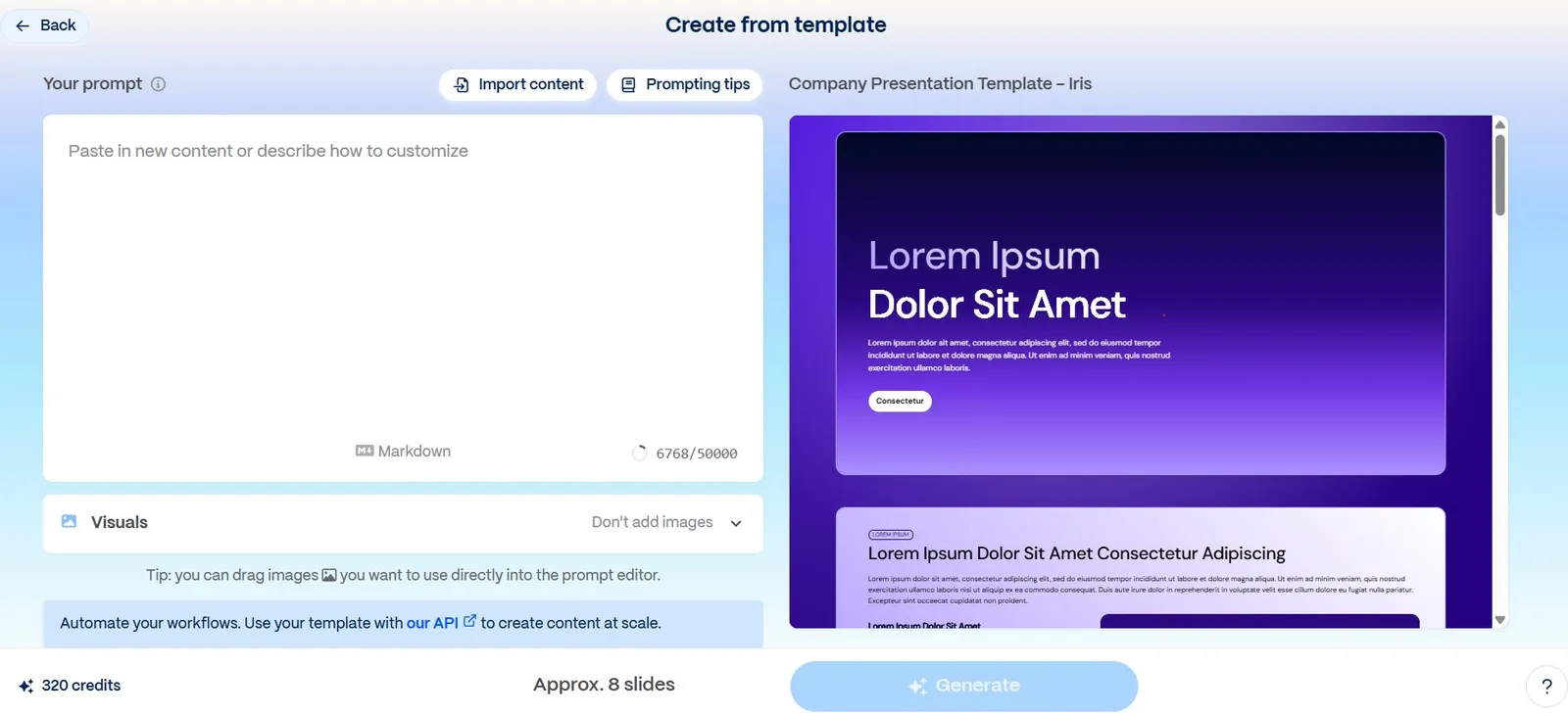
Slidesgo AI uses ready-made templates to generate presentations quickly. This is the path for those who prioritize a professional look without configuration. Three free presentations per month are enough to evaluate whether the templates fit your industry. Watch the address - the real domain is slidesgo.com, while slidesgo.io is an unrelated service with a similar name.
SlidesAI.io breaks pasted text down into automatically formatted slides in seconds, with an export-to-PowerPoint option. The tool works as an add-on for Google Slides, so you work in a familiar environment.
Pitch focuses on real-time team collaboration: comments, permissions, and version history are crucial when multiple people are working on a single presentation. However, it is worth noting that in November 2024, Pitch repositioned itself from a slide tool to a sales platform with customer rooms and HubSpot integration. If you are looking for a "make me a deck from a prompt" generator, that is no longer its primary role. Need a presentation for tomorrow? Fast prompt-based generation wins. Need material that will live for months? Choose a tool that supports team collaboration.
How Much It Actually Costs - Pricing and Free Plans
The prices in the table are list rates for the US market, in USD, before tax, verified on August 10, 2026. Two providers do not publish amounts in a way that can be read without opening the checkout cart - Gamma and Prezi render their pricing via scripts - so in those spots we wrote "not listed" instead of copying someone else's figures.
| Tool | What the free plan offers | Paid from | Licensing model |
|---|---|---|---|
| Gamma | 400 one-time credits, 10 slides per prompt, PPTX export with watermark | not specified on the website; Teams $240/seat, Business $480/seat | per workspace member |
| Beautiful.ai | none, only a 14-day trial requiring a card | Pro $12/mo billed annually or $45 billed monthly | Pro per account, Team $40/user |
| Canva | AI with lower usage limit, no brand kit | Business $20/user/mo; Pro not specified | per user, no seat minimum |
| Plus AI | none, 7-day trial with 1,000 credits | Basic $10/user/mo billed annually, Pro $20, Team $30 | per user, credits per person |
| Microsoft 365 Copilot | Copilot Chat, but not the panel in PowerPoint | $30/user/mo billed annually; Copilot Business $18 promotional | add-on, requires M365 license |
| Gemini in Google Slides | none in Business Starter plan | included starting from Business Standard, $14/user/mo | included in Workspace plan price |
| Pitch | up to 5 people, 100 one-time credits, PDF export | Plus $13/mo billed annually, Team $19/seat | per seat |
| SlidesAI.io | 12 presentations per year, 2,500 input characters | Pro $10/mo billed annually, Premium $20.83 | per account |
| MagicSlides | 3 presentations/mo, 10 slides, watermark | Premium $29/mo | per account |
| Decktopus | 1 presentation, no export, watermark | Pro $9.99/mo billed annually | per account |
| Prezi | 500 AI generation credits | not specified on the website; PDF export starting from Plus plan | per user |
| Slidesgo AI | 3 presentations and 3 downloads per month | Premium $3/mo billed annually | per account |
Let's check your website's potential
Share your website and email - we'll get back to you with a real analysis, no strings attached.
Several things emerge from this table that you will not find in rankings.
A free plan rarely means what the name suggests. Decktopus gives you one presentation with no export option, Beautiful.ai gives you nothing, and credits in Gamma and Pitch are one-off - once they are used up, the free account stays with an empty counter forever. Only Slidesgo, MagicSlides, and Canva have genuinely recurring allowances.
The two cheapest solutions are the ones you probably already do not buy separately. Gemini in Slides stopped being a paid add-on in January 2025 and is included in Workspace Business Standard, so if your company has this plan, slide generation is part of your subscription. Watch out for the Starter version - Gemini in Slides does not work there. On the Microsoft side, it is the opposite: Copilot is a separate add-on for $30 per person per month, billed on top of your Microsoft 365 license.
A free plan makes sense early on, when you are testing whether the tool understands your industry at all. It stops being enough the moment you need to send a client a watermark-free file, and watermarked files are what you get on the free plans of Decktopus, MagicSlides, and Gamma. In most tools, Pro plans start at $10-12 per user per month billed annually, which for small teams pays for itself on the first proposal you do not have to outsource to a graphic designer.
One thing is especially critical: before comparing pricing, compare core features - watermark-free export, brand kit, and input limit. This order matters more than a difference of a few dollars in the subscription, because the real cost of creating slides in a cheap tool with rasterized export is something you later pay for in hours of designer labor.
Do these tools handle Polish well?
This question shapes your choice more than pricing, yet no Polish ranking answers it. Let us separate two things: generating content in Polish and displaying Polish characters correctly.
Polish as a generation language is confirmed in documentation by: Gamma, Plus AI, Microsoft 365 Copilot, Gemini in the Slides side panel, SlidesAI.io, MagicSlides, and Canva AI. SlidesAI.io includes Polish in the higher of its two support tiers, along with an interface translation. Beautiful.ai, Slidesgo, and Pitch do not publish language lists, so they say neither yes nor no about Polish.
Three caveats from the documentation change the picture.
The "Help me write" feature in Google Slides supports eight languages, and Polish is not among them. The new generation of full, editable presentations via Gemini in Slides was launched by Google in June 2026 exclusively in English - which means the newest and most publicized Workspace feature is currently useless for a Polish-language user. Things are similar on the Microsoft side: Copilot supports Polish at the platform level, but Design Suggestions in PowerPoint are officially supported only in en-US.
The creators of Plus AI admit something in their guide that no other vendor mentions: the output language is non-deterministic. "If you get a slide in the wrong language, just try again" - that is a quote from their documentation, not our interpretation.
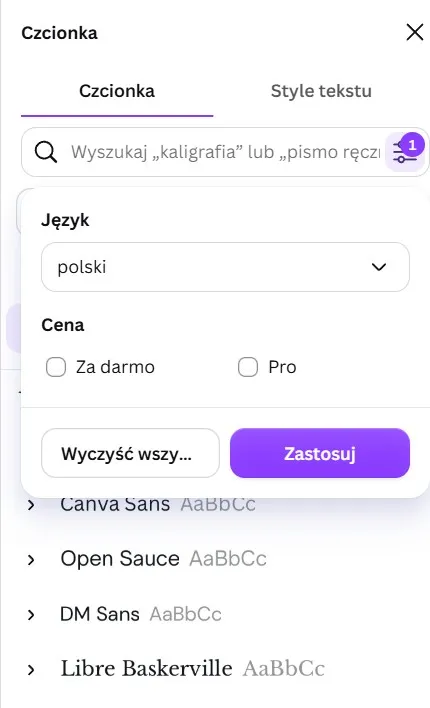
Polish diacritics are worse than language support, because almost no one writes about them. The only documented issue we found was in Canva, and it does not involve the AI, but rather the font library: a significant portion of fonts in Canva do not contain Polish glyphs. Canva has a dedicated language filter in its font panel for this, which in itself is an admission that the problem is systemic. This directly impacts Magic Design, as it picks the template and font on its own - if it hits a font without Polish diacritics, you have to fix it manually.
For the remaining nine tools, there is no reliable source regarding diacritics, neither confirming nor denying support. One warning: Polish websites claiming Gamma handles diacritics seamlessly during export are mostly Gamma affiliate sites.
That leaves your own testing, and not just inside the editor, but across the entire file workflow. Type the prompt "Zażółć gęślą jaźń, wyślij ofertę wspólnikom", generate a slide, export it to PPTX, and open it on another computer. The font only changes in that final step, and that is where diacritics disappear.
When should you not use these tools?
Vendor materials tell you what the tool is for. Below is what they do not say, gathered from their own documentation and reviews based on real-world testing.
- Gamma is not suited for a corporate template with a strict brand book. Fonts only have heading presets, without the fine adjustments needed for pixel-perfect compliance.
- Beautiful.ai is off the table when you need to reproduce a specific, predefined layout. Smart Slides do not allow you to move elements freely - it is the exact same feature that keeps things tidy and blocks you from replicating someone else's design.
- Canva Magic Design produces materials that look like Canva because it inserts text into popular templates. Magic Media generates images at screen resolution, not print resolution.
- Plus AI does not support native charts and tables in custom templates - the vendor states this plainly. The text will update, but the chart will not. Custom templates are limited to 25 slides, work only in Google Slides, only on the Team plan, and are labeled as an experimental beta.
- Microsoft 365 Copilot in PowerPoint has a 2,000-character prompt limit and does not edit existing content. A Microsoft representative confirmed both limitations as legitimate user concerns. The desktop app also does not let you pick a company template in the initial prompt, which undermines its core promise of "working on your brand."
- Gemini in Slides delivers less than advertised for Polish-language presentations - see the section on Polish support for more details. Generated images are locked for use strictly within Slides.
- Pitch loses precision during PowerPoint import and export, and offline access is a weak point. For a single user, the pricing model is structured for teams.
- SlidesAI.io will not accept long input: 2,500 characters on the free plan, 6,000 on Pro, 12,000 on Premium. You cannot feed a report or transcript into it.
- MagicSlides has the worst real user reviews on the entire list. Reports keep resurfacing in the Google Workspace Marketplace about the add-on freezing at the outline generation stage and producing nothing.
Exporting to PPTX and brand consistency - what do you really get?
The key to visual consistency is automated implementation visual identity and export to an editable format. The second part of that sentence is far less obvious than it looks.
Automatic visual identity matching eliminates manual color tweaking in every text box. You upload your brand's palette and fonts once, in a brand book, and the artificial intelligence engine reads them on its own. After a one-time configuration, every presentation in the company account inherits these settings, so you do not have to manage the visual identity manually. Brand consistency stops depending on whether a sales rep remembered the template, and the logo lands on every page from the master slide.
Exporting is a different story, and this is where tools split into three groups.
- The first group rasterizes. Beautiful.ai, in its default export to PowerPoint, generates a file where the pages are static images - the vendor states outright that the downloaded file will not be editable. An editable PPTX is available only starting with the Pro plan. Decktopus does the same, according to a G2 user report, although the vendor does not document this anywhere. Gamma does it partially: objects remain objects, but charts end up as graphics.
- The second group preserves objects but loses details. Pitch documents that animations do not transfer over, videos export as thumbnails, charts may look different, and fonts revert to Calibri if they cannot be embedded. Gamma admits that gradient headers may be reduced to a single color, and italics are just slanted regular font. In Canva, animations and text effects do not transfer to PowerPoint.
- The third group does not have this problem because there is no conversion stage: Copilot, the Plus plugin, SlidesAI.io, and Gemini work natively in PowerPoint or Google Slides. This is a real argument in their favor, rarely mentioned in comparisons.
There is also a trap that affects everyone: Google Slides ignores embedded fonts in an uploaded PowerPoint file and substitutes its own. In other words, "editable PPTX" and "looks the same everywhere" are two different promises, and only the first one can be fulfilled by any of these tools.
An editable .pptx file is more important here than modern template design. Without it, the design department cannot tweak a single page, and PDF remains the format for final distribution.
Turn text, Word documents, and PDF files into a complete presentation
The process of creating an AI presentation from ready-made material looks different from writing from scratch. The feature for generating from rich sources allows you to upload entire PDF reports and Word documents, as well as content from URLs.
Converting PDF to PPTX is not just a format export. The tool reads the heading hierarchy and maps it onto the structure of the entire presentation: a main heading becomes a slide title.
The practical slide creation workflow has four stages:
- You upload a PDF, DOCX file, content from Google Docs, or paste text.
- Structure analysis: the algorithm identifies headings, sections, and key elements.
- Automatic slide creation breaks down a 20-page report into thematic blocks.
- Finally, you save the finished presentation to PPTX, PDF, or Google Slides.
Before you upload a report, check the input limit. A twenty-page document will only get through tools that accept an entire file; plugins that count prompt characters fail on the very first page.
You fine-tune the rest with prompts: tone, description length, layout. For long reports, entering instructions instead of clicking through fields is especially useful.
This approach also works as content recycling: a single report or article turns into a client presentation and a slide-based summary. We also use this mechanism in AI SEO, where search engine optimized content preserves a heading structure critical for SEO.
AI plugins for Microsoft PowerPoint and Google Slides
Is there an AI tool for creating presentations in PowerPoint? Yes, several. Copilot, Gemini, and the Plus plugin solve a different problem than standalone AI presentation generators: they support you without leaving Microsoft Office or Google Workspace.
Microsoft Copilot integrates data from Word and Excel into presentations. It builds a presentation outline from a prompt or document, selects a layout from the company library, and proposes redesigns of old slides in line with the brand book. Distinguish between two things: the free Copilot Chat can build a deck inside the chat window, but the panel in the PowerPoint app itself requires a paid Microsoft 365 Copilot license.
Gemini for Google Slides is integrated with Workspace and reads files from Google Drive. It works from the side panel: it generates slides, rephrases content, and creates graphics. As of June 2026, it can generate an entire, fully editable presentation - for now, only in English.
Plus AI works as an add-on for Google Slides and PowerPoint. It creates entire presentations or individual slides from a prompt, without switching between apps. The plugin works on your license and your files, while a standalone generator operates in a separate environment.
It is also worth noting that some AI features in PowerPoint do not require Copilot at all. Between December 2025 and March 2026, Microsoft rolled out the built-in Designer editor featuring generative object removal, element shifting, background removal, and upscaling. Consumer users get 15 credits per month on the Free plan and 60 on Personal, without a separate Copilot license.
Can ChatGPT make a presentation and generate a ready-to-use file?
Yes, but not the way you think. ChatGPT with the code interpreter builds a .pptx file via python-pptx and offers it for download. You get a working deck, but in the default Office theme, without branding or graphics - and that is what sets it apart from specialized AI presentation tools.
The second route is VBA code, but corporate security policies typically block macros. Both methods require technical knowledge and remain the domain of advanced users. In practice, ChatGPT and its alternatives work better as content generators: for outlines, arguments, and slide copy that you then move into a visual-layer tool.
Real-time slide editing and intelligent data visualizations
AI-assisted editing rebuilds slide layouts based on simple commands. You type "shorten this page to three bullet points" or "change the tone to more formal," and the engine recalculates the layout and graphic proportions.
Design capabilities go beyond text proofing: the tool transforms a bulleted list into a flowchart. That is what sets a modern AI presentation maker apart from a traditional editor.
Intelligent data visualizations transform tables of numbers into infographics and charts. The engine suggests a chart type based on the data type, but the final say is yours: a pie chart on data that does not add up to one hundred percent will pass without warning.
AI capabilities change one thing here: the learning curve is flat, so professional presentations can also be assembled by someone with no design experience. Multi-variant generation suggests several versions of the same presentation from a single prompt.
Data Security, GDPR, and the Reliability of Numbers on Slides
An artificial intelligence tool for corporate use must meet enterprise-grade security standards: confidential business data cannot train public models. GDPR requires data protection and a legal basis for its further use, which free plans do not state explicitly. Check prompt retention, Data Processing Agreements (DPA), and SOC 2 or ISO 27001 certifications.
The second risk is data hallucination - a number or trend with no basis in the source. Advanced control features are more important here than aesthetics: look for platforms that link key information to a spreadsheet cell, a CRM row, or a paragraph. You verify the data before sending the presentation.
CRM Integration, Slide Analytics, and ROI
AI proposal generation, combined with CRM and audience analytics, transforms the economics of sales teams' work. A team puts together an investor pitch deck in minutes instead of waiting days for an agency.
Audience engagement is no longer guesswork. Slide Tracking in Pitch or Gamma records which slide the recipient stayed on the longest. If an investor goes back to the financial model, the next conversation starts with the numbers.
| Element | Traditional process | Process with AI and CRM |
|---|---|---|
| Proposal preparation time | from 4 hours to 2 days | a few minutes to an hour |
| Personalization | manual, often skipped | automatic, data from CRM |
Outside the ranking - tools from adjacent categories
Three names that did not make it into the table, but win in specific situations.
- SlideSpeak has the best language documentation on the market: 100+ languages with Polish explicitly listed and clear support for right-to-left writing. It is the only tool that addresses the technical aspects of text rendering at all, so it is the safest starting point for a Polish-speaking user.
- Presentations.ai pulls logos, fonts, and colors directly from a website URL, updates the presentation when the data source changes, and generates hundreds of personalized decks via API. It exports a full, editable .pptx. However, Polish is not on its list of languages.
- Storydoc does not make files, but interactive web decks with their own URL and built-in analytics. It wins when you send the presentation rather than present it live. It loses when the client requires a .pptx file - the vendor makes no mention of such an export.
Summary in one sentence: artificial intelligence cuts working time by orders of magnitude, but it will not replace the decision of what you want to say.
Frequently asked questions about AI presentation tools
What is the best AI for making presentations?
Generally speaking, the choice depends on the purpose of the presentation: Gamma for decks and web pages from a single source, Beautiful.ai for consistent team design, Plus and Copilot add-ons for working within corporate templates. Before you buy anything, check one thing: if your company has Google Workspace Business Standard, slide generation is already included in your subscription and you do not need to pay twice.
Which AI for slides should I choose when I already have ready text or a PDF?
SlidesAI.io and MagicSlides convert pasted text, PDFs, or links into slides inside Google Slides, but they have hard input limits. Gamma can digest an entire report and add an editorial layer to it.
Can ChatGPT make presentations?
A .pptx file, yes, via code interpreter, but in the default Office theme and without graphics. For a branded deck, you still need a separate tool.
Is there an AI tool for creating presentations in PowerPoint?
Yes, Microsoft Copilot and Plus AI. However, both require a separate license on top of the standard Office subscription, so the cost is calculated per user.
Which AI presentation tool supports Polish?
Seven vendors list Polish in their documentation, three do not mention languages at all. Diacritics are a bigger issue: only Canva has a documented problem, while the rest remain silent, so the only reliable method is to test it yourself before buying.
Are free AI presentation tools enough?
To test the technology, yes; for repeatable work, rarely. The boundary comes at the moment you need to send a client a file without someone else's logo - that is almost always a paid feature.